Main Menu
To choose a game mode, Control Pad ↕ to highlight it, then press START.
•
Exhibition: A one-game competition. Play with your friends or test your hockey skills against a computer-controlled opponent.
•
Season: Play through an entire NHL season, complete with best-of-7 playoff series and season-end awards ceremony.
•
Practice: Design plays and run your favorite team through drills in real game situations.
•
Skill Challenge: Work on your skills in four fundamental hockey drills.
•
Shoot Out: Practice your penalty shots in a five-round contest.
Exhibition Mode Setup
To begin an Exhibition game, choose EXHIBITION from the Main menu. The Exhibition Setup screen appears.
To adjust options, Control Pad ↕ to highlight an item, then Control Pad ↔ to cycle choices. To continue, press B to bring up the Team Select screen.
Any changes you make to Main menu options are saved in memory as new defaults. Default settings appear in bold type.
•
Skill Level: Novice (computer-controlled players skate and react more slowly), Intermediate (computer skaters play to their ability but never rise to a championship level), or Expert (skating is quick, body checks are lethal, and passes are right on the tape).
•
Period Length: 5/10/20 Minutes. Set the length of each period. Overtime periods following Exhibition and Season games are five minutes.
•
Goalies: Manual (it's up to you to stop the puck) or Automatic (the computer goalie automatically attempts saves, then you take over).
•
User Records: On (keep an ongoing record of your performance for up to eight players) or Off (play without saving records or stats).
•
Penalties: Off (no penalties), On (the Referee calls the game just as in an actual NHL game), or No Offsides (all penalties called except offside violations).
•
Line Changes: Off (your best line remains on the ice and never tires), Automatic (lines change automatically at each face-off), or On (you must change lines manually to keep skaters fresh).
•
Rosters: Default (reflects the 1996-97 NHL season) or With Trades (reflects your NHL 98 transactions).
•
Fighting: On (aggressive players may square off after a big hit) or Off (players keep their gloves on at all times).
•
Random Teams: On (computer automatically chooses two teams) or Off (you select the match-up).
Team Select
Select the teams you want to match up in the game. You can choose from all 26 NHL teams plus the two All-Star teams.
•
Control Pad ↕ to scroll through teams.
•
Control Pad ↔ to switch between teams.
•
To accept the match-up, press START. The Controller Setup screen appears.
User Entry
If you're playing a game with User Records ON, the User Entry screen appears. Choose the name under which you want your statistics saved for the next game.
•
Control Pad ↕ to highlight a User Name slot, then press B to activate and follow the on-screen instructions.
•
To select a User Name, highlight the name you want, then press START to accept. The Today's Game screen appears.
Today's Game Screen
The Today's Game screen displays a summary of the next game, complete with a list of players on hot and cold streaks.
•
To exit the Today's Game screen, press START. The Scoreboard appears.
Scoreboard Menu
The Scoreboard menu appears anytime there's a break in the action. Access Scoreboard menu items to adjust game options, view stats and instant replays, or call a timeout.
•
To select a menu item, Control Pad ↕ to highlight it, then press B.
•
To pause the game and call up the Scoreboard menu, press START.
•
To return to the game, press START with any option highlighted.
Scoreboard Menu Options
•
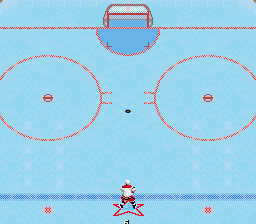
Start Game: Players take their positions at center ice and prepare for the opening faceoff.
•
Edit Lines: Edit your team's lines to test player chemistry or give your team a new look on the ice.
•
Team Roster: Compare players and net minders by skill ratings and physical size. Scroll stats with Control Pad ↔. Press START to return to the menu.
•
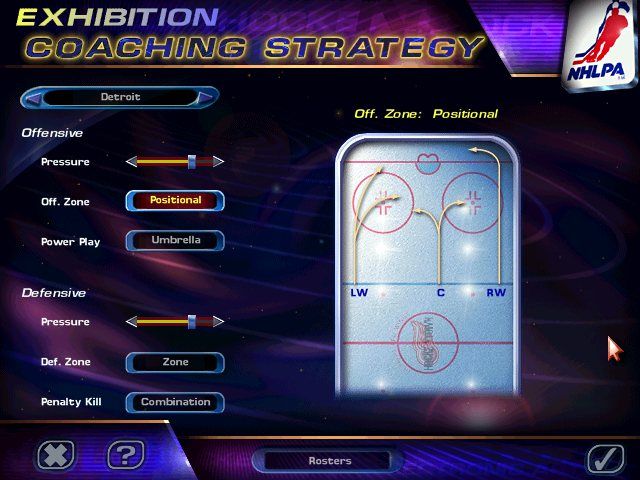
Coaching: Assign different strategies to different lines to affect the style of gameplay. Press START to return to the menu.
•
Score Summary: Review the period, time, team, goal scorer, assists, and power play status for each goal.
•
Penalties: Take a look back at the penalties called during the match.
•
Record Holders: Ranks the top four users according to their cumulative win/loss/tie records and lists record holders.
•
Other Scores (Season Mode Only): Keep tabs on the competition and their respective contests.
•
Game Stats: See how the teams performed head-to-head.
•
Period Stats: Check the number of Shots and Goals by period. Press B to toggle between Shots and Goals.
•
Player Stats: Compare players' game stats in five skating and three goaltending categories.
•
Controllers: Adjust controller setup options.
•
Quit Game: Quit the game in progress and return to the Main menu.
Instant Replay
This option appears when you access the Score
.png)

.png)
.png)
.png)





.png)

.png)
.png)
.png)



.png)
.png)


.png)

.png)
.png)
