Starting the Game
1. Turn ON the power switch on your Sega Saturn® system. 2. Make sure a control pad is plugged into the port labeled Control 1 on the Sega Saturn system. 3. Open the disc tray, place the NHL® 98 disc inside, then close the lid.
4. The NHL® and NHLPA™ legal screens appear, followed by the NHL 98 introduction video and title screen.
5. Press START at any time to advance to the Game Setup menu.
Memory Requirements
•
NHL 98 requires at least 512 blocks of free memory for each saved game.
•
If your Sega Saturn system has fewer than 512 blocks of free memory, the Backup Memory screen appears. •
Follow the on-screen instructions to increase free memory, or press START to bypass.
NOTE: A Sega Saturn Backup RAM cartridge is required to save game files. Control Summary
Game On!
In the past, hockey video games tried really hard to mimic their real life counterpart-the skating was fast, the checks were hard, and the one-timers were lightning quick-but one thing remained constant to set the two apart: a gamer would always win on the console, while a hockey player would always win on the ice. In this year's biggest video game breakthrough, that's all about to change.
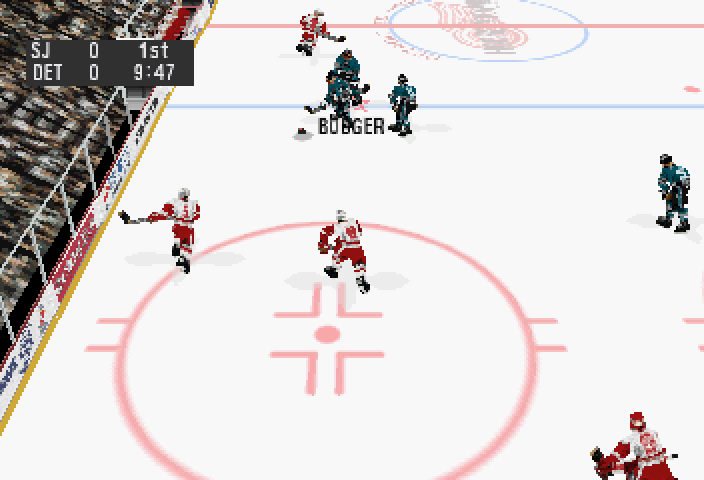
EA SPORTS moved NHL 98 production from sunny California to Vancouver, BC (a city rich in its hockey tradition) and brought Colorado Avalanche™ coach and Stanley Cup® champion Marc Crawford aboard to elevate their game to the next level. The result is a hockey video game that truly plays like a real NHL match. In NHL 98, you can set your team's positional strategy before the game, from the Pause menu, or on the fly. Players stick to the game plan and actually hold their positions. If you choose a combination strategy, your players adapt to whatever the opposition throws at them. With NHL 98 on the console, hockey players' familiarity with real hockey strategies and plays gives them the clear advantage; on the ice, gamers will still get the stuffing checked out of 'em. Game on!
New Features
•
Coaching Strategies: Colorado Avalanche™ coach and Stanley Cup® champion Marc Crawford designed NHL 98's awesome strategy and AI.
•
Shot Deflection Plays: Set up and execute shot deflection plays that your players run with pinpoint accuracy.
•
Play-by-Play and Color Commentary: Big time sports announcers Jim Hughson and Daryl Reaugh keep you in the game. •
Signature Moves and Special Moves: Superstars perform signature moves, all other players execute highlight-worthy special moves.
•
Intelligent Goalies: When appropriate, goalies skate out of the crease to cut off angles and behind the net to pick up dumped pucks.
•
Custom Teams: Build up to two custom teams and fill the rosters with any NHL or user-created player.
•
Speed Burst on Offense: Keep the pace quick with a separate button for speedy skating with the puck.
•
Comprehensive Fighting Controls: Grabs, ducks, jabs, hooks, and punches.
•
Broadcast Presentation: Eight camera angles, automatic zoom in the crease, auto replay, stat overlays cumulative through game or season, and more.
Game Setup Menu
Level
Select a level of difficulty for the next game.
•
To choose a level, D-Pad up/down to highlight the current level, then D-Pad left/right to cycle options.
•
ROOKIE: Designed for beginners and players who want to learn the basics. Computer teams skate and react more slowly.
•
PRO: High competition, high contact NHL action. Computer player performance is determined by real-life skill ratings.
•
ALL STAR: All players perform with All Star ability-the skating is quick and the passes are right on the tape.
Rules
Establish rules for the upcoming matchup.
•
To access the Rules menu, D-Pad up/down to highlight RULES, then press A.
•
To adjust rules, D-Pad up/down to highlight an option, then D-Pad left/right to change.
•
PERIOD LENGTH: Select 5, 10, or 20 minute (regulation) periods.
•
PENALTIES: Use the slider to set the frequency of penalty calls. All the way left is OFF; all the way right follows NHL regulations.
•
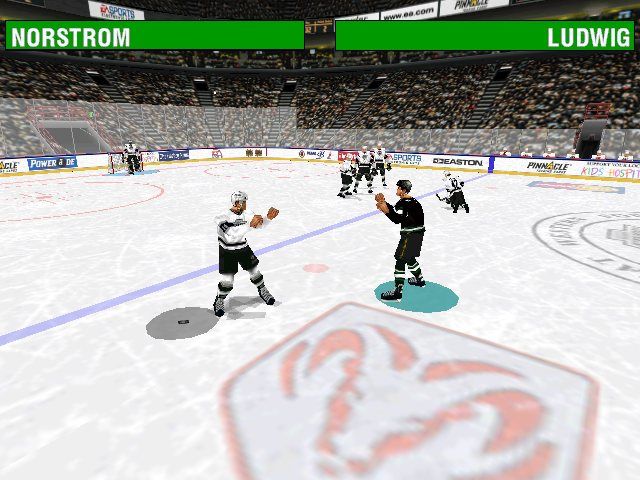
FIGHTING: Toggle the possibility of fighting ON/OFF. When ON, a big hit between two aggressive players may provoke those players to square off against one another.
•
OFF SIDE: Toggle Off Side calls ON/OFF. When ON, handling or passing the puck across your opponent's blue line with a teammate already in the Attack zone results in a face off in the Neutral zone.
•
ICING: Toggle Icing calls ON/OFF. When ON, if you send the puck from your half of the ice over the opposing goal line (without entering the crease) and an opponent other than the goalie touches the puck first a face off results in your zone.
•
2 LINE PASS: Toggle 2 Line Pass calls ON/OFF. When ON completing a pass to a teammate across a blue line and the center
.png)


.png)




.png)

.png)

.png)
.png)
.png)

.jpg)
.png)



_1.jpg)


.png)



.png)


_1.png)