Warming Up
•
Make sure that the power switch on your Super Nintendo Entertainment System® is Off. •
Make sure your controllers are plugged into your Super Nintendo Entertainment System®. •
Press START when the prompt appears.
Suit Up and Get Ready to Play
The Select Mode screen provides you with a choice of three modes of play. You may also select the Password mode to continue your play-off games. The options menu allows you to adjust the time and playing conditions.
Use UP and DOWN on the Control Pad to select the various options for your game. Press B to make your selection.
•
End 2 End: Select from any of 30 teams for head to head competition.
•
Play-offs: Lead your team to a Championship.
•
All-Star: The finest athletes from both conferences battle for honor and glory in an All-Star Bowl.
Password
To continue play-offs already in progress input the correct password.
•
Use the Control Pad to select a character.
•
Press B to input the character.
Options
To move through the various options use UP and DOWN on the Control Pad. Press LEFT or RIGHT on the Control Pad to customize your options.
•
Time: 20, 40 or 60 minutes
•
Field Type: Open-Grass or Turf, Dome-Turf or Auto (The CPU selects the field.)
•
Weather: Sunny, Rain, Snow or Auto (The CPU selects the weather conditions.)
Selecting Your Team
The Select Team screen allows you to pick which team you want to play. If you are in END 2 END mode you can also pick the opposing team. The team at the top of the screen will be the visiting team.
Sterling Sharpe will provide you with an analysis of some of the strengths and weaknesses of the teams as they are displayed. •
1. Use LEFT or RIGHT on Controller One to cycle through the various teams.
•
2. If you are in END 2 END mode press UP or DOWN on the Control Pad to toggle between the visitor and home teams.
•
3. After selecting both teams, press B.
Selecting Players
With the multiplayer adapter, any combination of up to five players is possible. You and up to four of your friends can play against the CPU or head-to-head.
•
1. Use LEFT and RIGHT on the Control Pad to place your player icon underneath the team you wish to play.
•
2. Press A to cancel a selection.
Player Number and Icon Color
Coach's Tip: To watch a game without playing, do not touch the Control Pad. Press START at the SELECT PLAYER screen.
The Coin Toss
•
Heads or Tails: If you're the Visitor you must make a call for the coin toss. Press UP or DOWN on the Control Pad to select either Heads or Tails. Press B for the referee to toss the coin.
•
Receive or Kick: If you win the toss you may elect to kick or receive. Press UP or DOWN on the Control Pad to select either Receive or Kick. Press B to make your decision.
•
Home or Visitor: If you lose the coin toss you will be able to select which goal to defend. If you're playing in an outdoor stadium, make sure you take into consideration the wind direction. Those gusts can come from eight directions.
The Kickoff
If you're lucky enough to receive the ball first, the kick returner will catch the ball automatically and begin to run downfield. You may control the ball carrier using the Control Pad.
If the ball is caught in the endzone, you can attempt to run downfield or press B to down the ball for a touchback.
Offensive Coordinator
As the Offensive Coordinator of your team it is your responsibility to guarantee a devastating air assault or deliver an effective ground attack. In Sterling Sharpe: END 2 END selecting that game winning play is simple. •
Play Selection: At the Play Selection Screen, select a formation by pressing the button which corresponds to the letter assigned to each formation.
•
Select a Play: Press UP or DOWN on the Control Pad to search through different plays. Once you find that perfect play, press the button which corresponds to the letter assigned to that play.
•
Reverse a Play: If you want to reverse a play (such as sweeping left instead of right), press LEFT or RIGHT on the Control Pad.
•
Cancel Formation: Press SELECT to cancel a formation selection.
Kick Returns
On special teams play, your kick receiver will automatically run out of the endzone. To down the ball in the endzone for a touchback, press B.
Running the Ball
When a running play is selected, the quarterback will automatically hand off the ball. When your icon appears above the ball carrier, use your Super NES Controller to control the ball carrier.
Passing
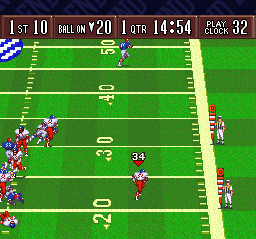
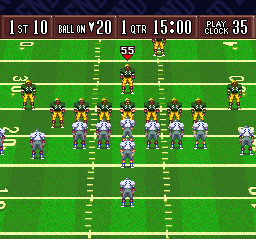
A unique feature of Sterling Sharpe: END 2 END is the scaling view of the field. This capability allows the player at quarterback to view all of his receivers at once, in relation to the line of scrimmage and their field position. Up to four receivers are available for some passing plays. On passing plays, snap the ball by pressing B. To view your receivers, press B again. Each receiver has a
.png)

.png)
.png)
.png)
