To the Starting Line
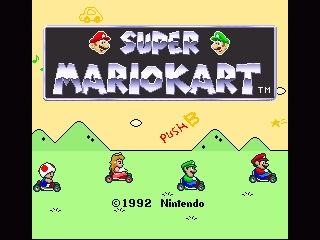
Go cart racing is simple to learn, but it takes great patience and determination to master. Some go cart racers have gone on to become world class Formula One drivers. To start racing, insert the Super Mario Kart Game Pak into your Super NES unit and turn the power ON. When the title screen appears, press the B Button and pick your desired game mode. Game Modes
Selecting Your Engine Size
In the MARIO KART GP, you can select either a 50cc or 100cc cart. The 100cc machine is quite a bit quicker than the 50cc one. The other drivers are more aggressive in the 100cc races too.
If you're just starting out, you may want to warm up with the 50cc machines. Races other than the MARIO KART GP always use the 100cc machines.
Menu Controls
•
Move Cursor: ✚ Control Pad
•
Enter Selection: B Button
•
Cancel Selection: X Button
Game Mode Descriptions
•
1P GAME ▶ MARIO KART GP: Here, you will race against 7 opponents.
•
1P GAME ▶ TIME TRIAL: Pick any track just for practice, or go for the course record. Records will be saved, so do your best!
•
2P GAME ▶ MARIO KART GP: A total of 8 carts line up for the GP race - 2 human players against 6 opponents.
•
2P GAME ▶ MATCH RACE: A one-on-one race against another player on the track of your choice.
•
2P GAME ▶ BATTLE MODE: It's two players in an arena doing (What else?) BATTLE!
Time Trial & Match Race Course Selection
Choose a course from any cup circuit. To choose the Special Cup, you must win all of the other cups in the 100cc class. If you are in the TIME TRIAL mode, the top five records for each track will be shown.
Battle Mode Course Selection
Choose a course from the 4 special battle courses.
Clearing Saved Memory
•
Clear All Records: Press L, R, Y, and A at the same time on Controller 1 when the title screen is displayed. This clears the battery backed memory and erases all records.
•
Clear Time Trial Records Only: Go to the course records you wish to delete, then press L, R, Y, and A at the same time on Controller 1. This leaves the GP cup information intact.
Mario Kart GP (1 Player) Rules
You'll start the MARIO KART GP in eighth place. As soon as the starting light turns green, the race begins. If you rev your engine too high before the green light, you'll peel out! Experiment to find the best way to accelerate at the starting line.
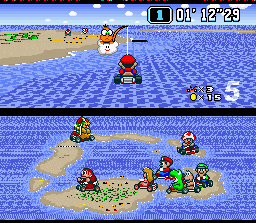
Half of the screen will show an overview of the course and where all of the racers are currently. To change this view to your rear view mirror and see what's going on behind you, press the X Button or the Select Button. The bottom right of the racing screen shows what place you're in. Racing Screen Elements
•
Number of Carts Remaining
•
Course Overview/Rear View Mirror
Laps and Retries
Each race is 5 laps. If you place in the top 4 finishing positions, you can go to the next course in the circuit. If you place 5th or lower, you'll lose one of your extra carts and you'll have to try that race again.
After the winning cart crosses the finish line, finishing positions will be displayed on the left side of the screen. If you place 5th or below, you are "RANKED OUT" and must choose "RETRY" or "END".
Each time you choose "RETRY", you lose one of your remaining carts. You start the game with 4 carts total, so you can "RETRY" 3 times.
If you press the START Button during a race, the game will pause and you can choose to "GIVE UP" or select "NO" to return to the race. Every time you "GIVE UP", you lose one of your remaining carts.
GP Standings and Points
The racers who place in the top 4 receive points. At the end of the circuit, the overall winner will be determined by the number of points.
Drivers who come in 5th place or lower have to "RETRY" or "END" the game. Points are only awarded for placing in the top 4.
The place you finish in will be your starting position for the next race. For example, if you come in 2nd place, you'll start in the 2nd position in the next race.
Stuff On The Track
•
Zipper: Run over this and you'll ZIP!
•
Jump: Run over this to jump.
•
Question Blocks: When you run over a
.png)

.png)

.png)
.png)


.png)


.png)
 (En,Fr,De,Es,Nl) (Proto).png)
.png)