Modes of Play
This game consists of four different modes of play.
•
STORY MODE: A side-scrolling action mode where the main character's journey takes place, featuring one-on-one combat with bosses at the end of each stage. •
ANIMATION MODE: A mode consisting of a side-scrolling action journey and one-on-one boss battles where enemies are relatively easy to defeat and you can give commands to fight the bosses. •
VS TOURNAMENT: A head-to-head tournament for up to 8 players using your favorite fighters.
•
BATTLE MODE: A mode where you can pick any boss character from the Story Mode to fight against.
How to Start the Story Mode
Press the START button in the title screen to enter the mode-selecting screen.
•
Place the cursor next to STORY MODE. Press the B button to set, or Y to cancel.
•
Choose START to play from the beginning, or PASSWORD to input a password.
•
Choose your operating mode on the option screen: Fighting mode or Expert mode. •
Select your difficulty from 0 to 7 with the control pad. 0 is the easiest and 7 is the toughest.
•
If you select EXPERT, a short practice course will appear. Taking this training is recommended for beginners to get used to the character controls.
•
Visual screens will display from time to time. Press the A button to forward the message, B to move on over the ▼ mark, and START to cancel.
Action Mode Tips
In the side-scrolling ACTION MODE, your object is to defeat enemies that keep attacking you. •
It's a battle royal! Use throwing techniques to drive your opponents to one side and quickly finish them off to avoid being sandwiched.
•
You need to defeat a certain number of enemies when the scrolling stops to move on to the next screen.
•
You must defeat face-to-face mid-boss enemies to progress.
•
Break mysterious statues to get MAGIC WATER hidden inside. You can keep up to 10 MAGIC WATER, and each fully restores your energy.
•
The KO gauge increases each time you defeat an opponent and decreases when you get attacked. When it reaches 8, you can throw the Cosmic Saucer with the Y button.
Expert Mode
The Expert Mode is designed for advanced players to enjoy head-to-head fighting using the original marking system, the MIND'S EYE SYSTEM. If you want to play in the Expert Mode, we recommend that you first select Expert Mode in the Story Mode and go through the training session to master the different types of moves.
Mind's Eye System
You can see the Progressive Attack Marks by using the MIND'S EYE SYSTEM. The marks appear briefly on your body and your opponent's.
•
Progressive Attack Marks indicate undefended areas, where you can give your opponent great damage if you hit them.
•
Aim at the Progressive Attack Mark to earn big points and cause severe damage. Attacking unmarked parts of the opponent will not give him any damage.
•
The KO gauge increases when you successfully defend or attack exactly where the mark shows, and decreases when you fail to defend yourself.
•
The mark shows the vulnerable part of the opponent and yourself. Make the most use out of this marking system in battles.
Skill Level and Gyms
The skill level indicates your Mind's Eye level. As your opponents get tougher, the marks move swifter and it becomes harder to aim. Raise your skill level by taking training to see the marks better.
There is a gym in each round, where you can take training to raise your skill level. When you pass the training, your level goes up by 1 at each round.
Progressive Attack Marks
There are several marks other than the standard ✦ mark.
•
CRITICAL MARK: Gives bigger damage to your opponent than ✦ marks.
•
COUNTERATTACK MARK: Shows a chance to counterattack when your opponent is on the offensive.
•
GUTSY MARK: Appears when your energy is low; attack where it shows to find a chance for a counterblow.
•
KO MARK: Indicates a chance to knock out your opponent.
•
SUPER DEFENSE MARK: Execute Super Defense with ✚ and the x button when this mark appears.
Selecting Allies
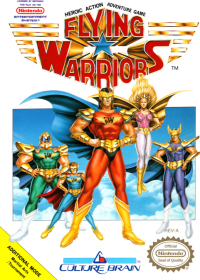
When you are encountering enemies from the Dark Dimension, you can switch places with one of your ally members. This can be done only when you are transformed into a Flying Warrior. The members you can switch to are set for each stage.
Press the START button to enter the subscreen, select ALLIES, then select a member. The ally you select will take over the remaining KO gauge.
How to Play in the Animation Mode
This mode is designed especially for those who are not particularly fond of heavy action. Control a character and fight through the Action Mode until you come to the Boss Stage. When confronting a boss, choose various commands on the screen and the computer will fight for you. •
ATTACK: The computer will play the battle for you.
•
HIRYU-NO-KEN: Available when the KO gauge is fully charged.
•
DEFENSE: Lets your character defend against the enemy's attack and mystic spells.
•
DODGE: Dodges the enemy's attacks and spells by jumping.
•
MAGIC WATER: Recovers your physical strength.
•
ALLIES: Change places with other members of the Flying Warriors (only when transformed against Dark Dimension enemies).
•
SPELL: Available when the KO gauge is fully charged (only when transformed against Dark
.png)

.png)
.png)
.png)



_1.png)

_(Germany)_1.png)


.png)



.png)



.png)




.png)