Getting Started
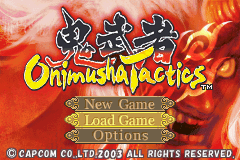
When you turn the power on, the movie starts playing. When you're ready, press START. You'll see the Title screen and Main Menu of game modes.
Use the Control Pad to choose an option. Then press START or the A or B Button.
Main Menu Game Modes
•
NEW GAME - Play the story line from the beginning.
•
LOAD GAME - Resume a game you previously played and saved.
•
OPTIONS - Set the following options to the way you want to play. Press the Control Pad ▲/▼ to select items; press ◀/▶ to change the setting.
•
MESSAGE DISPLAY SPEED - Adjust the speed of the automatic conversation display.
•
UNIT MOVEMENT SPEED - Set the speed of your units during combat.
•
BGM PERFORMANCE - Turn background music ON/OFF.
Press the A Button and choose ACCEPT to confirm your changes. Choose CANCEL to close the menu without making changes. Choose RETURN to continue making setting changes.
Game Progression
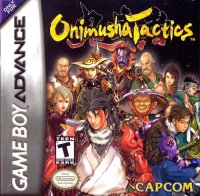
This game tells a story. As you progress through each stage, you learn more about the characters and events. Your actions determine your success in unraveling the tale, defeating Genma, and destroying evil!
Missions
Each stage has a mission. You must complete the tasks set before you in order to clear the mission and advance.
Your Army
In the beginning stages, you meet up with many characters. You can decide which of them you want to include in your army. You can bring together up to eight warriors, each with different skills and battle specialties. Your selection of comrades and how you use them in battle will determine the fate of Onimaru and Oboro.
Equipment
Throughout the stages you can collect many different pieces of equipment. These can increase your powers. Learn their uses. Always try to keep in mind what you have and how it can help you through whatever circumstances and dangers you encounter.
Genma Stones
As you progress through battles, you will gain Genma Stones. Collect these valuable stones and combine them to create new items.
World Map
The World Map appears when you enter each new stage. Use the Control Pad to highlight one of the following options, and press the A Button to confirm your selection.
•
START - Proceed to the combat map. As the story progresses, you may be able to go to a secret map!
•
SAVE - Save the current game. Use the Control Pad to select an open block and press the A Button to confirm and save the current game. You can over-write old data by choosing a block with a previously saved game. Once you over-write data, you cannot retrieve it.
•
LOAD - Resume a previously saved game. Use the Control Pad to select a block of saved data and press the A Button. You will resume the game at the point where it was saved.
Before Going Into Battle
You are going into battle with the fierce forces of Nobunaga's hordes. You may be victorious, or you may fail.
•
Use your weapons and powers to fight as hard and as smart as you can.
•
Bring different members of your party into combat to take advantage of their skills and strengths.
•
Learn from your mistakes. Observe how the warriors of both friendly and enemy forces fight and what happens to them. Then do better the next time.
•
If you fail, quickly use beneficial spells to heal wounded warriors and recover your strength.
The Combat Map
The Combat Map is the main environment of the game. The story progresses here through combat and conversation.
Story Progression
The story unfolds in dialog with other characters, both before and after combat. To review the last conversation, press the L Button.
Standby For Combat
With the Control Pad, highlight the Character window and then change the character shown. Press the A Button and choose SELECT to put that character in standby for battle. Choose CANCEL if you don't want that character to be in the battle.
For some characters, including Onimaru, the Cancel option is not available. These characters must participate in the battle.
Ready Your Weapons and Equipment
Each character has an arsenal of weapons (which you can add to as you acquire new equipment). The weapons available for battle depend on which character is selected.
•
To change your equipped weapon, highlight the Equipment window and press the A Button. Choose a weapon from the list and press the A Button.
•
Choose armor and accessories in the same way.
•
Remove a weapon or item by choosing the REMOVE option (if available).
Enhance Weapons and Equipment
Exchange the Soul acquired from fallen enemies for your weapons and armor. Then:
•
If an item can be improved, you will see an ENHANCE option when that item is selected.
•
Highlight ENHANCE and press the A Button to power-up your item.
Create Items
When you defeat enemies, you may gain Genma Stones.
•
Press SELECT to open the Item Organization screen.
•
Select a recipe with the Control Pad. Your selection determines what kind of item will be created.
•
Press the A Button to confirm and complete the item.
Inventory
You may need to confirm items that are not equipped. To do that:
•
With a character selected, choose