Starting the Game
1. Turn OFF the power switch on your Nintendo® Game Boy® Advance. Never insert or remove a Game Pak when the power is ON.
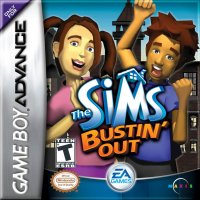
2. Insert the The Sims™ Bustin' Out Game Pak into the slot on the Game Boy® Advance. To lock the Game Pak in place, press firmly. 3. Turn ON the power switch. The Legal screen appears.
4. The Language Select screen appears. Press the Control Pad ↑↓ to select your preferred language and then press the A Button. The Title screen appears.
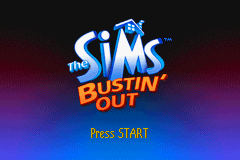
5. Press START to advance to the Main menu.
Getting Started
The pace in SimValley is slow and easy. Start your journey from the Main menu by creating a Sim.
Main Menu Screen
•
Create-a-Sim: Create your own Sim from head to toe.
•
Load a Sim: Load a previously created Sim.
•
Options: Adjust music and sound effect volumes, choose and change the selected language, or view the game credits.
•
GCN Link: Connect to The Sims Bustin' Out on Nintendo GameCube™. Personality Screen
To adjust your Sim's personality, highlight a personality trait and then press the Control Pad ◀▶ to move the slider. The more bars that are filled, the more your Sim's personality reflects the characteristics on the right. The fewer bars filled, the more they reflect the traits on the left.
•
You have a limited number of personality trait points to assign to your Sim. The more points you use on one trait, the fewer you have for others.
•
Highlight your Sim's astrological sign at the bottom of the screen and press the Control Pad ◀▶ to choose a sign. Each sign has a secret bonus item of its own. Only Sims with a particular sign can find their particular bonus.
•
Sims can collect extra bonus objects for their particular sign and trade them with other players via a Game Boy® Advance Game Link® Cable.
•
When you're finished, press the A Button to confirm. You must assign all available personality points to continue.
Playing the Game
Though it's not the biggest town in the world, some Sims still get a bit disoriented when they first arrive in SimValley. This section helps you and your Sim get your bearings.
Gameplay Screen
•
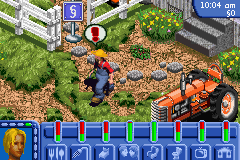
Time of day: Displayed in SimValley.
•
Money: The amount of money your Sim has.
•
Mood: The overall mood of your Sim.
•
Motives: These bars display your Sim's needs.
Character Menus
•
Press START to bring up the Character menus.
•
Press the L Button and R Button to switch between Character menus.
Goals Menu
•
Press the L Button or the R Button to cycle through the Pockets menu, Popularity menu, and the Goals menu.
•
Displays how many Simoleons (money) you have.
•
Shows hidden or locked goals, goals you still need to meet, and accomplished goals.
Popularity Menu
The Popularity menu shows how many friends and acquaintances your Sim has and how popular they are in town.
•
Displays your Sim's personality, name, skill levels, and friends/acquaintances.
•
A bar shows how friendly you are with the highlighted Sim. More green and a higher number mean you're better friends; more red and a lower number mean you don't like each other as much.
Pockets Menu
This menu lets you know what your Sim has stashed away in their pockets. Your Sim can only hold so many things at once, so be sure to empty them occasionally.
•
Items: Mechanical Cogs, Aluminum Cans, Glass Jars, Nuclear Fuel Rods, Three-eared mice, Chainsaw Chicken.
•
Simoleons: Shows how much money you have.
•
Gifts: Objects bought or earned which can be given to friends and acquaintances.
•
Chem Lab: Collect items like aluminum cans and glass jars to sell for a quick profit; prices can change daily.
Pause Menu
To pause the game, press SELECT. Highlight an option with the Control Pad and press the A Button to choose it.
•
Show Map: View a map of the neighborhood. Press the A Button over a building to see its name.
•
Catalog: View items (Appliances, Decorative, Electronics, Furniture, Recreation, Utilities) found to date. "?" icons indicate undiscovered items. Some items are rare.
•
Jobs: View mini-games, promotion requirements, and available hours.
•
Options: Set game options, including language selection and volume controls.
•
Save Game: Save your current game.
•
Quit Game: Quit the game and return to the title screen.
Press the B Button to return to the Game screen.
Needs
Your Sim has simple needs. Meeting them helps them work better and behave nicer.
•
Hunger: Eat a snack or meal, or buy something from a town shop.
•
Hygiene: Keep your Sim clean by using the shower or sink.
•
Energy: Recharge batteries by napping, sleeping, or drinking espresso.
•
Social: Meet social needs by visiting other Sims and making friends.
•
Comfort: Relax in a comfy chair or sofa, or catch some ZZZs.
•
Bladder: Get to a toilet quickly or suffer embarrassing consequences. Public