Rules
You start at a random location on the board. Look at the map in the lower right corner of the screen to determine the location of the gems.
You need to travel to these locations to collect the magical power of the five gems before the other characters get there.
Collect points!
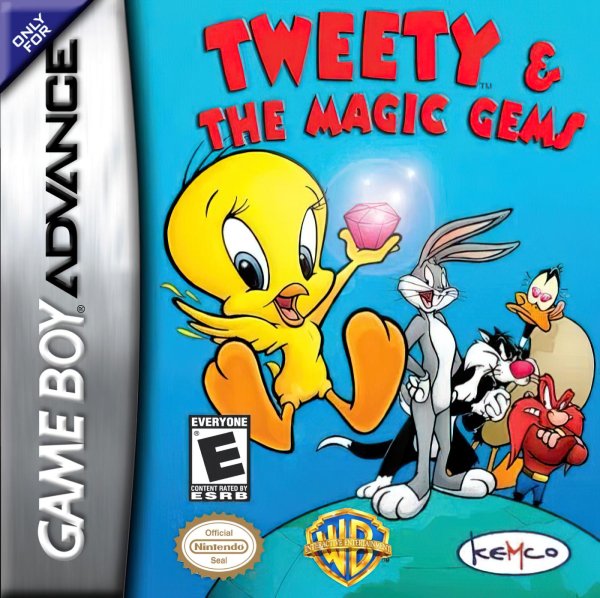
Tweety and the Magic Gems features tons of arcade-style mini games within the main game. If you win a mini game, you earn points.
The more points you have, the more items you can buy to help you move around on the game board and delay other players. Use Item
The items you have now are shown on this screen. You can also select items or move positions of the items. •
Harp to call thunder: Calls thunder on another player and gives damage.
System Settings
If want to change the speed of the computer, choose "Fast", "Slow" or "Normal" under Computer Speed.
If you don't want to watch other players battle against each other, choose "Don't Look" under Battles between other players.
Cards
Your turn begins by shuffling the card deck. After you draw a card from the deck, you'll move the number of spaces indicated on the card.
•
Ace: Drawing an Ace earns you a random item and then you can move 14 spaces on the game board. •
7: Drawing a Lucky Seven earns you a random item and then you lets you move seven spaces on the game board.
•
2 to 13: Other cards allow you to move the number of spaces indicated on the card.
"After drawing a card, you're ready to plan your move. You must move the number of spaces indicated on the card."
For example, if you drew a four card, you must move four spaces in the directions available on the map, but you won't be able to stop until you use up all of your moves for the turn.
Mini games
Mini games can make or break your chances of finding all five gems in Tweety and the Magic Gems. Mini game winners will often use their character points to buy items that can help them control other contestants in the main game. A mini game begins whenever a player ends their turn on a red space. The player who lands on the red space and starts the mini game will receive a bonus.
Match games
If you end up on a space with another player, you can challenge that player to a match game. If you win a match game, you can take the power of one gem from your defeated opponent. If you place first in a mini game, you'll earn more character points than the rest of the contestants. Use the character points to buy important items sold at the Item Shop.
Getting Connected
How to connect Game Boy® Advance Game Link® Cables.
Items you need
•
Game Boy Advance - Equal number to the number of players
•
"Tweety and the Magic Gems" game cartridge - Equal number to the number of players
•
Game Link® Cables exclusively for Game Boy® Advance
•
2 players - 1 Game Link® cable
•
3 players - 2 Game Link® cables
•
4 players - 3 Game Link® cables
Caution regarding communication play
In the following cases, the multi play may not work or may not be working:
•
A Game Link® Cable that is not designed for Game Boy® Advance is not being used.
•
The Game Link® Cable is not inserted all the way in.
•
Pulling out the Game Link® Cable while communication.
•
The Game Link® Cables or systems are not connected correctly.
•
More than 5 systems are connected.
How to connect
1. Make sure that the power of all systems is OFF.
2. Then insert Game Paks into each system.
3. Connect the Game Link® Cables together, and then connect them to each system.
4. Turn the power of all systems ON.
5. Please see page 8 for directions on how to play the game.
•
When playing with 2 or 3 players, DO NOT connect systems and Game Link® Cables that are not being used.
•
1P should be connected to the smaller plug of the Game Link® Cable.
Connect the Game Link® Cables and systems referring to the illustration to the left. (Pay attention to the size of each plug)