Controls
Various moves can be performed by moving the Control Stick and pressing the A, B, X, and Y Buttons. See the included moves list starting on page 21 for details on each character's moves.
The button functions described are the in-game default NINTENDO GAMECUBE Controller settings. You can reassign these button functions in the CONTROLLER CONFIGURATION menu in the OPTIONS menu, the PAUSE menu, or the TRAINING MENU. See pages 13-14 for more information. Starting the Game
•
Insert the BLOODY ROAR: PRIMAL FURY Game Disc into the NINTENDO GAMECUBE™. •
Insert a NINTENDO GAMECUBE Memory Card into Memory Card Slot A. •
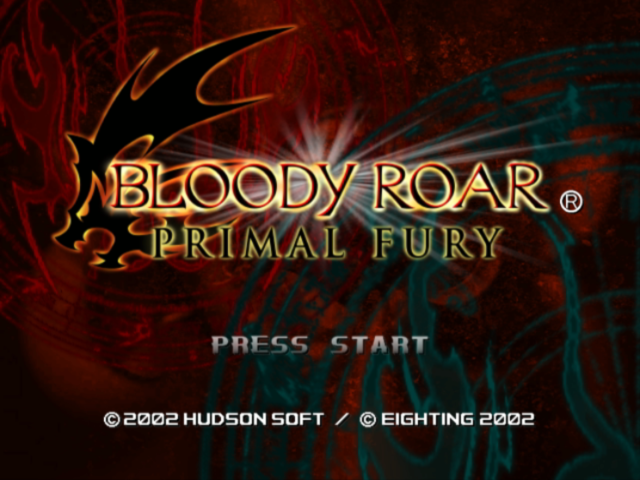
When the title screen is displayed after the opening movie, press START.
NINTENDO GAMECUBE Memory Card
This game uses a NINTENDO GAMECUBE Memory Card to save game data. Only one set of Bloody Roar: Primal Fury data can be saved to a Memory Card. You can play the game without a Memory Card, but you will not be able to save any game data. Memory Card Slot B is not used in this game; please use Memory Card Slot A.
Please refer to the NINTENDO GAMECUBE instruction booklet for directions on how to format and erase Memory Card files. Game Modes
ARCADE
Arcade mode is an arcade style, one-on-one fighting mode. The main focus is single-player versus COM (computer) battles, but another player can challenge you in the middle of Arcade mode. How to Start Arcade Mode
•
When the Select Your Character screen is displayed, choose the character you want to use.
•
Press the Y Button to change each character's costume.
•
When you have chosen a character and a costume, press the A Button to select that character.
•
You may also pick your character and the costume randomly by selecting the question mark and pressing the A Button.
•
After you've selected your character, press the A Button again to begin.
•
Your first opponent will be chosen automatically. If you win the battle, you will move on to the next opponent. If you lose, the continue screen will be displayed.
•
To return to the title screen, press the B Button.
Continue
•
To continue, press START before the countdown reaches zero, and the Select Your Character screen will be displayed.
•
You can only challenge your opponent with the same character that you were using.
•
There is no limit to the number of times you can continue.
Challenge
You can challenge someone playing Arcade mode by pressing START on a second Controller plugged into Controller Socket 2. The battle will begin after you choose your character and the stage.
VERSUS
This mode is designed specifically for two-player one-on-one fighting. Two controllers are required to play Versus mode. How to Start Versus Mode
•
When the Select Your Character screen is displayed, each player must choose a character to use in battle.
•
There are two different costumes for each character; press the Y Button to toggle between the costumes.
•
The first player to choose their character gets to choose the stage, handicap level, time and number of rounds. Use the Control Stick to make these selections.
•
After the battle, you will be brought back to the Select Your Character screen.
TIME ATTACK
See how fast you can play through the game in Time Attack mode. This mode keeps track of your total play-time and gives you a time-based ranking when you finish.
How to Start Time Attack Mode
•
When the Select Your Character screen is displayed, choose a character as you would in Arcade mode, and press the A Button to begin.
•
The opponents and stages will be chosen automatically.
SURVIVAL
Survival mode is a special single-player versus COM battle mode where you try to beat as many opponents as you can in a row. Your life gauge will not fully recover after each battle, and the game is fixed to one-round, 60-second battles.
In Survival mode, you can regenerate up to 50% of your life in the next match (after a win) depending on how much time was left in the previous match.
How to Start Survival Mode
•
When the Select Your Character screen is displayed, choose a character as you would in Arcade mode, and press the A Button to begin.
•
The opponents and stages will be chosen automatically.
TEAM BATTLE
Choose three or five characters and fight against a team of COM opponents in Team Battle mode. Each time you lose a round, you will begin the next round with the next character on your team.
Three character teams fight matches to three rounds, while five character teams fight matches to five rounds. Set the number of team members used in Team Battle mode (and VS Team Battle mode, see below) in the GAME SETTINGS menu in the OPTIONS menu.
How to Start Team Battle Mode
•
When the Select Your Character screen is displayed, choose the characters you want on your team by pressing the A Button.
•
Then press the A Button again to begin.
•
The opponents and stages will be chosen automatically.
VS TEAM BATTLE
VS Team Battle mode is a two-player one-on-one version of Team Battle mode. In VS Team Battle mode, each player fights with a team of three or five characters.
Each time one of the players loses a round, they begin the next round with the next character on their team. Two controllers are required to play VS Team Battle mode.
.png)

.png)


.png)






.png)