ON THE ICE
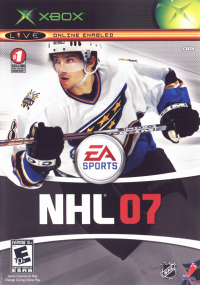
Lace up the skates and get ready to light the lamp.
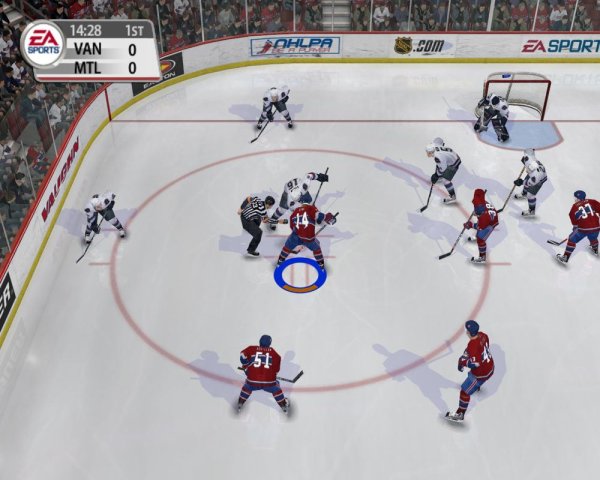
GAME SCREEN
•
Time remaining in period
Press START/PAUSE to access the Pause menu during a game.
NEW FACE-OFF PLAYBOOK
Choose a face-off strategy after each whistle. Plan an attack in your opponent's zone or protect the net right before the puck drops.
NEW EA SPORTS™ OPEN ICE CONTROL/OPEN ICE SUPPORT
Seamlessly switch between players with or without the puck. Call for passes, tell a teammate to shoot, set up a vicious one-timer, or call for a defensive double-team on the fly with the push of a button.
QUICK PLAY STRATEGIES
Choose offensive and defensive Quick Play strategies on the fly.
DYNASTY MODE™
Build hockey's all-time greatest franchise. For ten seasons, you manage the roster, coach the team, and play the games. After choosing a team to run, creating a GM name, and selecting your characteristics, Season One begins.
MAKING A NAME FOR YOURSELF
The goal in Dynasty Mode is to earn the highest score as General Manager. GMs have ten years to earn profits, win championships, and build a Dynasty.
UPGRADE BUDGET
GMs receive an upgrade budget for their actions and their team's performance. The budget is handed out during the season based on GM performance in: profit, attendance, team winning percentage, playoff performance, trading, free agent signings, and more.
MORALE
All players on your team have a morale rating starting at 100. Morale goes down if players don't get the ice time they want, they feel you're not spending enough on Team Functions, or your team loses several games in a row.
View player morale on the Progress Reports screen. When morale decreases, player attributes go down.
TV CONTRACTS
A TV contract is already in place for the first season. Starting in the second season, you are offered a contract based on your previous year's playoff performance, your marketing level, and the number of prestige and high-prestige players on your team.
DYNASTY CENTRAL MENU
Every move takes place from the Dynasty Central menu. From playing the next game on your schedule to setting your Rules and Options, the details are explained below.
NEW EMAIL
Keep up on the latest news from inside your own organization—and around the league—with the NHL 2005 email system. Get messages regarding trades, a note from your owner or team trainer, and more.
Don't miss out on any breaking news—emails are deleted if you let them sit in your inbox too long.
DAY-TO-DAY
Day-to-Day operations include playing (or simulating) games on the schedule, viewing the season calendar, reading email, and saving your progress on a Nintendo GameCube™ Memory Card. GM OPTIONS
As GM, you have the power to trade players, sign free agents, and view scouting reports in order to evaluate the upcoming rookie draft. You can also upgrade your staff in the front office, and adjust payroll, ticket prices, fan giveaways, concessions, and more.
COACHING OPTIONS
Take more control over the team by adjusting the practice schedule, editing lines, and tweaking game strategy. You can also review progress reports for every player on the team.
STATS CENTRAL
From overall team statistics to individual numbers, here's where you find all the stats you need.
RULES AND OPTIONS
Set rules and options to fit your playing style. Gameplay settings, display settings, sound settings, and the button configuration on the Controller can all be adjusted here.
POST-SEASON
Once the regular season ends, the post-season begins. The good teams advance to the playoffs and make their run for the Stanley Cup®. The rest prepare for the off-season. In the end, only one can be crowned Stanley Cup® champion.
OFF-SEASON
This is the time where all GMs evaluate their respective teams and prepare for the upcoming season.
The first event in the off-season is the NHL Entry Draft. Here's your chance to fill your squad with some young talent. After the NHL Draft, GMs have the chance to offer contracts to free agents and release players from their team. After the free agent period ends, the new season begins.