Game Card Handling
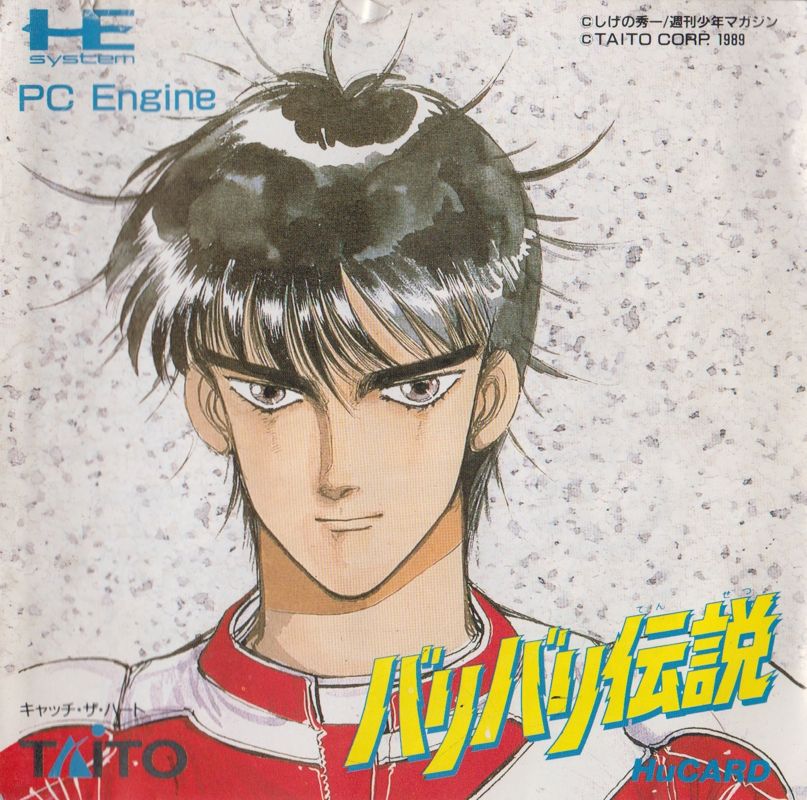
Thank you for purchasing Taito's HuCARD™ Baribari Densetsu™. Please read this manual to understand how to handle the unit and ensure safe play. •
Avoid using or storing the card in extreme temperatures, high humidity, or under strong shocks. Do not forcibly bend the card.
•
Keep terminal parts clean and dry; contact with water or dirt can cause malfunctions.
•
Do not clean the card with volatile oils such as thinner or benzene.
•
Maintain a distance of approximately 2 meters from the TV screen.
•
Take a 5 to 10-minute break every hour to avoid fatigue.
Reset Method
To restart the game from the beginning during play:
•
Press and hold the RUN button.
•
While holding RUN, press the SELECT button.
Game Modes
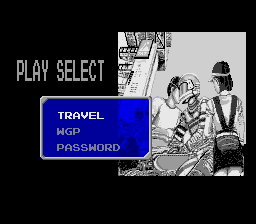
Before starting a race, use the directional keys to navigate and the I button to confirm your selection in the Play Select menu.
•
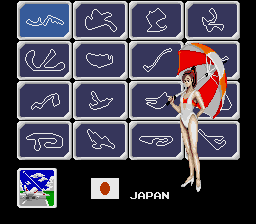
TRAVEL (Travel Mode): A practice mode where you can select any of the 16 courses. No other bikes appear, and there are no weather changes.
•
WGP (Double G P Mode): The main competition mode. Races follow the order of the actual '89 WGP across 16 circuits. The rider with the highest total points after 16 races becomes the WGP Champion.
•
PASSWORD: Accessed via the same selection menu.
Note: You cannot start the race by pressing and releasing the accelerator button at the start line.
Pre-Race Setup
In TRAVEL or WGP modes, select the following setup modes before each race. The left side of the screen displays the mode selection window, and the right side displays the condition window showing current part statuses.
•
REGURATION: Adjust machine parts and conditions based on weather and course requirements.
•
SHIFT: Choose between 6-speed manual or automatic gear shifts.
•
PLAY: Confirms the setup and starts the race.
Shift Mode
Selecting SHIFT allows you to alternate between MANUAL and AUTO gear settings in the Condition Window. Press the I button to toggle the setting and confirm your choice.
•
Manual Mode: Switch gears one by one from 1st to 6th using the I button, II button, and directional keys for a realistic racing experience.
•
Automatic Mode: Eliminates the need for manual gear changes; control speed using only the accelerator and brake.
Regulation Mode
Adjust the performance of five key parts: tires, brakes, engine, transmission, and suspension.
1. A Parts Select Window opens on the left. Use directional keys to choose a part and confirm with the I button.
2. A Parts Window opens on the right displaying available changes for the selected part.
3. Use directional keys to select the desired change and confirm with the I button to apply the update immediately.
Winning Conditions
The WGP mode uses the standard point system from actual WGP races. Points are awarded to riders finishing 1st through 10th in the final race of each round. The rider with the highest total points after 16 rounds becomes the champion.
•
Competitors: The player competes against 10 Works Riders (11 total participants).
Preliminary and Final Races
In WGP mode, each round begins with a preliminary race (PREMINARY) where the player's lap time is measured at full throttle.
•
Qualifying: The player must finish in the top 7 to advance to the final race. You may attempt the qualifying lap up to three times.
•
Grid Position: A faster qualifying time results in a better starting position for the final race.
•
Failure: If the player fails to clear the qualifying race, the round concludes automatically without the player's participation, and no points are awarded.
Weather
Weather conditions may change during the race, such as rain starting while it is sunny.
•
Check the Weather Forecast and Probability of Rain before the race.
•
Adjust your setup in Regulation Mode to match the expected weather conditions.
Course Hazards
•
Signboards: Contact with signboards or trees causes a crash. Pay special attention to signboards placed in corners.
•
Road Shoulder: Leaving the normal course onto the left or right shoulders significantly reduces speed and causes rapid tire wear. Maintain tight handlebar control to stay on the track.
Opponents
The player races against two types of opponents: Works Riders and Private Riders.
•
Works Riders: Controlled by the computer, these riders possess special running data and race autonomously. They are the primary competitors for points.
•
Private Riders: These riders have a defined running pattern but are slower than the player and Works Riders. They are not involved in the point ranking but can obstruct progress, so overtake them to maintain pace.


.png)

.png)


.png)

 (Alt 1).png)
.png)
.png)





.png)