PlayStation 2 Console Overview
Note: Illustration may not match all PlayStation 2 console types. For owners of SCPH-70000 series PlayStation 2 systems, refer to the setup instructions supplied with your system. Setting Up the Game
Set up your PlayStation 2 computer entertainment system according to the instructions in its Instruction Manual. Make sure the MAIN POWER switch (located on the back of the console) is turned ON. •
When the power indicator lights up, press the OPEN button and the disc tray opens.
•
Place the Ultimate Spider-Man disc on the disc tray with the label side facing up. •
Press the OPEN button again and the disc tray will close.
•
Attach game controllers and other peripherals, as appropriate.
•
Follow on-screen instructions and refer to this manual for information on playing the game.
The Game World
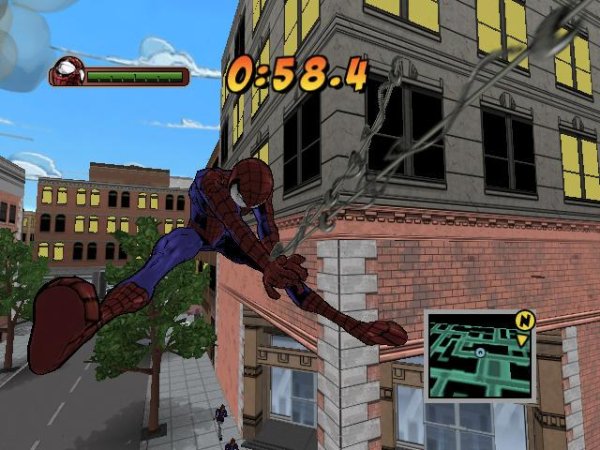
In Ultimate Spider-Man, you can experience a free-roaming city environment that covers Manhattan and neighboring Queens. As the game unfolds, you'll automatically switch back and forth between the heroic Spider-Man and his arch nemesis Venom. City Goals
As the game progresses, Spider-Man will have certain City Goals to accomplish in order to continue the story. Check the City Goals section of the Pause Menu to see Spider-Man's current objectives. Once all City Goals have been accomplished, a beacon of light will appear represented as a green dot on the mini-map, showing where the next story mission begins.
City Events
In addition to the main story, there will be multiple City Events taking place. City Events range from stopping muggings to saving lives and are represented by red dots on the mini-map. Time is of the essence, so when you see a City Event in progress, get in there and be a hero.
Additional Activities
There are a lot of additional activities such as finding secret tokens, landmarks and comic book covers and competing in trick races. These diversions are fun and if successful, you'll be rewarded with secret content.
Now get out there and save the city!
Create a Profile
Start by creating a user profile to save your game progress. Enter a name using the directional buttons to select letters and move the selector. Press the button when you've entered your desired profile name.
Pause Menu Features
Use the directional buttons and the button to highlight and select options.
CITY GOALS
Check here to see your current objectives.
•
RACE POINTS EARNED 42/42
•
COMBAT TOURS COMPLETED 42/42
•
CITY EVENTS COMPLETED 42/42
•
THERE ARE 4 MORE TOKENS LEFT IN THE CITY
OPTIONS
Change many of the game's settings.
MESSAGE LOG
Review past in-game communications.
UNLOCKABLES
Access special features you earn from excellent play.
SWITCH HERO
Use this option to switch between Spider-Man and Venom. Note: Only available after completing the entire game story. Before that, you'll be automatically switched between the two characters.
Spider-Man Combat Details
In Ultimate Spider-Man, Spider-Man has a very acrobatic fighting style. Spider-Man can attack, jump to a wall, attack another opponent, jump behind the enemy to a different opponent, etc. Use the left analog stick to choose an enemy to attack. For example, if an enemy is on Spider-Man's left, push the stick to the left + Punch, Kick or Grab. Being an acrobatic fighter, Spider-Man can attack an enemy then immediately spring to attack another one nearby. If there's an enemy on Spider-Man's left and right, try pushing the stick to the left + Punch or Kick then immediately push the stick to the right + Punch, Kick or Grab. Switching between multiple targets results in more damage than repeatedly attacking a single target. Switching between punches and kicks also increases the damage Spider-Man can deal. The best way to put down a gang of thugs is to constantly switch up targets and attacks. Spider-Man can jump and do a pouncing attack with either Punch or Kick. Spider-Man can also bounce off walls and cars! When an enemy is close to a wall, press the stick toward the wall + Punch or Kick. After an enemy has taken a beating, they remain unconscious for a short time with a web icon blinking above their head. Push the analog stick toward the downed enemy and hold the Web Attack button to subdue them and remove them from the action. If you do not web subdue downed enemies, they will regain consciousness after a short time and attack Spider-Man again. Push the analog stick toward an opponent and hold down Web Attack to wrap the enemy in webbing. Press Punch or Kick while holding down Web Attack to perform special web attacks.
Note: Combat moves are only activated during combat situations (you cannot perform combat moves on civilians).