Create an Identity
Before restoring the farm, you must create an identity for yourself, your farm, and your animals.
•
Your Name: Use the Control Pad to select letters and press the A Button to spell your name. Select END to finish.
•
Birthday: Choose a season and day to set your date of birth.
Name the Farm
The farm name identifies you at events and with others in town.
•
Use the Control Pad to select letters and press the A Button to spell the farm's name.
•
Select END to confirm the name.
Name Your Dog
A puppy waits for you upon arriving at the farm.
•
Name the dog using the same method as your character and farm.
Name Your Horse
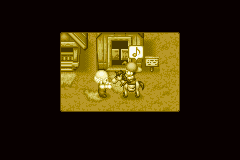
Visit Barley and May at Yodel Ranch as soon as possible. The next morning, Barley will bring a horse and ask if you can take care of it.
•
Say "yes" to accept the horse and give it a name.
•
Once the horse grows up, it will help you with harvesting.
Diary (Journal)
Save your game or load a previously saved game at any time.
Backpack
Displays items in your backpack and allows you to equip or unequip them.
World Map
Shows the location of everything in Mineral Town. Move the cursor over a location to learn more details.
Farm Map
Indicates the location of your livestock and any work that needs to be done.
Earnings Menu
Navigate through up to seven screens to review:
•
Farm sprite approval ratings
•
Daily earnings breakdown versus expenses for the current season
Notes Menu
Displays the following records:
•
Items to ship and quantities shipped
•
Dog's frisbee distance record
•
Mine exploration progress
Tutorial
Offers remedial courses on maintaining your farm.

.png)
.png)
.png)

.png)


_1.png)





.png)
_1.png)



.png)



.png)
