GETTING STARTED
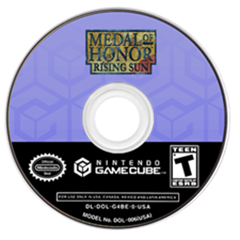
1. Turn OFF the Nintendo GameCube™ by pressing the POWER Button. 2. Make sure a Nintendo GameCube™ Controller is plugged into the Nintendo GameCube™ Controller Socket 1. 3. Press the OPEN Button to open the Disc Cover then insert the Medal of Honor™ Rising Sun Game Disc 1 into the Optical Disc Drive. Close the Disc Cover. 4. Press the POWER Button to turn on the Nintendo GameCube™ and proceed to the Medal of Honor Rising Sun title screen. If you can't proceed to the title screen, begin again at step 1. 5. At the Medal of Honor Rising Sun title screen, press START/PAUSE to advance to the Main menu. Game Boy® Advance Connectivity
Connect your Medal of Honor Infiltrator™ for the Game Boy® Advance to Medal of Honor Rising Sun for the Nintendo GameCube™ with a Nintendo GameCube™-Game Boy® Advance cable. Use your Game Boy® Advance as a map of the current mission in Medal of Honor Rising Sun. How to get started
1. Turn OFF the Nintendo GameCube™ by pressing the POWER Button, and turn OFF the power switch on your Game Boy® Advance. 2. Insert a Medal of Honor Infiltrator Game Boy Advance Game Pak in your Nintendo Game Boy® Advance. 3. Connect the Nintendo GameCube™ and Game Boy® Advance with a Nintendo GameCube™-Game Boy Advance cable and then turn them both ON. 4. As you play Medal of Honor Rising Sun on your Nintendo GameCube™, you can see the map of the current level on the screen of your Game Boy® Advance. NOTE: Game Boy® Advance connectivity only works with Single Player Campaign mode in Medal of Honor Rising Sun. Selected Item
During gameplay, the icon in the lower left of the map screen shows your selected item. This determines what information the map shows. For instance, if you have the ammo icon selected, your map shows you where ammo crates are located in the current level.
•
Press the L Button/R Button on your Game Boy Advance to switch between selected items.
•
SAVE GAME: Shows locations of all save game spots.
•
AMMO: Shows locations of ammo pickups are for all weapons (not just ammo for your currently selected weapon).
•
GRENADE: Shows locations of all grenade pickups.
•
WEAPON: Shows locations of all weapon pickups.
•
FOOD: Shows locations of all food pickups.
•
+ HEALTH: Shows locations of all health pickups.
•
ALL OBJECTS: Shows locations of everything in the level.
•
FRIENDLY: Shows locations of Allied troops.
•
TOOLS: Shows locations of all tool pickups.
The map also automatically displays enemies, which are represented by red arrow icons.
For more information on Medal of Honor Rising Sun and other EA GAMES™ titles, visit EA GAMES on the Web at www.eagames.com. Single Player Campaign
Ready to enlist? From the Single Player Campaign screen, you can leap from your bunk into the war in the Pacific or manage your saved games.
Profiles Screen
Create a profile to store your progress and your settings for Medal of Honor Rising Sun. NOTE: To save a profile, you must have a Nintendo GameCube™ Memory Card in Nintendo GameCube™ Memory Card Slot A or B. •
To load a profile, press the +Control Pad or Control Stick to highlight the profile, and then press the A Button. You advance to the Single Player Campaign menu.
To create a profile
1. To create a new profile, press the +Control Pad or Control Stick to highlight NEW PROFILE. Press the A Button.
2. Press the +Control Pad or Control Stick to highlight a letter, and then press the A Button to enter it. Continue entering letters until you complete the profile name.
3. To finish, highlight SEND and press the A Button. You can then save the profile to your Memory Card.
Single Player Campaign Menu
•
MISSIONS: Resume playing the Pacific campaign and check mission statistics.
•
LOAD SAVED GAME: Load a previously saved game.
•
OPTIONS: Set Controller, Audio, Difficulty, and Gameplay options.
•
MEDALS: Review your hard-earned medals.
To begin the Single Player Campaign
•
To begin the campaign at the bombing of Pearl Harbor, highlight MISSIONS and press the A Button. Press the A Button again to begin "Day of Infamy".
•
To return to the Single Player Campaign menu, press the B Button.
The Campaign
The attack on Pearl Harbor threw the US back on its heels and into a war on two fronts. Already strategically involved in the European Campaign, the United States Armed Forces must rise from the ashes of Pearl Harbor to lead the fight against the Japanese war machine before it overruns the entire Pacific Theater.
From the first bombs landing on Pearl Harbor, you begin an odyssey through the critical battles of the early parts of the Pacific Campaign. Always scrambling against time and a battle-hardened enemy, you must claw and scratch to turn the tide of the War in the Pacific.
•
To play through other missions that you have already reached, press the +Control Pad or Control Stick to highlight the mission, and then press the A Button.
Mission Menu
•
START MISSION: Begin playing the mission.
•
CUMULATIVE STATISTICS: Review mission statistics accumulated so far.
Mission Complete
When you complete a mission,