GETTING STARTED
Set up your PlayStation®2 computer entertainment system according to the instructions in its Instruction Manual. Make sure the MAIN POWER switch (located on the back of the console) is turned on.
Press the RESET button. When the power indicator lights up, press the open button and the disc tray will open. Place The King of Route 66™ disc on the disc tray with the label side facing up. Press the open button again and the disc tray will close.
Insert game controllers and other peripherals, as appropriate. Follow on-screen instructions and refer to this manual for information on using the software.
Memory Card
The King of Route 66™ supports MEMORY CARD slot 1. The game data is automatically saved onto a memory card (8MB) (for PlayStation®2) in The King of Route 66™. The game data is automatically loaded.
Insertion or removal of the memory card (8MB) (for PlayStation®2) after switching the console on may cause data to be overwritten or lost.
Controllers
The King of Route 66™ is a one or two-player game that is played using the DUALSHOCK®2 analog controller, Logitech Driving Force™ USB Wheel (for PlayStation®2) and Logitech GT Force™ USB Wheel (for PlayStation®2).
When playing a 1P game, connect the controller to be used to controller port 1. When playing a 2P game, connect the controller for 1P to controller port 1, and the controller for 2P to controller port 2. Do not remove or insert controllers when the power is on.
STARTING A GAME
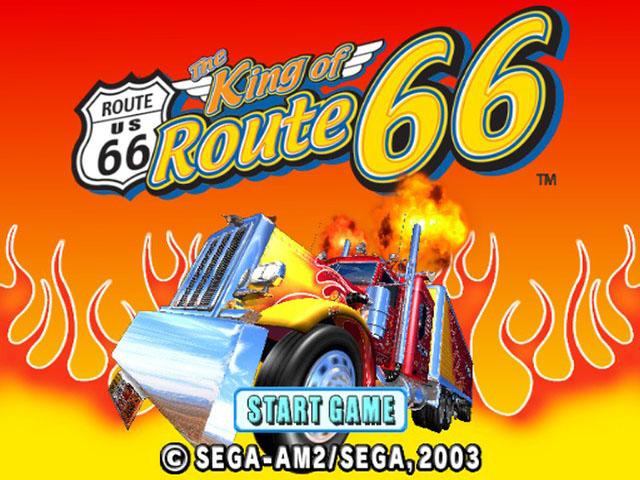
After inserting the "The King of Route 66™" disc into the console and turning the power on, the opening scene begins. Press the START button to display the Title Screen, and press the START button or the ◉/✕ button to display the Main Menu.
GAME MODES
•
THE KING OF ROUTE 66: Based on the Arcade game and filled with extra features (Refer to P.7).
•
THE QUEEN OF ROUTE 66: Succeed in various missions and win the queen's heart! (Refer to P.14).
•
ROUTE 66 CHALLENGE: Get a Gold Medal by playing a variety of mini-games (Refer to P.20).
•
RIVAL CHASE: Battle against a CPU trucker in this Chase mode (Refer to P.22).
•
VS BATTLE: This is a 2-Player Mode (Refer to P.24).
•
OPTIONS: Modify various game settings (Refer to P.27).
•
SYSTEM FILE: Load your saved file or save new game data (Refer to P.28).
THE KING OF ROUTE 66
MODE INTRODUCTION
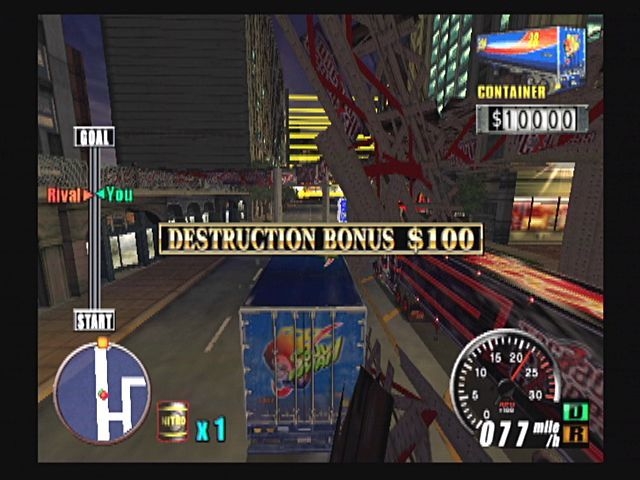
This mode is based on the Arcade game. In this mode you must defeat the rivals from Tornado and bring peace back to Route 66. By winning battles against the rivals, you can proceed to the next stage. Make full use of your driving skills and defeat the Tornado goons!
GAME FLOW
1 GAME SELECT
After selecting "The King of Route 66," you will be asked to choose either "CONTINUE" or "NEW GAME."
•
To resume the game, choose "CONTINUE" with �/� and press the �/� button to enter. The game data previously saved on to a memory card (8MB) (For PlayStation®2) will be loaded. You can also choose the data to be loaded.
•
To start the game from the first stage, choose "NEW GAME."
2 SELECT A CHARACTER
If you have selected "NEW GAME" on the Game Select Screen, you will be asked to select a character. Note that depending on the truck belonging to each character, the driving performance varies. Refer to on-screen details on the capabilities of each and choose a character to play as.
3 MAP DISPLAY
On this map you can see the state you are starting/resuming the game from. If you start a new game, the game will automatically begin from Illinois. To continue the game, it will start from the area that you have previously reached.
Note that the areas you have already cleared are displayed in a different color. The area you are resuming the game from is also highlighted.
In some areas there are missions in which you can choose a job and play a mini-game after displaying the Map above. As you proceed through the game, in some scenes a client will let you choose a container to carry. Depending on the job, there are several difficulty levels. The reward you will obtain by completing the mission may vary upon the job chosen.
This is a mini-game where you basically hook a trailer up without damaging your truck head. To hook the trailer up, simply press the button to back up and brake using the button. If you succeed in halting the truck within the "Okay" zone colored in blue, you may obtain an extra Nitro.
If you fail in stopping the truck within the "Okay" zone, it will result in damage to the truck and a penalty charge will be deducted from the money you currently have. Even if you fail in hooking up successfully, the game will continue.
4 AUTO DRIVE
This is the Auto Drive Screen displayed immediately before you begin the



_1.jpg)




.png)