GETTING STARTED
Set up your PlayStation®2 computer entertainment system according to the instructions supplied with your system. Check that the system is turned on (the on/standby indicator is green).
Press the OPEN button to open the disc cover. Place the Ski-Doo® Snow Cross Racing disc with the label side facing up in the disc holder, and then close the disc cover. Attach game controllers and other peripherals as appropriate. Follow the on-screen instructions and refer to this manual for information on using the software.
Memory Card (8MB) (for PlayStation®2)
To save game settings and progress, insert a memory card (8MB) (for PlayStation®2) into MEMORY CARD slot 1 of your PlayStation®2 system. You can load saved game data from the same memory card or any memory card (8MB) (for PlayStation®2) containing previously saved games.
This title will autoload a previously saved game when it first starts, allowing you to continue your progress automatically.
When a profile is loaded, auto-save is automatically enabled for that profile, even if you had turned it off before saving the profile, allowing you to save your progress automatically.
INTRODUCTION
Imagine riding at top speeds across wide open areas of fresh snow, or twisting and turning your way through extreme turns while catching huge air and pulling off some of the craziest stunts you've ever dreamt about.
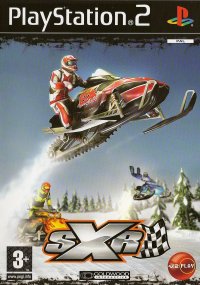
Take the controls of Ski-Doo® Snow Cross Racing, where you'll get to ride some of the hottest Ski-Doo snowmobiles on tracks in four different countries.
By pulling off stunts you'll be able to gain an advantage over your opponents with your adrenaline boost. Watch your heart pump faster as the stunts and action thrill you.
You can even personalize your own snowmobiles and make them fit your style and mood; pick the color for each part, customize the decals and upgrade the performance of various components.
Don't forget this all takes place on snow and ice, and unlike your normal racing games, you are not going to have the same ability to stop and corner - with Ski-Doo® Snow Cross Racing you'll find yourself screaming along right on the edge of control!
PROFILE MANAGEMENT
Ski-Doo® Snow Cross Racing uses an Autosave feature, so please ensure you have the memory card you wish to use for loading and saving inserted before beginning the game.
You can have up to 4 profiles on the same memory card. If more than one profile exists, you can use up and down to select which profile you want to load when the game begins, or create a new profile. If you do create a new profile, you will be prompted to save your data when you get to the Main Menu.
If you wish to save your current profile, create a new one, or load another, from the Main Menu select Options using left and right, then press X. From the Options menu select User Management using left and right and then press X.
STUNTS
You can perform stunts any time you are in the air. To perform a stunt, press one of the two stunt buttons and then press the left analog stick or directional buttons to have your rider perform one of the stunts shown below.
Make sure you have enough time to perform the stunt and get back on the sled before landing, otherwise you'll crash!
MAIN MENU
Career Mode is where you race competitively against CPU-controlled opponents while taking part in various competitions in all four countries.
You can upgrade your snowmobile with parts you unlock and purchase, change the color of your snowmobile, unlock decals and also unlock authentic Ski-Doo® snowmobiles for use in Single Race and Quick Race.
Quick Race puts you straight into the action. The game will randomly select a track, unlocked snowmobile and suit and drop you on the start line with 3 other competitors. Race for fun, pull stunts to get an adrenaline boost, and try to finish in first place!
Single Race allows you to choose which track you race on, and which sled you take with you. You can choose from any unlocked snowmobile including the Ski-Doo® snowmobiles that you might have been awarded in Career Mode.
After selecting Single Race, use left and right to select an option and press X to confirm.
•
Select Sled - press left and right to change your currently selected snowmobile. When the snowmobile you want to ride is shown, press X to confirm.
•
Select Rider - press left and right to change your currently selected rider. When the rider you want to use is shown, press X to confirm.
Once you are happy with the sled and rider, select Go To Race to choose your location and track. Use left and right to select a country, press X to confirm your selection. Now choose a track with left and right, pressing X to confirm and begin the race.
Split Screen lets you race against a friend. Please make sure you connect a 2nd controller before selecting this option. Once you