STARTING THE GAME
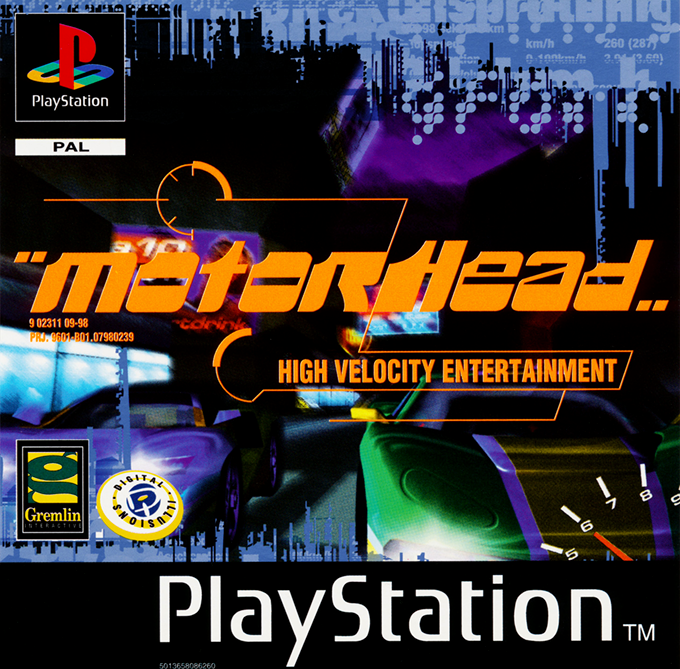
To play MotorHead on your PlayStation:
•
Set up your PlayStation in accordance with the instruction manual supplied with the Console.
•
Open the Disc cover and place the Disc into the Console, ensuring the printed side faces upwards.
•
Close the Disc cover, then press the POWER button to load and play the game.
Warning
It is advisable that you do not insert or remove Memory cards, or other peripherals once the power is turned on. A Controller must always be inserted into Controller port 1 in the Console while playing the game.
Make sure there are enough free blocks on your Memory card before commencing play. Three free Memory card blocks are required to save the game data successfully. MotorHead only uses Memory card slot 1 in the Console.
ONE PLAYER
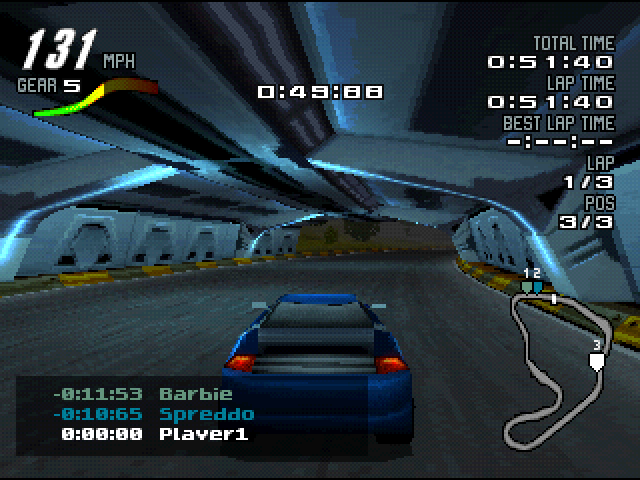
The One Player menu will present you with several options for the style of race you wish to play.
Quick Race
The Quick Race option will start a race, using the previous race settings. The current settings for the Quick Race are displayed at the bottom of the screen.
Single Race
The Single Race option allows you to compete in a race, using any of the available cars and tracks. The Track Selection and the Car Selection screens will be presented, allowing you to define the options for this race. Refer to the Additional Game Menus section later in the manual for further details.
League Race
Becoming the Transatlantic Speed League Champion is the primary goal of MotorHead. By selecting League Race, it is possible to enter a competition, consisting of several races.
The default league places you against three other competing drivers. This can be increased to seven drivers in the Options menu. Refer to the Options menu later in the manual for further details. The League Race menu will present you with the following options:
Continue League
Highlighting and selecting this option will allow you to continue with the next race, in the current league. Before each race of the league, you will be able to select a car from the Car Selection screen. Refer to the Additional Game Menus section later in the manual for further details.
All of the competing drivers will race for the highest possible finishing position and the valuable race points. Points are awarded to each driver based upon their finishing position:
The entire league consists of three divisions. When you first start a new league, you will be entered into Division-3. From here you can earn promotion through Division-2 and up to Division-1.
When competing against three other drivers, you must complete all of the races and finish first in the league table, to win a division and earn a promotion. If you are competing against seven opponents, then you must finish either first or second in the league table. This will give you the chance to win the TSL Championship title and earn some special bonuses!
Be careful though, finishing at the bottom of the league table, will force you to be relegated and you may have to re-qualify in order to continue. Each division of the championship contains a set of races, featuring specific tracks and cars. As you progress through the divisions, the tracks and your opponents will become more demanding.
League
•
applesd D 0 2 apr D 6 0 0 0 Ab 0 0 0 bulldo D 16 borigu 0 ALTIDER 0 phy D
View Stats
This option will present you with the League Table for the currently selected competition.
Load/Save League
The Load/Save League menu will present you with the options for loading and saving game data using a Memory card. This allows you to store and recall your league. If you do not save your data to a Memory card, it will be lost once the PlayStation is turned off or reset.
To operate this menu, use the ↑↓ Directional button to highlight the different options, then press the button to select. If you wish to cancel an action or exit the current menu screen, press the button.
Load League
The Load option will allow you to reload your previously saved league competition. Once you have highlighted and selected this option, you will need to select a MotorHead game from the game list.
Loading data from the Memory card will over-write any settings and changes that have been made during this session. Remember to use the Save option if you wish to keep these.
Save League
When you highlight and select this option, you will be asked to choose a save position on the Memory card where this game data is to be stored. You can either save the game into the next free position in the game list, or highlight and select a previously saved MotorHead game to over-write.
You will then be presented with a series of letters and numbers. Highlight and select the different letters and numbers to enter a name for this game. If you make a mistake, use BACK to delete a letter or number. Once you have entered the name correctly, highlight and select OK to confirm. The Save option will only be available at the beginning of each new season, not between individual races.
Warning
It is advisable that you do not insert or remove the Memory card once the power is turned on. Make sure there are enough free blocks on your Memory card









.png)

.png)






.png)



.png)
.png)