Player's Movement
*When facing left, use the controls in the opposite direction.
Attacks
•
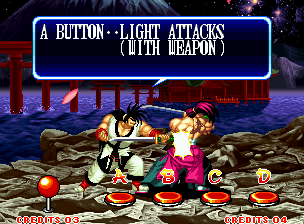
Press A+B at the same time for Powerful Attack.
•
Press C+D at the same time for Powerful Attack.
New Features
New 4 participator and new RAGE Gauge... Something happens!?
Memory Card Function
Load & Save, Initialization
Using a MEMORY CARD (sold separately) you can easily SAVE and LOAD game data. This function enables you to restart your game from the stage you left off, instead of starting from the beginning.
To Load
•
Insert the MEMORY CARD into the memory card slot on the NEO-GEO system.
•
"LOAD DATA" appears on the screen before the start of the game.
•
Select "YES" with the joystick and confirm with the "A" button.
To Save
•
Insert the MEMORY CARD into the memory card slot on the NEO-GEO system.
•
After playing the game, "SAVE DATA" appears on the screen.
•
Select "YES" with the joystick and confirm with the "A" button.
•
Note that previous data will be deleted when new data of the same title is saved.
Initialization
The NEO GEO MEMORY CARD must be initialized using the NEO-GEO HOME SYSTEM before it can be used.
•
Install any NEO-GEO game cartridge into the NEO-GEO HOME SYSTEM and turn the power on.
•
Push the "Reset" button on the console while holding down A, B, C, & D button on the 1P controller.
•
When "MEMORY CARD UTILITY MENU" appears on the screen, select "INITIALIZATION" and follow the on-screen instructions.
•
Press "A" button when completed.
Option Screen
Pressing the START BUTTON on the Player 1 controller or pressing both buttons on the Player 1 and Player 2 controllers will call up the TITLE SCREEN. Move the cursor up or down to the OPTION title and press the A Button to call up the OPTION SCREEN.
Use Joystick to select an item and A, B Button to set. After selections, move the cursor to the EXIT title and return to the TITLE SCREEN.
Level Select
Choose from 8 levels of difficulty during 1 Player play. Use A, B Buttons to select the desired level.
•
Game Level: LOW 1 2 3 4 5 6 7 8 HIGH
•
The higher the number, the higher the difficulty.
Option Select
Select from three languages: Japanese, English or Spanish by A, B Buttons. In the English and Spanish versions, when the rage gauge reaches full, special METHODS OF MAYHEM will be shown at the bottom of the screen.
See p. 13 for more details on the rage gauge and Super Samurai Slices.
Rage Gauge Setting
Sets the RAGE GAUGE during game play. Select from NORMAL or MAXIMUM settings by A,B Buttons. This setting has no effect during 2-PLAYER BATTLES.
See p. 13 for more details on the RAGE GAUGE.
Beginning Play
Title Animation
Press the START button on the CONTROLLER.
Title Screen
Select GAME START by moving the cursor up or down and press the A BUTTON.
Selecting Characters
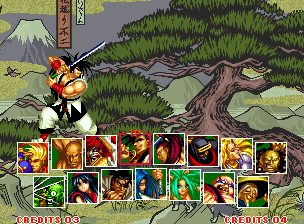
By moving the CONTROL LEVER, select one of the 15 characters with the cursor and press the A BUTTON. For 2-Player Battles, repeat the same steps using the 2-Player control. Both players are able to choose the same character.
Start the Game!!!
Loading Game Data
When using the NEO GEO MEMORY CARD (sold separately), press the START BUTTON at the TITLE SCREEN and the DATA LOAD screen will appear. To begin game play from the stage you last ended, select YES with the cursor and press the A BUTTON. (See p. 4 for more details.)
Basic Moves
All movements are shown for when the character is facing right.
•
Backward Jump (Backward Flying Flip)
•
Forward Somersault quickly
Attacks
•
Press both simultaneously: Strong
•
Press both simultaneously: Strong
Crossed Sword Crunch
When locked in the Crossed Sword Crunch, press the A or B Buttons repeatedly. Moving the lever forward allows you to push your enemy. There are a number of ways to end the Crossed Sword Crunch...
...like knocking the sword out of your opponent's hands and kicking him into the Industrial Revolution!
2-Player Battles
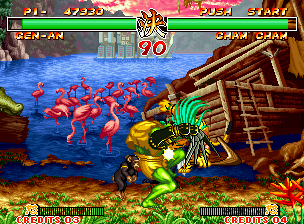
Connect two controllers to the console and push the START BUTTON on both of them to revel in the 2-Player Battle Mode. To begin 2-Player Battles during the 1-Player mode, push the start button on the controller not in use.
**Continue