Getting Started
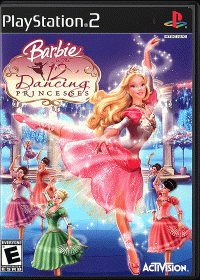
Be sure the Game Boy® Advance POWER switch is OFF. Insert Barbie™ in The 12 Dancing Princesses Game Pak into the Game Boy® Advance system. Turn the POWER switch ON.
When the Barbie™ in The 12 Dancing Princesses title screen appears, press START; this will take you to the Main Menu.
Difficulty Level
After selecting New Game from the Main Menu, you can choose between two levels of difficulty - Easy Mode or Normal Mode. It's up to you how challenging you want your adventure to be!
Pause Menu
Pressing START at any time during the game will pause the action and take you to the Pause Menu. Use the +Control Pad Up or +Control Pad Down to highlight your selection, then press the A Button to confirm your choice:
•
Select Continue to continue your adventure.
•
Select Quit to leave the current level.
On-Screen Display
The Chance Meter (the hearts) in the top left of the screen shows how many chances you have left before you must start a level over. Whenever an enemy touches you, you lose a chance. In Easy Mode, you never lose any chances, so the meter will not be on screen.
The Dancing Slippers at the top center of the screen show you which pair of slippers Genevieve™ is currently wearing. Each time you rescue some of Genevieve's sisters, you will receive another pair of slippers. Different slippers grant Genevieve™ the different abilities of her sisters. Be sure to try them all on to see what amazing things they let Genevieve™ do!
The Energy Bar that sometimes appears at the top right of the screen shows the energy of Rowena's wicked helpers. As long as some pink is left in this bar, these enemies will try to stop Genevieve™ from saving her father and her sisters. If you can completely empty the bar, Rowena's helpers will give up.
Finding Hearts
In some levels you may discover little floating hearts. Walk over one to collect it and restore your Chance Meter by one heart. This will come in handy with all the wild animals and enemies running around!
Using Doorways
As you go through each of the levels in the castle, you'll notice big open doorways. When you see these doorways, walk over to them and press Up on the +Control Pad. Genevieve will pass through the door into a new room.
If you see a closed door, it means you have already passed through it. You do not need to go through closed doors again.
Locations
The castle is very large. You will have to travel through many areas before you find all of Genevieve's sisters and confront Rowena.
Your adventure begins in the Throne Room. Here Genevieve finds her father asleep on his throne. Keep walking to the right and eventually you will find Genevieve's bedroom.