Powering On
Turn OFF the power switch on your Nintendo® Game Boy® Advance. Never insert or remove a Game Pak when the power is on.
Insert the Game Pak of *Tak: The Great Juju Challenge* into the slot on the Game Boy® Advance. To lock the Game Pak in place, press firmly. Turn ON the POWER switch. The credit screens will appear (if you don't see them, begin again at step 1).
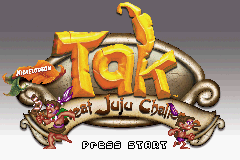
When the title screen appears, press START to proceed to the Main Menu.
Main Menu
On the Main Menu screen, use the Control Pad to scroll through the menu, the A Button to make your choice, or the B Button to return to the previous selection.
•
Empty Slot: Select this option to start a new game.
•
Full Slot: Choose this option to continue a previously saved game.
•
Delete: This option allows you to remove previously saved games.
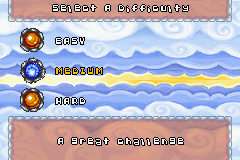
If you're starting a new game, you'll have the chance to select the difficulty level. Choose from one of three settings: Easy, Medium, or Hard.
Juju Challenge 101
In order to win The Great Juju Challenge, Tak and Lok will participate in various events while exploring new worlds and overcoming obstacles on a grand cross-continental journey. World Map
The journey begins at the World Map. Each world has three levels and a Juju Boss.
•
Use the Control Pad to move Tak and Lok around the map. •
Press the A Button to select a level.
•
Beat all three levels and defeat the boss to qualify for the Great Race.
•
Beat the race to advance to the next world.
Mini Games
Complete your first Great Race Challenge to unlock access to the Mini-Games Map.
Sun & Moon Ranking
All mini-game times and scores are recorded. When you beat a mini-game, a sun symbol appears next to it. If you manage to beat the best time for that particular game, the sun symbol is replaced with a moon.
The goal is to get moon symbols in all of the mini-games. The Moon Juju will be honored and pleased at such an achievement.


 (En,Fr,De,Nl).png)
.png)



_1.png)

_1.png)


.png)
 (Rev 1).png)
 (Rev 2).png)
_1.png)
 (Rev 1).png)







.png)