Multiplayer Setup
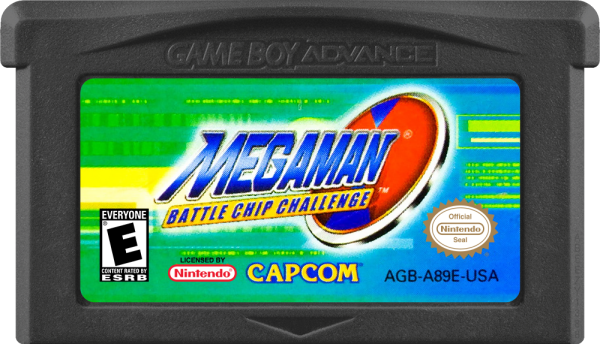
This game includes a multiplayer mode requiring a Game Boy Advance Game Link Cable. To play, you need two Game Boy Advance systems, two MegaMan Battle Chip Challenge Game Paks, and one link cable.
•
Ensure the power of both Game Boy Advance systems is OFF.
•
Insert a Battle Chip Challenge Game Pak into each system.
•
Connect the cable to the external extension connector on both systems.
IMPORTANT: The system connected to the smaller plug is Player 1.
Network Play
With two systems connected, two players can play simultaneously. Select LINK on the Subscreen when ready. The cable may malfunction if it is not for the GBA, not connected correctly, or if more than two systems are connected.
Getting Started
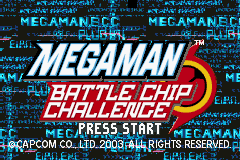
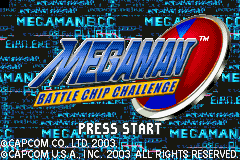
Press START on the Title Screen to access the Main Menu. Use the Control Pad to choose a mode, then confirm with START or the A Button.
•
START: Play a brand new game from the beginning.
•
CONTINUE: Resume a saved game.
Press START + SELECT + A/B to soft-reset the game to the Title Screen. This allows you to interrupt the current game and return to the main menu.
Character and Name Selection
Choose your Operator and Net-Navi combo before gameplay begins. You can register a name for your Battle Chip GP entry using up to 4 characters.
•
Move the cursor to OK and press the A Button when finished.
•
Use a Net Navi Code as an entry name to register data.
•
Do not use existing game characters' names.
•
This entry name acts as a password for registering Net Navis.
Game Options
Program your Net-Navi and use it to win the Battle Chip GP. Select an option from the Game Options Screen:
•
Pet: Edit Net-Navi programs and manage system data.
•
Battle Chip GP: Enter the Grand Prix tournament.
•
Free Battle: Fight other Net Battlers in single battles.
•
Shop: Buy Battle Chips as new shops open with progression.
•
Battle Holding: Set up your own Net Battle tournament using collected Net Navi Codes.
Pet Menu Options
•
Program Deck: Combine Battle Chips to edit the Program Deck.
•
Chip Folder: Edit the folder used in tournaments.
•
Net Navis: View Net Navi Codes, status, and player scores.
•
Data Library: View possessed Battle Chips and Navi Chip data.
•
Email: Read received emails from other players.
•
Save: Save the game at the current point.
•
Communications: Exchange Net Navi Codes and engage in online battles.
Program Deck
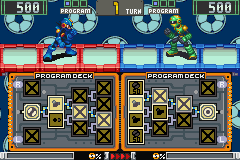
The Program Deck controls your Net Navi during battle using chips that hold fight commands. Use the Programming Screen to set up chips:
•
Use the Control Pad to move between the Program Deck and Folder Screen.
•
Choose two chips you wish to switch.
•
Press SELECT on a chip to see its description.
•
Press the A Button twice to complete the switch after selection.
Programming Rules
Follow these rules when setting up your Program Deck:
•
The deck holds 1 Navi Chip and up to 11 Battle Chips.
•
The Program Deck's capacity must be less than the Net Navi's capacity.
•
Navi Chips can only be placed in the Navi Chip panel.
•
Battle Chip capacity must be equal to or smaller than the Slot capacity.
•
Press START to organize your chips.
Programming Strategy
Use these tips for maximum effect:
•
Set your strongest Battle Chips in panels B, C, and E, as these are chosen most often.
•
Place your next strongest chips in panels D, F, H, and I, which are chosen less frequently.
•
Place remaining chips in panels G and J.
•
Place Guard chips in panels B and C, as these are chosen by the Program Deck. The Navi Chip takes the last action.
Chip Folders and Data Library
Chip Folders hold extra Battle Chips, and you earn more folders as you progress. Folders marked with E are currently equipped. You can only use the 30 chips in the equipped folder when setting up your Program Deck.
The Data Library is an illustrated book of Battle Chips. You can register here to view acquired chips. Stars next to the chips rate how difficult they are to acquire.
Battle Chip GP
Enter the Battle Chip Grand Prix tournament to compete for rank and rewards.
•
Register in the E Class first.
•
Choose a tournament to join; this costs Zenny, which is earned in Free Battle.
•
Winning allows you to take your opponent's Navi Chip and possibly their Battle Chips.
•
Rank in 4th place or higher to qualify for the next tournament level.
Free Battle
Fight single battles against other Net Battlers to establish cyberspace dominance.
•
Choose your battle mode; more options appear as you progress.
•
Maintain a continuous victory record to earn more Zenny.
•
Performing exceptionally well may allow you to acquire Navi Chip data.
Shop
Purchase Battle Chips for your Program Deck here. The chip selection is random, but buying in bulk guarantees at least one rare chip.
REMINDER: After buying chips, you must place them in a Chip Folder