Menu Controls
Use the menu controls to adjust options from both the Main Menu and the in-game Pause Menu. Press START during play to pause.
•
START: Pause / Pause Menu
•
+Control Pad: Cycle through options
•
A Button: Confirm / Next menu
•
B Button: Cancel / Previous menu
Launching a Game
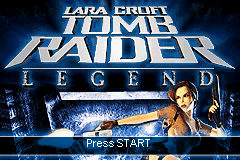
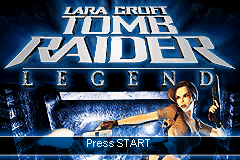
Press START and you will proceed to the Language Select screen.
Selecting a Language
Select a language and press the A Button to proceed to the Title screen. Available languages include English, German, French, Spanish, and Italian.
Creating a Game
Press START to proceed to the Slot Select screen, where you can create a new game or select a previously saved game. To start a new game, use the +Control Pad to select an empty slot and press the A Button. Then select a difficulty level: Easy, Normal, or Hard.
Continuing or Erasing a Saved Game
To continue a game, select the slot with your game save and press the A Button. Tomb Raider: Legend™ saves automatically so you can continue a game later. To erase a saved game, select ERASE and press the A Button. Once you erase a game, it cannot be recovered. Main Menu
•
Start Game: Start a new game. You will proceed to the Level Select screen where you can choose a level to play. You can only select levels that have been unlocked. Every time you complete a level, the next one automatically unlocks for you. Note that the game keeps track of your best score and time for each completed level. Before you start a level, you will see an Introduction screen that displays the name and primary objectives. Press the A Button to begin a level, or press the B Button to return to the Level Select screen.
•
Extras: Select this to go to a screen where you can purchase unlockable bonuses.
•
Options: Change game settings. Press the +Control Pad ▲ / ▼ to choose an option. Press the A Button to toggle the option ON or OFF. You can turn Sound Effects and Music ON or OFF, or view Credits, which list people who contributed to creating the game.
PDA
Press SELECT to access your PDA. This is Lara's automatic data capture and wireless communication device. It holds all her mission data and real-time objective and equipment information.
•
Objectives: Provides info on Lara's current and overall mission objectives.
•
Data: Provides level-specific information for completed levels.
•
Gear: Provides info on Lara's inventory. View stats and weapon / item descriptions here.
The PDA also displays your current location (e.g., Bolivia), time, and trophy counts for Gold, Silver, and Bronze.
Extrast Bazaar
Here you can buy and sell bonuses you have unlocked during the game. The screen features several categories:
•
Mini-Games: Classic full-screen puzzles such as Klotski, Memory, Puzzle, and 6Bit.
•
Characters: Includes Lara's Bio, Villain Bios, Tech Team's Bios, and Organization Bios.
•
Cheat Codes: Fun and cheap ways to modify the entire game.
•
Time Trial: Best times for each level are displayed here.
Additionally, you can shoot environmental hazards with the designated button to damage nearby enemies.



_1.png)



.png)








.png)
 (Rev 1).png)
 (Rev 2).png)
_1.png)
 (Rev 1).png)








 (En,Fr,De,Es,It).png)

.png)