INTRODUCTION
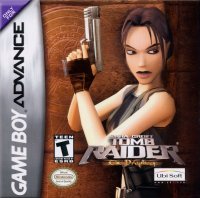
“Real magic.” These words echo in Lara's head as she contemplates the majestic Swedish mountains above her.
Magic means supernatural, great power. It has existed throughout the ages, and has been described in countless legends in various cultures.
When Lara begins deciphering the forgotten Tome of Ezekiel, written by a mysterious medieval scholar, she is plunged into the legend's depths.
She sets off in search of the Black Stone that lies somewhere in the icy heart of what was called Wolf's Fang Peak by the scholar. This Black Stone will reveal what Magic was, or still is.
GETTING STARTED
Insert the Lara Croft Tomb Raider: The Prophecy™ Game Pak securely into the Game Pak slot on your Game Boy® Advance system. Turn the Power Switch to the ON position and the GAME BOY Screen will appear followed by the Language Selection screen. LANGUAGE SELECTION
Every time you start Lara Croft Tomb Raider: The Prophecy, the Language Selection page appears. Select your language using the Control Pad and confirm your choice with the A Button. MAIN MENU
The Main Menu screen offers 2 choices:
•
New Game: Start a new game.
•
Continue: Access the Password screen to continue with your adventure.
Use the Control Pad to navigate the menu and confirm your choice with the A Button.
STARTING A NEW GAME
Select the New Game option on the Main Menu screen to start a new game.
PASSWORD SYSTEM
You can enter a password on the Password screen to continue with your adventure from the last point reached.
•
Use the Control Pad to select the letter from the list and confirm your selection with the A Button.
•
The selected letter will appear in the password box at the bottom of the screen.
•
To delete your last added letter, press the B Button.
•
After entering the password, press START to start the game.
To exit the Password screen, first clear all the letters from the password box then press the B Button once to exit the Password screen and return to the Main Menu. All of Lara's equipment is reset every time you restart an adventure from a certain level.
INTERFACE ELEMENTS
•
Sprint Bar: Lara has the ability to sprint for a limited time. After that, she has to regain energy before sprinting again. The current sprint energy level is displayed on the left of the screen when the sprint button is pressed.
Note: The Health bar and the Ammo indicator are only displayed when Lara pulls out her weapons. The sprint bar is displayed when Lara is sprinting.
INVENTORY SCREEN
The Inventory screen is where all the equipment and other relevant items are stored.
•
To enter the Inventory screen, press SELECT.
•
To return to the game without using any of the items in the Inventory, press SELECT again.
Here is the list of the most common items Lara will find during her quest, but there are many others that are harder to find and will be needed to complete the adventure...
STANDARD GUNS
These are Lara's default weapons. They have a standard power and fire rate. They never run out of ammunition, so Lara can always count on them.
UZI
The Uzis are much more powerful than the standard guns. They have more power and an impressive fire rate.
•
Uzi Ammo: More ammo for your Uzi!
GOLDEN GUNS
The Golden Guns are the most powerful weapons available. They feature a special fire mode (the longer you hold the Fire button pressed down, the stronger the shot when you release it).
•
Golden Guns Ammo: More ammo for your Golden Guns!
HEALTH ITEMS
•
Medikit: The small medikit restores a low level of health.
•
Big Medikit: The big medikit restores a high level of health.
OTHERS
Various other items can be found in the inventory, depending on the location you visit, to help Lara in her quest.


 (En,Fr,De,Es,It).png)
_2.png)
_3.png)
_2.png)
 (En,Fr,De,Es,It).png)
 (En,Fr,De,Es,It).png)
 (En,Fr,De,Es,It,Nl+En,Fr,De,Es,It).png)

.png)
 (Rev 1).png)
 (Rev 2).png)
_1.png)
 (Rev 1).png)