Options Menu
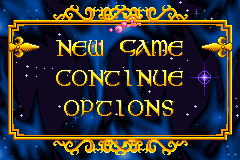
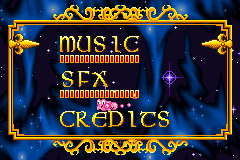
You can adjust several game settings from this menu. Use [Control Pad UP] and [Control Pad Down] to select an option to adjust. When you have finished, press [B Button] to return to the Main Menu.
•
Music: Use the Control Pad to adjust the music volume up or down. [Control Pad Left] is for quiet and [Control Pad Right] is for loud.
•
Sound Effects: Use the Control Pad to adjust the Special Effects volume up or down. [Control Pad Left] is for quiet and [Control Pad Right] is for loud.
•
Credits: Select Credits to find out who created Disney's Treasure Planet! Playing Disney's Treasure Planet
Young Jim Hawkins has discovered a map to the Space Pirate Flint's secret treasure. With the help of his friends Dr. Doppler and Morph, Jim is determined to get that treasure for himself.
You will guide Jim and Morph through adventures on Jim's home planet Montressor, and on planets scattered throughout the etherium. You will also explore the space ship RLS Legacy and encounter interesting and sometimes dangerous beings and creatures from distant alien cultures.
In order to make it all the way to the treasure, you will need to listen carefully to what these different people tell you and explore every part of each world.
Morph's Abilities
Jim's friend Morph is very powerful. As they adventure, Jim and Morph discover more and more of Morph's abilities. Jim may even discover a few things about himself, perhaps none more important than his courage and persistence.
To find the bountiful treasure, you will need to learn how to make the most of Morph's abilities. These are detailed in the coming pages, but you should always be on the lookout for pink bubbles spiraling up from Morph icons on the floor throughout the game.
If Jim walks across these bubbles, Morph gains a new ability to help them on their grand adventure.
Solar Surfing
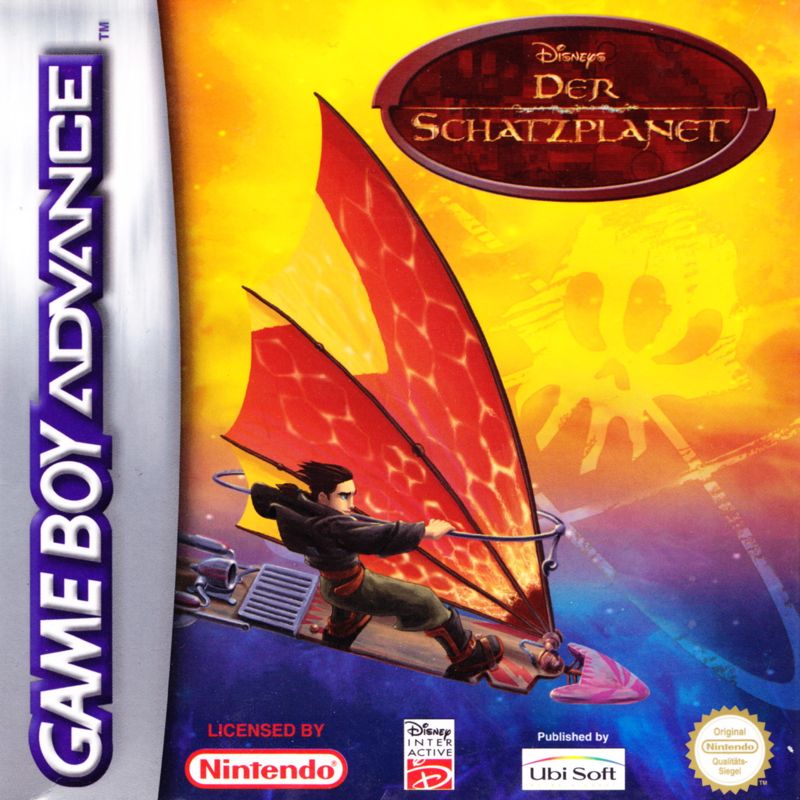
Jim's Solar Surfer is a combination skateboard and wind surfer, powered by the same kind of solar sail used by the space ships that travel the etherium. Jim is a skillful Solar Surfer, though on the mining planet Montressor his surfing too often lands him in trouble.
During the search for the Trove, Jim won't be fleeing from the law, but instead fearsome pirates determined to capture him and his map.
Be on the lookout for Coins, Gems, Golden Jim Idols and other bits of treasure while surfing. Try to grab them all!
Solar Beams he finds will boost his speed and jumping ability and help him make incredible leaps across wide chasms.
Surfing Controls
•
Use [Control Pad Left] and [Control Pad Right] to control the Surfer's direction.
•
Press [Control Pad Up] to accelerate, and [Control Pad Down] to slow the Surfer down.
•
Tap [A Button] to jump over obstacles while navigating tricky landscapes.
•
Tap [B Button] to fire a cannon blast from the small cannons on the front of the Surfer to deal with pirates.

 (En,Fr,De,Es,It,Nl).png)
 (En,Fr,De,Es,It,Nl) (Rev 1).png)







.png)
.png)
 (Rev 1).png)
 (Rev 2).png)
_1.png)
 (Rev 1).png)





