GETTING STARTED
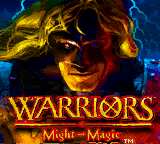
Starting Warriors of Might and Magic™
•
Turn off the power switch on your Nintendo Game Boy Color. Never insert or remove a Game Pak when the power is on.
•
Insert the Warriors of Might and Magic Game Pak into the slot on the back of the Game Boy Color, label facing out. Press the Game Pak firmly to lock it in place.
•
Turn the power switch on.
•
Select the language of your choice: English, French or German.
Move Alleron
•
2. Confirm in menu screens
•
2. Exits Inventory screen
•
Brings up Inventory screen
Inventory Screen
To bring up the Inventory screen, press START. Use the Control Pad to choose the option you want. When that option is highlighted, select it by pressing the A Button.
The inventory screen is where you can save or quit the game. Saving the game will save the level. When the saved game is loaded, Alleron will start at the beginning of the level. Only one saved game can be saved. It is also where you equip items and cast spells. The Axe icon accesses the weapon inventory, the Spell Book accesses the spell scrolls, and the Backpack icon accesses the miscellaneous items. Your rank and magic level are displayed in the middle of the inventory screen.
Weapons List
Selecting the Axe brings up the Weapons list. Highlight the weapon you want to use with the Control Pad and press the A Button to equip that weapon. The text under the weapons tells you which weapon you have highlighted.
NOTE: if an empty inventory slot is selected and the A Button pressed, the game will unpause.
Spell List
Selecting the Spell Book, will display the list of available spells. To select and cast a spell, highlight the desired scroll with the Control Pad and press the A Button.
Items
Selecting the Backpack shows you the items you are carrying. These items are used automatically. The text under the pictures tells you the name of each highlighted item so you can keep track of what you've collected.
Navigation
Pressing the B Button will go back to the previous screen.
.png)




 (En,Fr,De).png)



 (SGB Enhanced) (GB Compatible).png)




