Starting Up
Turn off the power switch on your Nintendo Game Boy Color® System. Never insert or remove a Game Pak when the power is on.
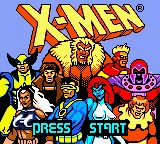
Insert the X-Men: Mutant Academy Game Pak into the slot on the back of the Game Boy Color, with the label facing out. Press the Game Pak firmly to lock it in place.
Turn the Game Boy power switch on.
•
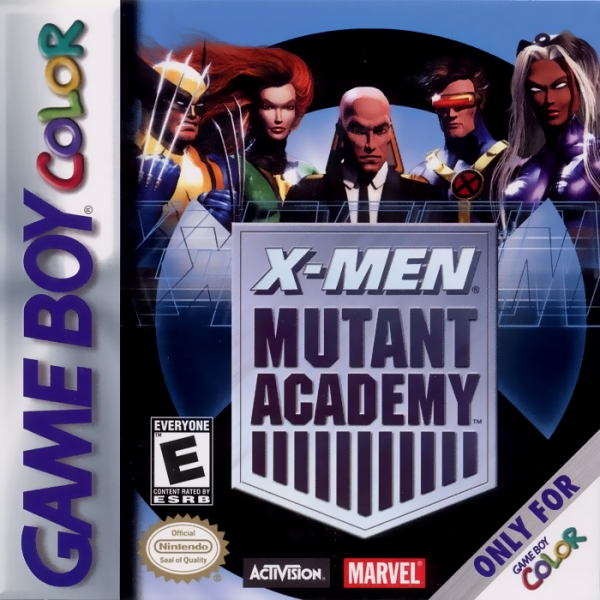
Note: X-Men: Mutant Academy is for Game Boy Color only.
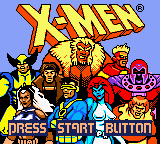
Mode Select Menu
Story Mode
Story mode is for one player only. Who you fight against in Story mode depends on the current game's difficulty level.
•
Difficulty 1 (Easy): You will only fight against other characters in your own group. For example, if you choose to play as Wolverine, you will only fight other X-Men. If you choose to play as Toad, you will only fight against other Evil Mutants. •
Difficulty 2 (Normal): You will first fight all of the other characters in your group and then fight against all the characters in the other group. In this mode you will be introduced to a new character in the game.
•
Difficulty 3 (Hard): You will first fight all of the other characters in your group and then fight against all of the characters in the other group. Hard difficulty offers new challenges and will introduce you to the toughest characters in the game.
Vs Mode
Vs mode is where you can play head-to-head against a friend (see Link Mode on page 14). Each of you can choose to play as any of the game's characters.
The hidden characters will only be available by inputting their passwords at the Title screen. (See Password on page 13.)
Battle Mode
One or two players can play Battle mode. When you choose to play one-player, it's you against the computer.
Choose three characters for each team, X-Men or Evil Mutants. The characters on each team will appear in random order. Battle mode is hard core brawling.
If your character defeats your opponent in the first fight, that character will go on to battle against the next rival team member in the line-up. Your character will retain the health and mutant power at the same level as the previous fight.
If the computer-controlled character wins the first fight, it too will fight the next rival character with the same health and mutant power. Battle mode with one-player continues on through the line-up.
Battle mode with two players works pretty much the same.
•
To select characters: highlight them, then press the A Button.
•
To deselect characters: highlight them, then press the B Button.
•
When the three characters of the first team have been chosen (you will see a tiny number 1 on the character's portrait), press Start.
•
Then select the three characters for the second team. Press Start again to begin the battle.
Survival Mode
In Survival mode one player is pitted against as many opponents as possible. Choose the character you wish to play, then fight and defeat as many other characters as you can.
Each time you begin a new fight, you will retain the mutant power that you had at the end of the last fight, but only a small portion of your health will regenerate. In Survival Mode, no points are awarded for how well you perform in battle. Fight as dirty as you want...only winning is what counts!
Training Mode
Training mode is a one-player game designed to allow you to learn everything from the most basic to the most advanced fighting moves. Choose a character to train with and practice performing its moves on a holographic image.
In Training mode you will have unlimited health and you will be able to choose both the character to practice as and your opponent. This is because different mutants take different damage from the same attack.
Practice with different characters on different opponents to discover the most effective attack against each mutant.
•
To choose your character: highlight it, then press the A Button.
•
To de-select it and choose another one: highlight the chosen character, then press the B Button.
•
To confirm your team choice: press Start.
•
To choose your opponent: repeat the same steps.
•
When you press Start the second time, the training will begin.
•
To view tips on some of the chosen character Special Attacks: press Select while in the SIM.
•
To toggle between tips: press the A Button or the B Button.
•
To return to your training: just press Select again.
Options
•
Difficulty: Choose from three levels of difficulty—1 (Easy), 2 (Normal), or 3 (Hard).
•
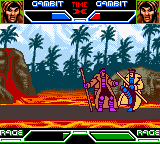
Rounds: Choose one, three, or five rounds per fight.
•
Round Time: Select the amount of time you want each fighting round to last—fifty seconds, ninety seconds, or an unlimited amount of time.
•
Damage: Choose from between four different damage settings. When the damage bar is full, you will receive the highest amount of damage possible when fighting. When the damage bar is empty, you will receive the least amount of damage.
Press the B Button when in the Options screen to accept the changes and return to the Main menu.
•
Note: In two-player link games, if one player chooses to change the default options, those changes will affect the other player as well.
Character Select Screen
Select the character you want to play as on the Character Select screen.
•
Use the Control Pad to move the cursor to