Setting Up Your PSP® System
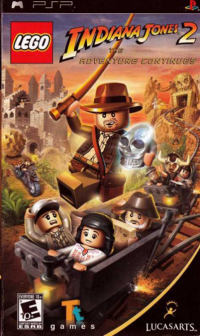
Set up your PSP® (PlayStation®Portable) system according to the instructions in the manual supplied with the system. Turn the system on. The power indicator lights up in green and the home menu is displayed. Press the OPEN latch to open the disc cover. INSERT the LEGO® Indiana Jones™ 2: The Adventures Continues disc with the label facing away from the system, slide until fully inserted and close the disc cover. From the PSP® system's home menu, select the Game icon and then the UMD icon. A thumbnail for the software is displayed. Select the thumbnail and press the ⓧ button of the PSP® system to start the software. Follow the on-screen instructions and refer to this manual for information on using the software. •
NOTICE: Do not eject a UMD® while it is playing.
Memory Stick® Duo
•
Warning! Keep Memory Stick Duo media out of reach of small children, as the media could be swallowed by accident.
To save game settings and progress, insert a Memory Stick Duo into the memory stick slot of your PSP® system. You can load saved game data from the same memory stick or any Memory Stick Duo containing previously saved games. Saving Profiles and Settings
Your profile and settings are automatically saved after changing settings and options and when you return to the Main Menu.
Auto Save
As you progress, a message will appear on screen indicating your profile and settings are being saved. While this message is on screen, DO NOT remove the Memory Stick Duo™ or Memory Stick PRO Duo™ or turn off your console.
Loading Saved Game Settings
Your saved game settings will automatically be loaded when first booting up LEGO® Indiana Jones™ 2: The Adventure Continues. Wireless (WLAN) Features
Software titles that support Wi-Fi functionality allow you to communicate with other PSP® systems, download data and compete against other players via connection to a wireless local area network (WLAN). You can adjust the network settings to allow connection to a wireless local area network (WLAN). •
Ad hoc Mode: Ad hoc mode is a wireless feature that allows two or more individual PSP® systems to communicate directly with each other. Welcome
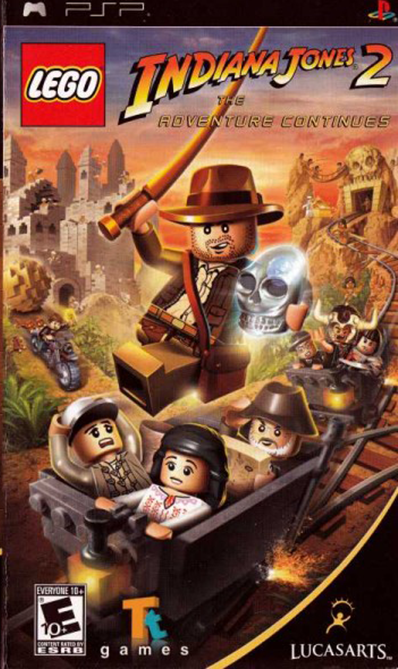
Indy is back to outsmart the bad guys, outrun the boulders and out-solve the puzzles in his latest LEGO® adventure! Get that whip cracking in LEGO® Indiana Jones™ 2: The Adventure Continues with Indy and his colorful cast of friends and enemies! The Island
Indy and Marion begin another riotous adventure together! Having just escaped the clutches of Indy's life-long adversaries, they find themselves cast away on a remote desert island. To make matters worse, pages from his precious journal have gone missing! Help our daring hero recover all of these pages as, in true Indy style, he finds himself smack in the middle of another whirlwind adventure. The Journal
To get right to the action, you start exploring the Island and looking for Indy's lost journal pages. Scattered throughout the Island, these pages are your keys to unlocking the different chapters of the game. Each Journal page, or collection of pages, will unlock new chapters or challenges that can be played through.
Story
Once collected, Indy's latest adventures in Indiana Jones and the Kingdom of the Crystal Skull will be available. You can also view your progress on these levels by viewing the right page of the Journal. The amount of Artifacts, Studs, Red and Gold Bricks can be viewed here, as well as an overall progression percentage.
Character Abilities
•
Building: In the world of LEGO® Indiana Jones you'll often need to build an object out of LEGO® pieces to overcome an obstacle. Just approach a bouncing pile of LEGO® bricks and hold the ⓧ button to build. •
The Whip: Press the Ⓨ button whenever you're on a "whip point" to discover its many uses. Now you can also use the whip as a makeshift rope to pull your other character up!
•
Combat: Almost every character in the game has a unique combat style - choose the one that fits you best. Do keep in mind that some characters possess abilities to help you through a chapter.
•
Carry: Pick up and carry objects from one place to another. You can also pick up enemies. Once you have floored an enemy, press the Ⓑ button to pick him up.
•
Rope Climb / Swing: Any character can climb to new heights with ropes. Jump into the rope to grab on, then use the Directional Pad/analog stick to access higher platforms.
•
Boost: Step onto the special green pad to give your other onscreen character a needed boost to hard to access areas. This move can only be used on female and small characters.
•
Wall Climb: Certain characters have the ability to scale walls and gain access to hard to reach areas just like monkeys.
•
Wall Shimmy: Female or small characters can also shimmy across thin ledges.
•
Strong Access: A strong character can use a strength panel by delivering a punch to it.
•
Skull Transformation: Some characters are able to use the skull to transform objects and move them into positions to solve puzzles.
•
Excavate: Excavation characters like Sallah and Satipo have the ability to dig up objects or entrances to new areas of the level using their shovel. When standing on a buried object, press Ⓑ button to dig it out. The shovel also acts as a tool for prying open crates.
•
Monkey: Monkey carrying characters can transform into a small
.png)


 (En,Fr,Es) (v1.01).png)
 (En,Fr,Es) (v1.01).png)



 (En,Fr,De,Es,It,Da).png)

.png)