Beginning a New Game
Press the START button from the Title screen to bring up the Mode Select screen. Move the cursor to the mode you wish to play using the directional keys, and press the Confirm button to select that mode.
Player Select Steps
•
1. Character Select: Once you select a game mode, you will be taken to the character select screen. Move the cursor to the character you wish to use and press the ⓧ button.
•
2. Mode Select: If the "Mode Select" option is turned ON in the Options, you may select a mode for your character. Note that the default setting is OFF, and must be turned on to enable this selection.
•
3. ISM Select: Choose either X, A, or V ISM type (page 18).
•
4. Speed Select: Choose a game speed. Note that speed select may not be available depending on Option settings.
Arcade Mode
Defeat a string of 10 AI-controlled opponents to reach the ending.
Training Mode
Define settings for yourself and your AI-controlled opponent and practice your skills. Press the START button during play to display the Training Mode Select screen.
While recording a series of moves for your opponent character to perform, you must wait for the timer to run out. Pressing the START button will not return you to the Training Select Mode.
Training Mode Dummy Settings
•
ACTION: Set your opponent's action to stand, crouch, or jump. You can also choose to control the character temporarily to record a series of actions to loop back.
•
GUARD: Set your opponent's guard status.
•
SC GAUGE: Set the level of your opponent's Super Combo Gauge.
•
GP GAUGE: Set the level of your opponent's Guard Power Gauge.
•
STUN: Set whether your opponent can be stunned or not.
•
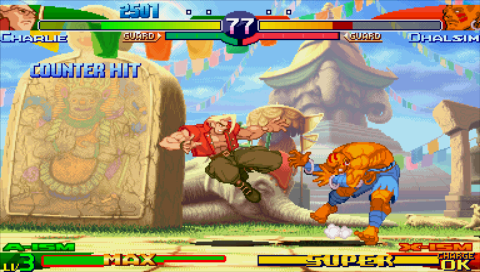
COUNTER HIT: Set whether or not it is a Counter Hit when your opponent takes a hit.
•
SAFE FALL: Set whether or not your opponent performs a safe fall when knocked to the ground.
•
THROW ESCAPE: Set whether or not your opponent tries to escape throws.
•
TIMING GUARD: Set whether or not your opponent performs Timing Guards (page 20).
•
DAMAGE REDUCE: Set whether or not your opponent has reduced damage.
Variable Battle
Control a 2-character tag-team to join up against a single opponent, switching between characters at will. Switch characters with a punch and kick button of different strength:
Dramatic & Reverse Dramatic Battle
•
Dramatic Battle: Team up with an AI-controlled partner to take on an opponent in two-on-one battles.
•
Reverse Dramatic Battle: Go alone against two AI-controlled opponents at once in one-on-two battles.
Survival & Special Battle Modes
•
Survival Mode: With a limited amount of vitality, go up against a string of opponents and survive as long as you can. There are 8 gameplay modes available for Survival Mode.
•
VS 100 Kumite: Fight your way through a series of 100 single-round matches to compete for the best win-loss record out of 100.
•
Final Battle: Fight the final match against the final boss. If you win, you can view the game ending after just the one match.
•
Free Battle: Select an opponent and difficulty level for a single head-to-head match. There are 5 gameplay modes available in Free Battle.
•
Team Battle: Versus mode that allows up to 3 people on a team. You can select an ISM type for each character. Also with the Gauge Reset option, you can select to reset the Super Combo Level Gauge to the max when you lose and switch to the next character.
World Tour Mode: Getting Started
•
New Game: Select a character and start from the beginning.
•
Load Game: Load previous save data and continue building up your character.
*To play as a different character, you must start a New Game from the beginning.
World Map Stage Select
Select the stage you wish to visit from the world map. Selecting a stage will bring up a menu with the following options:
•
BATTLE: Starts the match.
•
SETUP: Move to the ISM setup screen.
•
SAVE: Save your progress. This is the only place in World Tour Mode that you can save your game, so don't forget to do it. Saving requires 128KB of free space.
World Tour Progression & Growth
Your journey begins in Asia. Complete a stage and select the next stage you wish to advance to. Complete all the stages in the area (i.e. Asia) to advance to the next area, building your character as you go.
•
Leveling Up: Gain valuable experience points by defeating opponents. Once you earn a certain amount of experience points, your level goes up, increasing your stats (abilities).
•
ISM Plus: Somewhere within each area you can acquire an ISM Plus that boosts your character's abilities (page 18).
•
ISM Level-Up: Each ISM gains experience points separately, and grows in power. The status set from the ISM Select screen also affects ability boosts from leveling up.
ISM Setup Screen Layout
•
2 Character Level (The maximum player level is 32. Once you reach level 32, the ISM level also stops going up.)
•
3 Current Total Experience Points
-
.png)



.png)





















_1.png)

.png)