GETTING STARTED
Set up your PlayStation® according to its instruction manual. Insert the "Circuit Breakers" disc and close the disc cover. Turn the PlayStation on at the power button. It is advised that you do not insert or remove peripherals or memory cards once the power is turned on. If you are using a memory card, please connect it to Memory Card Slot 1. Make sure there is a free block before commencing play.
3-4 PLAYER SIMULTANEOUS PLAY
A PlayStation® Multi Tap (sold separately) will allow up to four people to race at the same time. Please connect one controller to Controller Port 1 on the PlayStation and the Multi Tap to Controller Port 2. For a three-player game, connect controllers to ports 2-A and 2-B on the Multi Tap. For a four-player game, connect the controllers to ports 2-A, 2-B, and 2-C. When using the Multi Tap, at least one controller must be connected to Port A.
THE VEHICLE SELECTION ARENA
At the bottom of this screen, there are four bays. For every controller connected to your PlayStation, there will be a buggy parked in one of the bays. These buggies can be transformed into any one of the four models of car used for competition. On the floor of the arena are eight selection disks, two for each model, distinguishable by the shadow of the vehicle projected on its surface. To choose a model, maneuver your buggy onto the selection disk of your choice.
•
Use the Left and Right directional buttons to steer.
•
Use the X button to accelerate.
•
Use the O button to brake.
Once your buggy is parked on a selection platform, it rises from the ground and your selected car descends from the ceiling. If you want to change the car, you can simply drive off the platform and head towards another model.
When you are happy with your selection and are ready to start the game, press the SELECT button.
Multi-Player Vehicle Selection
In multi-player games, each participating player chooses their car in the same way as for the single-player game. The last player to choose their car can start the game by pressing the SELECT button.
Note that only two of each model of car can race in any one competition. If three or more players are participating and they all want to drive the same model, they will have to fight it out in the Vehicle Selection Arena. The first two drivers to reach the coveted disks (without promptly getting rammed off) are the victors.
TRACK SELECTION AREA
On exiting the Vehicle Selection Arena, you arrive in the Track Selection Area. Here you will find the doors leading to the various tracks. Use the directional buttons to choose the track you wish to race, then press the SELECT button to confirm your selection.
Important information about each track appears in front of its entrance gate:
•
1) TRACK ICON See the section on Race Environments.
•
2) CONDITIONS This shows whether the race is to be held at day or night, whether to expect rain or snow, or whether the race takes place on or under water.
•
3) MAP Showing the starting grid/finishing line.
•
4) BEST LAP TIME This shows the best lap time raced in Time Trial (TT) mode.
•
5) BEST FINISHING POSITION IN GRAND PRIX (Either a gold, silver, or bronze cup for 1st, 2nd, or 3rd position).
CHOOSING A TRACK FOR A MULTI-PLAYER COMPETITION
In multi-player games, Player 1 controls both track and game mode selection. Unlike the single-player game, the entrances for all tracks are on the same level and they can all be accessed right at the start of the game.
RACE ENVIRONMENTS
The following lists the various track types along with a brief description of each and the associated logo.
•
TARMAC RACING Is both fun and fast, some track and some road. •
Race your custom boat around the narrow waterways of Venice.
•
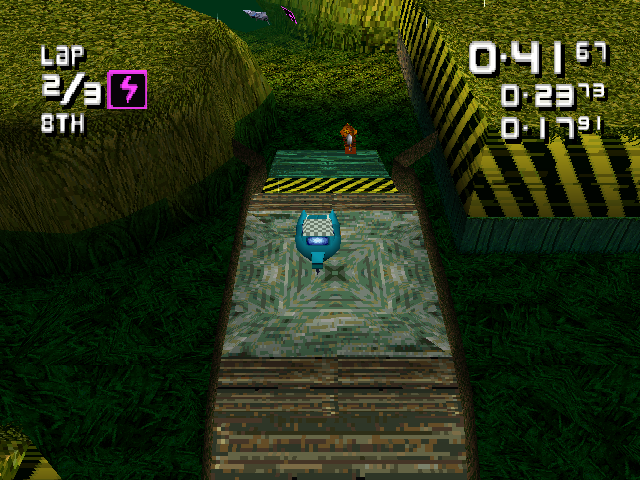
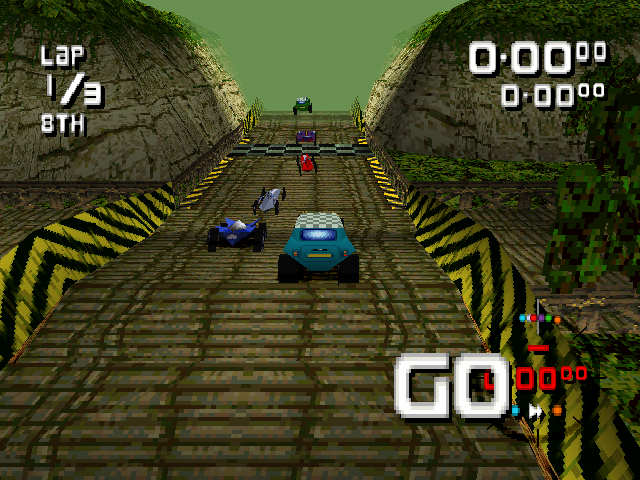
JUNGLE Bamboo banks, steep stony slopes, wooden roadways, and conveyor belts make the jungle a tough track to beat.
•
DESERT Sand, sand, and more sand. Race your car through the blistering heat and mind the flames.
•
RANCH Ranch style racing with some of the finest hills you'll ever see. •
UNDERWATER Underwater sub racing, need I say any more? •
COOL Slippery snow, race around the mountain tops.
•
SWAMP The smelly swamp is tough territory, look out for the mud.
GET IN LANE - SELECTING THE RACE MODE
Once you have passed through the track selection gate, you must then decide on the type of game you wish to play. Each lane leads to a different race mode. Use the Left and Right directional buttons to steer into the lane of your choice, then press the SELECT button to confirm.
The race modes available to you depend on the number of players involved. The left-hand lane leads the single player to the World Series competition or multiple players into Battle Mode. The right-hand lane leads to the Time Trials.
WORLD SERIES
This single-player game features a series of races on 16 different circuits against seven other drivers. At the start of the World Series, there
.png)








 (Es,It,Pt).png)

.png)





_1.png)