STARTING THE GAME
1. Set up your console according to the instructions in its Instruction Manual. Make sure the power is OFF before inserting or removing a disc.
2. Insert the F1 Racing Championship disc and close the disc cover. 3. Insert the game controllers and turn on the console.
4. Follow the on-screen instructions to start the game.
5. Please ensure there are sufficient free blocks on your MEMORY CARD before commencing play.
6. Do not insert or remove peripherals while the console is turned on.
RACING MODE
1. ARCADE
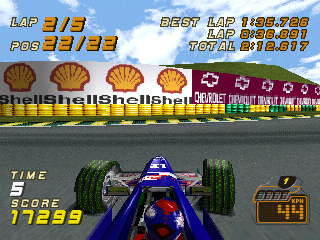
When you race in the Arcade mode, the faster you are the higher score you get. The threshold is that you have to pass each checkpoint before the time is used up.
There are four levels of difficulty: Rookie, Veteran, Champ and Master. It is compulsory to pass lower levels to access higher ones.
The required positions to pass the four levels are 6, 3, 2 and 1 respectively. In the race there is a special arrow on top of each qualified car.
•
Use up and down to select the course.
•
Use right and left to select level.
Example: Rookie, contains four courses of least difficulty: Spielberg, Monza, Hockenheim and Sao Paulo.
COURSE SELECT
2. SIMULATION
A - Single Race
In Single Race, there are options of Free Session / Qualification / Race for players who like to practice and win starting grid position based on the qualification result. All the game selections can be made in this page: Team, Driver, Course and Game Setting.
B - Duel
To play F1 Racing Championship with your friend you only need one TV and a Console. By choosing Duel in the Arcade or Simulation Behavior menu, the real contest begins! There are two screen-split modes: Vertical and Horizontal. Player 1 selects the circuit and options for the race.
Selecting Split style between Vertical and Horizontal.
Horizontal split in Simulation.
Vertical split in Simulation.
C - Time Attack
Time Attack is where seasoned players can challenge the track record without interference of other cars. Meanwhile, beginners can practice their driving skills and get familiar with the track. Simple and Realistic behaviors are available. If you manage to beat the lap record time (HALL OF FAME), the records and background information for this lap will automatically be saved to the system memory and also to the memory card in slot 1, if it's properly inserted. Remember that only memory card slot 1 is supported here. Data will not be saved to the memory card slot 2. You can also save the records to the memory card by pressing the O button in the HALL OF FAME.
You have two options:
FREE-RUN (GHOST CAR OFF)
Your starting place is before the starting line so that you can cross it at top speed. As soon as you cross the line, the stopwatch is activated.
GHOST CAR ON
When the ghost car is activated, you will race against yourself and your own best lap record. Game play is the same as in Free-Run except that as soon as you cross the starting line after finishing the first lap alone, the ghost car will appear from then on. You can see it but you can't crash into it. From the second lap, you will always race against the best lap you have achieved.
To save a ghost for the first time, all you have to do is to race for at least one lap in ghost mode. After you quit the race, your record will be saved automatically and you will be asked whether you want to save your GHOST or NOT.
If you want to save a ghost, insert a Memory Card and save it in the RACE menu; you can then load it later. The best time that you achieve in ghost mode is also automatically saved to the system memory and to the Memory Card in slot 1.
Note: You can only save one ghost for one track into the Memory Card. If you want to save a new ghost with a better record, the old one will be overwritten. Only the memory card slot 1 is supported.
Load Ghost
If you choose Load Ghost in the menu, you will be able to choose one of the ghosts that you have saved earlier, and then you can challenge your best record.
D - World Championship
In this mode, we have an
 (En,Fr).png)

 (En,Fr).png)
.png)
