GETTING STARTED
Set up your PlayStation® game console according to its Instruction Manual. Make sure the power is off before inserting or removing a compact disc. Insert the Hydro Thunder disc and close the Disc Cover. Insert game controllers and turn on the PlayStation® game console. Follow on-screen instructions to start a game. TOP VIEW
FRONT VIEW
MAIN MENU
Press START at the Title screen to access the Main Menu. From here you can select from a 1 or 2-Player game, adjust the Sound Options, view High Scores, Save and Load games, and configure your Controller.
To select an item on the Main Menu, use the Directional buttons to highlight the item. After you have selected, press to access the item's menu.
MAIN MENU OPTIONS
•
Controller Configuration Menu
MEMORY CARD
Hydro Thunder allows you to Save and Load games using your Memory card. When the Memory card is inserted into Memory card Slot 1, highlight the Memory card icon at the Main Menu and press .
From this menu you can LOAD GAME, SAVE GAME or EXIT. Highlight your selection by pressing Up and Down on the Directional buttons and press .
Saving game information requires 1 free block on your Memory card. The Memory card will save your current progress in the game automatically.
Information that will be saved includes High Scores, Sound and Controller Configurations, Tracks and Boats you have unlocked, and Times you have recorded.
When you access the Memory card with a saved game already recorded and attempt to save another, you will be asked if you wish to OVERWRITE the currently saved game. Select YES or NO and press . When you overwrite a game, you will lose all previous information.
OPTIONS MENU
Located on the right side of the Main Menu you will find the following three sub-menus: the Game Options Menu, High Scores Menu and the Credits Menu. These all fall into the OPTIONS MENU. To select a sub-menu, highlight it using the Directional buttons and press.
GAME OPTIONS MENU
This menu consists of two different options, SOUND OPTIONS and CUSTOM OPTIONS.
SOUND OPTIONS
Each can be adjusted by pressing Left (lower volume) and Right (raise volume) on the Directional buttons. MUSIC VOL will adjust the background music of the game while EFFECTS VOL adjusts the volume of the game's sound effects.
CUSTOM OPTIONS
Each option has an ON/OFF meter. Pressing Left and Right on the Directional buttons will highlight the meter (in the ON or OFF position).
•
VIBRATION FUNCTION activates the vibration level of your DUALSHOCK™ analog controller (if you are using one).
•
HUD (Heads Up Display) will let you play the game with the display or without it.
When you have adjusted all of these options and are ready to continue, press to accept the adjustments and return to the Main Menu. If you press, you will return to the Main Menu without activating your adjustments.
PLAYING THE GAME
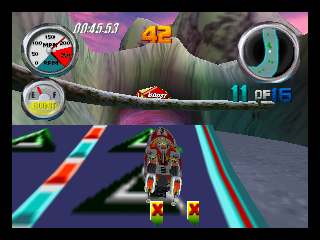
The object of Hydro Thunder is simple: cross the finish line first, at all costs! Along the way, collect BOOST icons to enable your boat's specialized engines to fire up and propel you faster.
Boost icons are located throughout all tracks. Some are hidden in secret areas of the track and some are even invisible! The following will give you an overview of everything you need to know to win the race.
GAME PROGRESSION
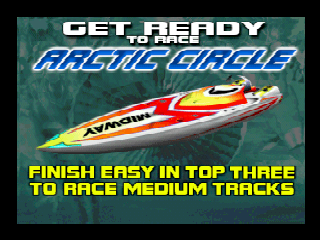
When beginning Hydro Thunder, you will only have access to 3 tracks and 3 boats. Both the tracks and boats are designated as EASY.
If you complete each of these races and place First, Second or Third, you will gain access to the MEDIUM division boats and tracks.
When racing on the Medium tracks, you must complete each race with a First or Second place finish to advance to the HARD division. Racing the Hard boats and Hard tracks takes a lot of skill. It is recommended that you really master the previous tracks before advancing to these challenging ones. You must complete each Hard track with a First place finish to access the special Bonus Tracks and Bonus Boats. There are a total of 4 Bonus Tracks and 4 Bonus Boats, if you're good enough to earn them.
When choosing a track, it's important to remember everything you can about it. Some tracks have numerous obstacles in the water, causing you to capsize or just slow down. If you're racing a track for the first time, be alert. Try and learn as much as you can about the track for future races. BOAT SELECTION
Each boat in Hydro Thunder is unique. Not only in appearance, but also in control and overall performance. Some boats are faster than others, while some fly and take turns better. When selecting a boat, keep in mind which track you will be racing on. DANGER: "MIGHTY HULL"
Developed by the H.T.R.A., "Mighty Hull" technology is utilized by every boat in Hydro Thunder. When your boat's boosters are activated for a short period of time, your boat will flash. This means that the boat's Mighty Hull is activated.
Use your Mighty Hull power to clear unwanted obstacles and opponents
.png)










.png)



_1.png)


.png)
_1.png)
.png)




