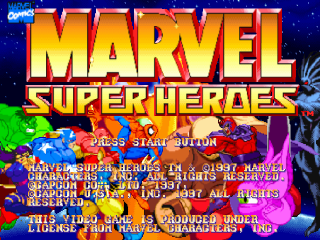
Console Setup
Set up your PlayStation™ console according to the instructions in its Instruction Manual. Make sure the power is off before inserting or removing a compact disc. Insert the MARVEL SUPER HEROES disc and close the disc cover. Insert the game controllers and turn on the PlayStation™ console. Follow the on-screen instructions to start a game. Console Top View
Console Front View
Game Modes
There are 2 modes of play and 2 set up modes for MARVEL SUPER HEROES. See the following sections for descriptions of these modes.
To adjust your button configuration during gameplay, press the START button to pause the game. Then press the SELECT button. Select KEY CONFIG from the menu to adjust your buttons, then EXIT when you are finished.
When configuring your buttons, use the Directional Button to highlight the function, then press the button you want to perform that function.
Mode Select Shortcut
Turning SHORTCUT to "on" in the OPTION MODE bypasses the MODE SELECT screen.
Arcade Mode
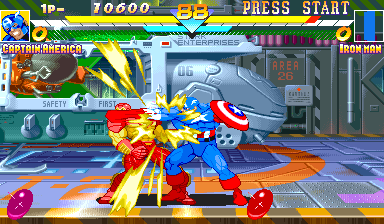
Select a Marvel character and fight your way through 8 other computer-controlled characters. This is a one-player game, but a second player can join in at any time. Press the START button on the opposite controller to join in. The character select screen will appear.
From the title screen, press START to see the MODE SELECT menu. Use the Directional Button to highlight this mode, then press the START button to select it. You will then see the character select screen.
Use the Directional Button to highlight a character, then press START to select it. Then use the Directional Button to highlight either NORMAL or TURBO speed mode, then press START to select it and begin the match.
V.S. Mode
V.S. MODE is the classic 2-player contest. Use the Directional Button to highlight this from the MODE SELECT screen and press START to select it.
You will then be presented with the character select screen. Select a character and game in the same manner as the ARCADE mode.
Option Mode
To adjust the options in your game, from the MARVEL SUPER HEROES title screen, use the Directional Button to highlight OPTION and press the START button.
Highlight one of the following by pressing the Directional Button ↑ or ↓ then change the option by pressing the Directional Button ← or → :
Difficulty
There are 8 levels of difficulty available for ARCADE MODE. Adjust the number of stars for the difficulty from 1-8 (Low to High).
Time Limit
You can set the time limit to ON or OFF.
Rounds
You can adjust the number of rounds per match.
Turbo Speed
You can adjust the game speed. There are 2 levels of TURBO speed.
Shortcut
Set this to "on" and you can bypass the MODE SELECT screen in ARCADE MODE and jump right to the character select screen.
Sound
Adjust the sound on your game for stereo or monaural sound, depending on the capabilities of your sound system.
Key Configuration
You can choose any button for your punch/kick functions.
Panel
You can turn your character's on-screen face panel on or off.
When finished, return to the MODE SELECT screen by highlighting EXIT and press the START or X button (or simply press the △ button).
The Infinity Gems
Draw on the power of the Infinity Gems and battle Thanos to the end! Depending on how successful your attacks are, you can grab gems from your opponent and add them to your arsenal.
The gems you possess will appear below your character. Use the SELECT Button to change the gem you want to use, then activate the gem:
•
Press the Directional Button
The gem power will last for only a short time.
•
Power - Increase the strength of your attack
•
Time - Increases your character's speed
•
Space - Increases defensive power
•
Mind - Recovers energy for the Infinity Combo Gauge
•
Soul - Recovers energy for your Health Gauge
•
Reality - Enhances your character with fantastic new powers
Special Moves
The following pages describe each Marvel Hero and Villain as well as a short description of their special moves beyond the basic punches and kicks.
The moves are described in this manner: The directions you need to press the Directional Button to perform the move are described first (moves must be done in a smooth, quick motion). Following the move is the list of Punch or Kick buttons you must press to perform the move.
Button Key
•
MP - Medium Punch button
•
2P - Any 2 Punch buttons simult.
•
3P - All 3 Punch buttons simult.
•
2K - Any 2 Kick buttons simult.
•
3K - All 3 Kick buttons simult.
Directional Button Motions
The diagrams show the Directional Button motions for a character facing right. The controls are reversed when facing left.
.png)