Starting the Game
Set up your PlayStation® game console according to the instructions in its Instruction Manual. Make sure the power is OFF before inserting or removing a disc. It is advised that you do not insert or remove peripherals or memory cards once the power is turned on.
Insert the MOBILE LIGHT FORCE™ disc and close the Disc Cover. Insert game controllers and turn on the PlayStation® game console. Thank you for purchasing the exclusive PlayStation game Mobile Light Force. Before you begin to play, please read the instructions carefully, and enjoy playing the game correctly. Also, the instruction manual cannot be replaced, so please store it in a safe place. Console Controls
How to View the Screen
•
GAME LEVEL TER9537 00201
How to Start the Game
When you insert the game disc into the system and turn the power on, the animation demo will begin. Press the START button to go to the Title Menu.
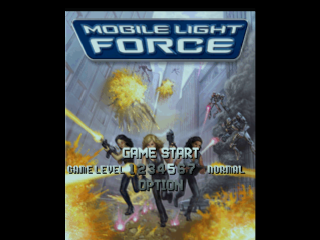
Press the START button again to proceed to the Mode Screen. Select the game mode you want and press the START button or ✔ button to decide.
If you select MAIN GAME your screen will look like the above. In the Option menu, you will be able to change the difficulty setting as well as other settings. Press the START button or ✔ button to decide.
Item Description
•
Power Up Items - Your shot power will increase a level. There are 1-4 levels. After level 3, a sub weapon will automatically be attached.
•
Bomb Items - Your bomb stock will increase by 1. You can hold up to 6 bombs.
•
Bonus Items - Your bonus points will increase.
Mode Screen and Save
Mode Select Screen
If you press the START button at the title screen, you will see the mode select screen. Press the Directional button up or down and select the mode you want and press the START or buttons to accept.
At the Game Start screen, you can also set the difficulty setting and the option settings.
Setting the Game Difficulty
There are 7 stages from Monkey to Very Hard. Use your Directional button and select.
Main Game
The screen will move up and down according to your movement. There are 7 stages and during the first 3 stages, the character order will randomly change.
If you want a 2 player game, press the START button on the player 2 controller on the character select screen. You will then be able to select the player 2 character.
•
During play, the game may pause to read data from the CD.
.png)

.png)
.png)
.png)
