Game Premise
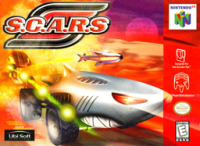
The year is 3000 AD. The world is controlled by nine supercomputers whose intelligence has surpassed their creators. They have acquired human characteristics like fear, hatred, happiness, and boredom.
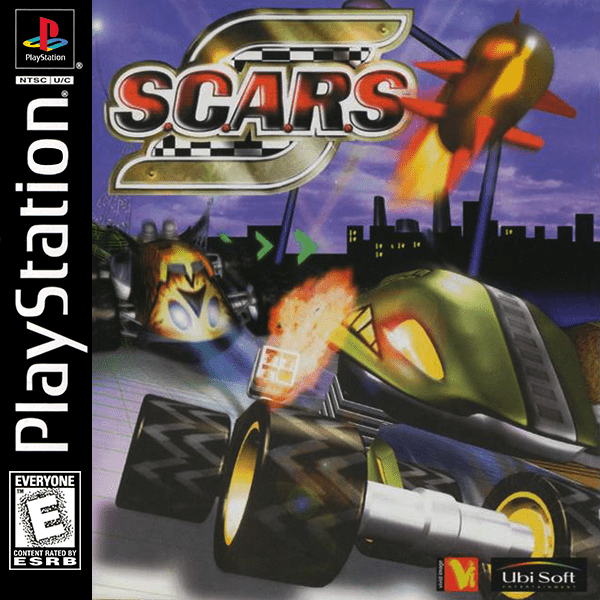
To combat boredom, the supercomputers entertain themselves with racing. They build sophisticated cars that mimic Earth's most fearsome creatures. These vehicles use powerful weapons to pulverize opponents on treacherous courses. Humans can only watch from afar.
As the supercomputers race across worlds, the quest for thrills becomes never-ending. Victory alone is no longer enough.
Starting the Game
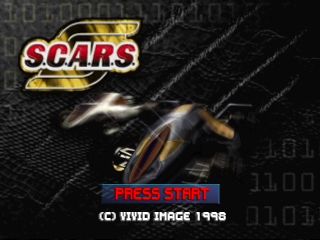
From the S.C.A.R.S Title screen, press the START button to access the Main Menu.
•
If the game is left on the S.C.A.R.S Title Screen for more than 35 seconds, an automatic demo will start.
•
To exit the demo, press the START button and follow the same procedure to play the game.
Main Menu
Player Select
This screen allows you to select the number of human players. Up to 4 players can play simultaneously on the same screen.
•
Use the Directional buttons Up/Down to highlight the chosen game mode.
•
Press the <X> or START button to confirm your selection.
Multiplayer Requirements
•
The Multi Tap must be inserted into Controller Port 2.
Warning
It is advised that you do not insert or remove peripherals or Memory Cards once the power has been turned on.
Game Select Menu
Here you will have 3 modes of play to choose from, plus Options.
1) Grand Prix
There are 4 Grand Prix Cups (Carbon, Crystal, Diamond, and Zenith), plus a Custom Cup.
Track Order
In Carbon, Crystal, Diamond, and Zenith Cups, track order is predetermined.
Level of Difficulty
Difficulty increases as you progress through each Cup.
To progress through the Cups, you must successfully complete each one in 1st place. For example, Crystal Cup can only be played if the Carbon Cup was completed in 1st place. You can still reach the Podium by finishing the Cup in 2nd or 3rd place.
•
You can set the speed of the game in the Options Menu.
•
After completing each cup, the player is rewarded with a password.
•
Progress can also be saved on a Memory Card.
Custom Cup
Here you can set up a season of races. You will only be able to select tracks featured in the Cups that you have access to. For example, if you have successfully completed the Crystal Cup, you will be able to select tracks from the Carbon and Crystal Cups.
•
The difficulty level is automatically set to Medium.
•
The number of laps can be set in the Options Menu.
2) Challenge Mode (Only available in 1 Player mode)
This mode is only available after you have completed a Cup.
•
Here you race head to head against one CPU opponent.
•
The CPU opponent, track, difficulty levels, and number of laps are automatically set.
•
Winning Challenge Mode grants access to hidden cars.
3) Time Attack (Ghost Mode) (Only available in 1 Player Mode)
Here you can practice with different cars on the tracks to improve your skills and race times. Each subsequent race on the same track will include your ghost car from the previous race so that you can try to beat your own time.
•
Use the Directional button to highlight the chosen game mode.
•
Press the <X> button to confirm your selection.
4) Options
Settings
The default options can all be changed to suit your preference (number of laps, weapons on/off, etc).
•
You may access the Mirror Mode (only granted after you have successfully completed all of the Cups) through this menu.
Memory Card
•
Make sure your Memory Card is in Slot 1 and 1 block is available.
•
Follow the instructions on screen.
•
You can save your game, including any completed cups, high scores, lap records, options, and configurations.
Important
Never remove a Memory Card while it is in use. It may damage both the Memory Card and your Console.
Controller
Controller configurations may be amended in this screen.
Records
See high scores and best lap and race times.
Track Selection Menu
This menu is not available if Grand Prix mode is selected.
There are 9 different race courses available in the game, each with a choice of setting: Daytime, Nighttime, Dusk, and Rain. Combined with the Mirror Mode (see Options), this gives a total of 72 different tracks.
•
Press the Directional button Up/Down to highlight the track you want to choose.
•
Press Right or Left to change the settings.
•
Press the <X> button to confirm your selection.
•
You will only be able to select tracks featured in the Cups that you have access to.
Car Selection Menu
There are 9 different cars to choose from in S.C.A.R.S. Each car has 5 features: Speed, Acceleration, Grip, Armour, and Weapon. The combination of these characteristics determines the general performance and handling of the cars. You may have to experiment with the different available cars to determine which one best suits your driving skills.
•
Only 5 of the 9 cars are available at the very beginning of the