Getting Started
Set up your PlayStation®2 computer entertainment system according to the instructions in its Instruction Manual. Make sure the MAIN POWER switch (located on the back of the console) is turned on.
Press the RESET button. When the power indicator lights up, press the open button and the disc tray will open. Place the Crash Twinsanity™ disc on the disc tray with the label side facing up. Press the open button again and the disc tray will close.
Attach game controllers and other peripherals, as appropriate. Follow on-screen instructions and refer to this manual for information on using the software.
Memory Cards (8MB) (for PlayStation®2)
You may save your progress while playing Crash Twinsanity. To do so, you must have a memory card (8MB) (for PlayStation®2) inserted into MEMORY CARD slot 1 of your PlayStation®2.
Game data can only be loaded and saved to a memory card (8MB) (for PlayStation®2) in MEMORY CARD slot 1. Do not insert or remove a memory card (8MB) (for PlayStation®2) while the game is attempting to load or save game data.
Pause Menu
Press the START button anytime during play to access the Pause Menu.
•
OPTIONS: Change game settings in the Options Menu.
•
SAVE GAME: Allows you to manually save your progress and disables auto-save.
•
LOAD GAME: Choose and continue a previously saved game. You will restart at the last World Crate triggered during that saved game. •
DISABLE AUTOSAVE: Turn autosave functionality on or off.
•
QUIT GAME: Allows you to exit your current game and return to the Main Menu. Please note that quitting your game will result in a loss of progress, so make sure you've saved before quitting.
Extras Menu
View bonus content that you unlock through play. Access this menu with the L1 button.
Gem Collection Menu
View all of the gems that you've collected throughout the game. Access this menu with the R1 button. HUD (Heads-Up Display)
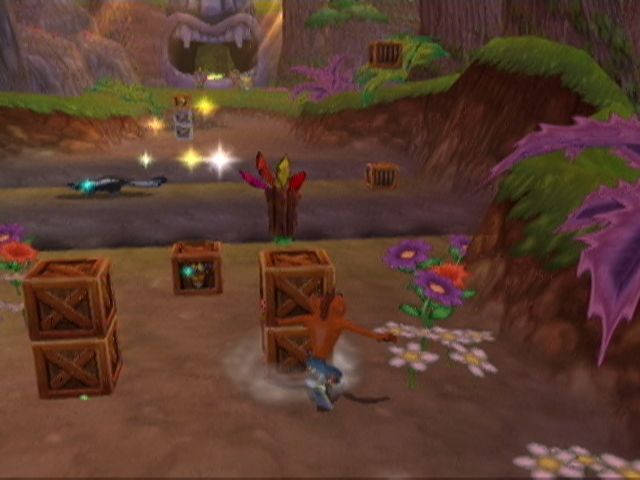
Pressing the button during game play will bring up the HUD. The HUD displays the following information for Crash, Neo Cortex and Nina Cortex. •
WUMPA COUNTER: Displays the number of Wumpa fruit collected. You will be rewarded with an extra life every time you collect 100 Wumpa. •
LIVES COUNTER: Displays the number of lives that the Crash Team members have left.
•
AMMO COUNTER (Cortex only): Displays the number of shots remaining in Cortex's ray gun.
.png)

.png)
