STARTING THE GAME
PLAYSTATION®2 COMPUTER ENTERTAINMENT SYSTEM
1. Set up your PlayStation®2 computer entertainment system according to the instructions in its Instruction Manual.
2. Make sure the MAIN POWER switch (located at the back of the console) is turned on.
3. Press the RESET button. When the power indicator lights up, press the open button and the disc tray will open.
4. Place the F1 Career Challenge disc on the disc tray with the label side facing up. Press the open button again and the disc tray will close.
5. Attach game controllers and other peripherals, as appropriate.
6. Follow on-screen instructions and refer to this manual for information on using the software.
•
When using the Multitap (for PlayStation®2), a controller must be connected to controller port 1-A.
•
F1 Career Challenge does not support the Digital Controller.
SETTING UP THE GAME
Get ready to race by familiarizing yourself with the Main menu. Then it's time to launch your F1 career.
Default options appear in bold throughout this manual.
At the Enable AutoSave screen, select YES, ENABLE AUTOSAVE or NO, DISABLE AUTOSAVE and press the button. The Main menu appears.
If you do not have a memory card (8MB) (for PlayStation®2) inserted in MEMORY CARD slot 1, a prompt appears asking you to insert a memory card if you wish to save your progress and settings.
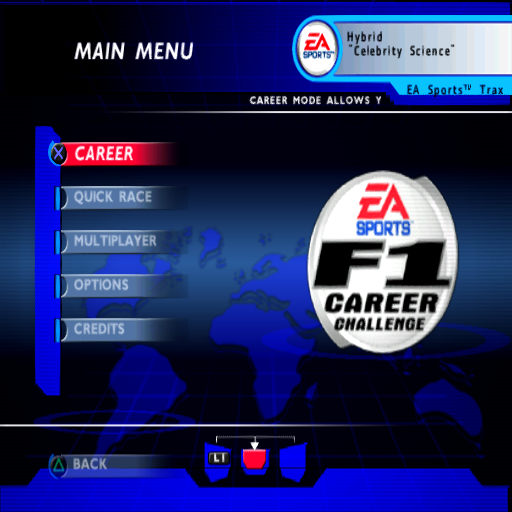
MAIN MENU
From the Main menu you can pursue every racing driver's dream, jump straight into the cockpit, choose between two exciting Multiplayer game modes, adjust various Audio, Video, Controller, Saving, Language, and Screen settings or view a list of F1 Career Challenge Credits. A scrolling text bar at the top of each menu screen provides help for that screen.
Press the L1 button and the R1 button to switch between monitors on menu screens.
CAREER
Career mode teaches you that there's so much more to establishing yourself as a top Formula One driver than just getting it right on race day. Once you're there, however, the rewards can make it all worthwhile.
Increase your all-important Reputation with a few good performances and the big boys are sure to become interested. Think long and hard about your career moves though your decisions could make or break your FIA Formula One World Championship bid.
To embark on your driving career:
1. Select CAREER from the Main menu.
2. Highlight NEW CAREER and press the button.
•
If you wish to resume a saved Career, select CONTINUE CAREER.
•
If you select NEW CAREER when you have a Career already saved, you are prompted to overwrite the saved game.
3. To enter your driver's name, press the D-button to highlight a letter and press the button to select it. Highlight DONE and then press the button when you have finished.
•
Repeat the above process to enter your driver's initials.
•
To delete the last character entered, highlight DEL and press the button.
4. Press the D-button to highlight a flag and press the button to select your driver's nationality.
5. Press the D-button to choose the appearance of your driver and press the button.
6. Press the D-button to choose your driver's helmet and press the button.
7. Highlight CONTINUE and press the button to start your career.
•
Select RE-ENTER PROFILE to start entering driver details again.
GETTING A SUPERLICENSE
Before you can embark on your fledgling Formula One career you must obtain a Superlicense. To do this you must complete a series of basic tests within set time limits. The better your performances, the more teams will become interested in acquiring your services.
To earn your Superlicense:
1. Press the button to select the highlighted series of tests.
2. Read the test description and press the button.
3. The test completion requirements are set out. Press the button to view a demonstration of the forthcoming test.
4. Press the button to begin the test.
When you have completed a test, the results screen documents whether you have passed or failed, displaying your Time and, if you have passed, your Rating for the test (if you have failed, the Reason for your failure is displayed).
5. Press the button to exit the Results screen.
•
If you have failed to make the grade, select YES to take the challenge again or NO to return to the Superlicense menu.
•
Repeat the above steps for each series of tests.
•
You cannot retake a task once you have passed it.
Upon completing all the tasks, the job offers pour in. To accept an offer, press the D-button to highlight the team you want to join and press the button.
TEAM SCREEN
You've earned your place in the big league—now's your chance to test those skills honed in the Superlicense tests against seasoned pros.
TEST SCENARIO
Your rivals are constantly testing and improving their cars so it's important not to be out-maneuvered. During each Test Scenario you have the opportunity to provide vital data for your team's engineers, while also gaining extra track experience for the coming race.
Success helps your engineers improve the car, but with every failure you fall further behind your rivals in the technology race.
.png)


.png)




_1.png)


.png)


 (En,Fr,Es).png)


_1.jpg)

.png)


.png)


_1.png)