GETTING STARTED
1. Set up your PlayStation®2 computer entertainment system according to the instructions supplied with your system.
2. Check that the system is turned on (the on/standby indicator is green).
3. Insert the Mercenaries 2: World in Flames™ disc in the system with the label side facing up. 4. Attach game controllers and other peripherals as appropriate.
5. Follow the on-screen instructions and refer to this manual for information on using the software.
HIJACKING
Approach a vehicle and overtake your enemy to commandeer it. You can also press the button to begin a mini-game. In this mini-game, you must press the right buttons at just the right time to gain more fuel.
PDA
Press the SELECT button to access your PDA for intel and other information vital to your job. You can navigate through the different PDA functions by pressing the R1 button or the L1 button.
MAP
Press the Directional buttons to pan around the map. To zoom in on a point of interest, press the button.
While zoomed, press the button to cycle through points of interest; press the button to enter Waypoint mode, or press the button to zoom back out.
PLACING WAYPOINTS
You can mark a route to a destination using waypoints. While in Waypoint mode, press the Directional buttons or move the left analog stick to move the cursor then press the button to place a waypoint. Press the L1 button to clear all waypoints.
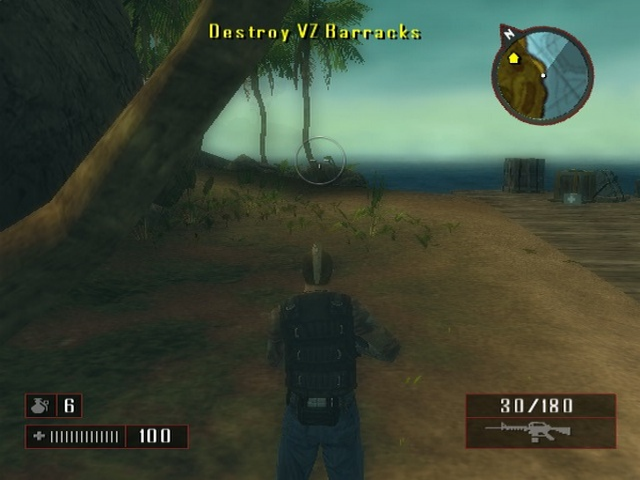
Waypoints show up as white flags on your map, yellow flags on your radar, and white triangle markers in the game world.
STOCKPILE
Once you take over Ramón Solano's Villa, you can use it as your headquarters and start storing supplies there. The stockpile is your inventory of supply crates, vehicles, air strikes, and more. To build your stockpile, look for jobs.
Keep an eye out for a "$" icon on the map. These are contacts, with jobs and equipment available.
Having the right recruits can help you out with your stockpile:
•
Recruit Ewan the helicopter pilot to make your stockpile items deliverable by helicopter.
•
Recruit Eva the mechanic to add vehicles to your stockpile when you bring them to HQ.
Any time you meet a new contact, you also have the potential to acquire new weapons, vehicles, and supplies for your stockpile. Access your stockpile by pressing the SELECT button.
Highlighting an item in the stockpile menu then pressing the button adds it to your support menu (press the Directional button ↑ to access support items during the game). The most recently stockpiled item is available at HQ.
CONTACTS
After a contact has given you their card, you'll have access to the Contacts tab in your PDA. This screen shows the contact's name, faction, and jobs as well as current jobs and items available.
FACTIONS
As a mercenary, you do what you gotta do to stay alive and get the job done. A lot of times that means ticking people off. Check the faction status meters to see where you stand with the different factions vying for power in Venezuela.
An empty meter means that a faction will stop offering contracts and might just shoot you on sight! If you are on a faction's bad side, try making amends by accepting side jobs to benefit the hostile faction, offering the faction a bribe, or going after certain enemies of the faction.
BOUNTIES
Need some extra cash? Go after these high-profile targets for the Allied Nations and take them down, dead or alive (though they're worth twice as much alive). The Bounties screen gives you information on each target including how much they're worth, their status (at large, captured, etc.), and more.
STATISTICS
If you want to check on your game progress, bounties you've bagged, fuel reserves, kills, and more, this is the screen to come to.
SUPPORT
The support menu contains special weapons and commands to help you get out of sticky situations. Press the Directional buttons ↑/↓ to access the menu and highlight a command or weapon, then press the ✖ button or R1 to select it.
C4
To use C4, first press the Directional buttons ↑/↓ and press the ✖ button or R1 button to select it from the support menu, and then press the R1 button to plant it. The detonator will become active on your trigger control as soon as the C4 is set.
If you don't want to become one of your own victims, make sure you get clear before pressing the R1 button to detonate it. You can set multiple C4 charges by re-selecting a C4 charge from the support menu, though only the first three you set detonate simultaneously—any subsequent ones detonate at a delayed rate.
SURGICAL STRIKE
The Surgical Strike is the first of one of many support weapons you will acquire. Select the surgical strike from the Support menu to activate your laser. Press and hold the R1 button to paint your target with your laser.
The longer you can keep your target painted with the laser, the more accurate the strike will be.
RECRUITS
As much as you'd like to go it alone, you'll need help if you're going to bring down Solano. Recruits can deliver support
.png)


.png)
.png)
.png)

_1.png)

_1.png)

.png)


_1.png)





_1.png)


.png)
_1.png)

.png)
.png)
 (En,Fr).png)

