Quick Start Guide
Setting Up the Camera
•
Place the EyeToy® USB camera (for PlayStation® 2) on top of or below the TV.
•
Stand back approximately 5 to 7 feet from the TV.
Adjusting the Camera
•
Gently rotate the Focusing Ring to sharpen your image.
•
Gently tilt the EyeToy® USB camera (for PlayStation® 2) up or down to center the image.
Lighting Recommendations
•
Ensure there is enough light in the room.
•
The red LED will blink if it is too dark.
•
Make sure you have enough room to play!
EyeToy® USB Camera (for PlayStation®2) sold separately. EyeToy® USB Camera (for PlayStation®2) and PlayStation®2 console models may differ from those shown. The above instructions apply to all models.
PlayStation®2 Components
•
on/stand by / reset button
Getting Started
Set up your PlayStation®2 computer entertainment system according to the instructions in its Instruction Manual. Make sure the MAIN POWER switch (located on the back of the console) is turned ON. Press the RESET button.
When the power indicator lights up, press the OPEN button and the disc will open. Place the EyeToy: Operation Spy™ disc on the disc tray with the label side facing up. Press the OPEN button again and the disc tray will close.
Attach game controllers and other peripherals, as appropriate. Follow on-screen instructions and refer to this manual for information on using the software.
NEW RECRUIT: check this box if you have set up your PlayStation 2 correctly Memory Card (8MB) (for PlayStation®2)
To save game settings and progress, insert a Memory Card (8MB) (for PlayStation®2) into MEMORY CARD slot 1 of your PlayStation®2 system. You can load saved game data from the same Memory Card or any Memory Card (8MB)(for PlayStation®2) containing previously saved games.
Throughout this manual, the term 'Memory Card' is used to describe the Memory Card (8MB)(for PlayStation®2) - (SCPH-10020 E). Memory Cards (product code SCPH-1020 E) designed for use with the PlayStation® format software are not compatible with this game.
If you do not have a Memory Card, then you will still be able to play EyeToy: Operation Spy™ but will not be able to save high scores, game settings and photos. Additional space will be needed to save Video Messages.
Data can be saved and loaded from a Memory Card inserted into either MEMORY CARD slot 1 or 2. EyeToy: Operation Spy™ uses an autosave feature which means that progress will be automatically saved to Memory Card at certain times.
NOTE: EyeToy: Operation Spy™ does not support a digital controller.
EyeToy® USB Camera (for PlayStation®2) Lighting Recommendations
The EyeToy® USB Camera's ability to detect movement depends upon there being a significant difference in lighting between you and your background. Ideally, you should be lit from the front, as evenly as possible. Any additional light pointing at you will also be beneficial.
If your image looks too dark on the screen, switch on all available lighting in the room and point them at you. The red LED on the EyeToy® USB Camera (for PlayStation®2) will flash if the room is too dark.
If your on-screen image looks too bright, draw the curtains and use artificial light instead. Where artificial light is the primary source of illumination, concentrate all available light on you. If possible, avoid low-energy bulbs and fluorescent tubes as these tend to flicker, which may be detected as movement by the EyeToy® USB Camera (for PlayStation®2).
Do not set up the EyeToy® USB Camera (for PlayStation®2) so that it is pointing directly towards a strong light source. Even with daylight providing the primary light source, the introduction of any extra artificial light directed at you, will always be beneficial.
Basic Training
To become an S.I.A. operative, you will need to learn the agent interface. The first thing for you to learn as an S.I.A. agent is how the EyeToy: Operation Spy™ interface works and hand-eye coordination is the key.
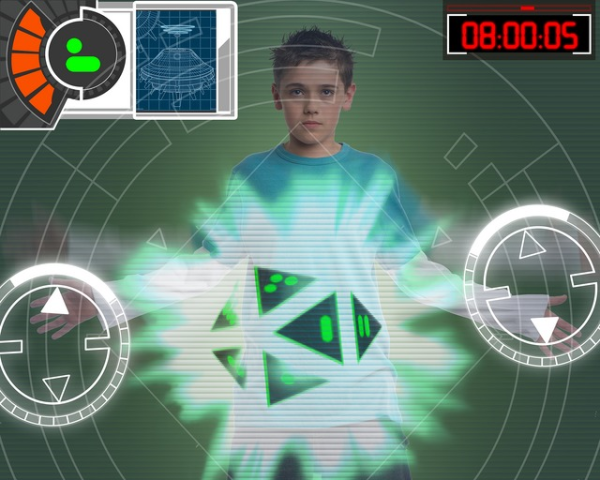
The EyeToy® USB Camera (for PlayStation®2) is sophisticated enough to recognize when you move! So to begin with, it will be best for you to stand in the center of the screen and adjust the EyeToy® USB Camera (for PlayStation®2) so that by lifting your hand you can easily touch the on-screen option buttons. Orange indicators in the option buttons will fill up as sustained movement, such as waving, is detected.
Wave your hand over 'New Game' and follow the on-screen instructions to create a new save file or wave your hand over 'Load Game' to access previously saved EyeToy: Operation Spy™ data.
NEW RECRUIT: check this box if you have successfully operated option buttons by waving your hand over the screen
You can also make menu selections by using an Analog Controller (DUALSHOCK®2) connected to controller port 1. Use the left analog stick to highlight an option and press the button to confirm.
The Main Frame
S.I.A.'s Main Frame is coordinated by an advanced motion sensitive computer. Select one of the following options from the Main Frame: Security, Missions, Database,