Getting Started
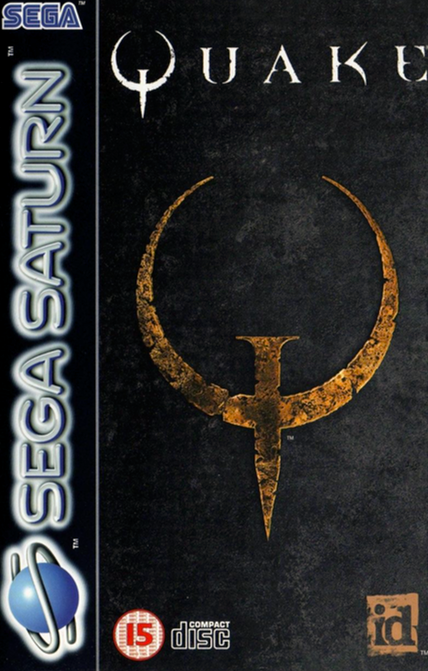
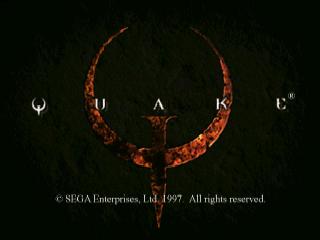
Set up your Sega Saturn™ System as described in its instruction manual and plug in the Control Pad. Ensure the power is off, then insert the CD-ROM into the Saturn Console. Turn the power switch on. The title screen should appear in a few moments. Press the START Button on the Saturn Control Pad to advance past the title sequence and begin play. If the title screen doesn't appear, turn the power switch off. Check that your system is set up correctly and the CD-ROM is properly inserted, then turn the power switch back on.
Your Sega Saturn CD contains a security code that allows the disc to be read. Handle it carefully and keep the disc clean. If the system has trouble reading the disc, remove it and wipe it carefully from the center straight out toward the edge. Main Game Menu
To make a selection, press the D-Pad UP or DOWN to choose an option and press the C Button to enter your selection.
The following selections appear on the Main Game Menu:
•
NEW GAME: Begin a new game.
•
LOAD: Resume play on a previously saved game. Choose the game you wish to continue and press the C Button.
•
SAVE: This option only appears between levels. Select any slot, then press the C Button to save your game.
•
OPTIONS: Configure the game settings to your preferences.
Options Menu
To operate the Options menu, press the D-Pad UP or DOWN to highlight an option. Press the D-Pad LEFT or RIGHT to adjust slider settings, and press the C Button to toggle other options.
Customize control settings to your own configurations by reassigning button functions or using the “Quake” default. You can also reset your customized control settings to the original defaults.
Adjust the music and sound volume by raising or lowering the levels. Change between stereo and mono sound output using the Stereo Switch.
Turn the Ammo Bar on or off. Enable Lookspring to automatically recenter your view when you release the X Button.
Messages
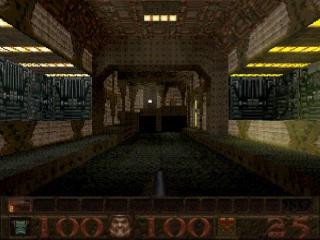
From time to time, you will receive messages at the top of the screen indicating what you've picked up or if you've died in an interesting fashion.
Certain messages appear right in the middle of your view. These are always important, so do not ignore them.
Ending a Mission
Once you've completed a Mission, you'll find a slippgate or a distinctive archway leading to the next Mission. Step on the slippgate or pass through the arch to go to the next Mission.
You start the new Mission with the same hit points, armor, weapons, and ammo you had at the end of the previous one. If you had over 100 hit points, you start the new Mission at 100.
If any Powerups were active at the end of the previous Mission, they will no longer be in effect. Use them or lose them!
Ending an Episode
Once you've finished all the levels in a particular Episode, you will return to the starting hall. You will begin a new Episode as stripped as you began-just your wits, your shotgun, and your trusty axe. Episode 1: Dimension of the Doomed
Here you will learn to appreciate the smell of seared Ogre flesh and the sweet aroma of grenade powder. Plenty of uglies to microwave while practicing how to jump, swim in your Biosuit, and kill for powerups. Enjoy your introduction as you waste your way through seven Missions, each guaranteed to properly acquaint you with the Reset Button.
Each episode also has a secret hidden level. See if you can find them.
•
Mission 1: Slippage Complex
•
Mission 2: Castle of the Damned
•
Mission 3: The Necropolis
•
Mission 4: The Grisly Grotto
•
Mission 6: The Door to Cththon
•
Mission 7: The House of Cththon
Episode 2: Realm of Black Magic
Prepare to work some of your own magic out here as the Quake mercenaries are in abundance. Torch your way through six spine-severing Missions, including the Ogre Citadel, the Crypt of Decay, and the Wizard's Manse. Make use of your rare powerups in this one, and keep an eye out for plenty of Scraggs, Death Knights, and ultimately, the Shambler. Don't worry, make it this far and we'll throw in a Thunderbolt to help you out. •
Mission 1: The Installation
•
Mission 3: Crypt of Decay
•
Mission 4: The Ebon Fortress
•
Mission 5: The Wizard's Manse
•
Mission 6: The Dismal Oubliette
Episode 3: The Netherworld
No more endless hallways or multiple routes to buy you some time. In the Netherworld, it's make or break time!
Prepare for more speed and more entrails-evacuating combat as you must survive six Missions including The Tomb of Terror and Chambers of Torment. You'll find plenty of Zombies, Ogres, and Shamblers to keep your itchy trigger finger happy. Bring your Thunderbolt! •
Mission 1: Termination Central
•
Mission 2: Vaults of Zin
•
Mission 3: The Tomb of Terror
•
Mission 4: Satan's Dark Delight
•
Mission 5: The Wind Tunnels
•
Mission 6: Chambers of Torment
**Episode







.png)


.png)














 (En,Fr,Pt,Zh,Ko,Pl,Ru,Cs,Hu).png)