Getting Started
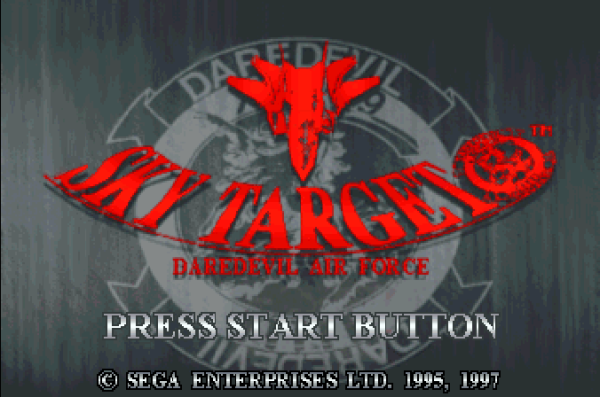
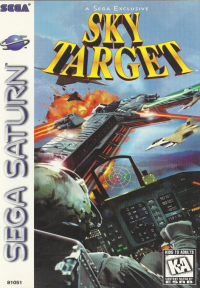
Once SKY TARGET loads, an introductory sequence, game demo, “ACE PILOTS” ranking table and short mission briefing appear. Press Start to exit this introductory section. Press Start again to bring up the Main menu.
There are three modes to choose from: ARCADE Mode, RANKING Mode and OPTION Mode. Press the D-Pad UP or DOWN to highlight a game mode, and press a Confirm Button to select. ARCADE Mode
In the Fighter Select screen, choose the fighter you wish to pilot on your mission. There are four fighters to choose from: the F-14D, RAFALE M, F-16C, and F-15S/MTD. (See pages 22-23 for further details on these fighters.)
•
Press the D-Pad LEFT or RIGHT to cycle through the aircraft.
•
Select by pressing a Confirm Button, or press Button B to return to the Main menu.
A short movie shows your fighter take off (skip the movie by pressing a Confirm Button). Your first mission commences as soon as you're airborne - the enemy's aircraft waste no time in their attempts to blast you out of the sky.
RANKING Mode
You have a choice of four combat fighters: F-14D, the RAFALE M, F-16C or F-15S/MTD. (See pages 22-23 for further details on these fighters.) As in the ARCADE Mode, highlight a fighter by pressing the D-Pad LEFT or RIGHT. •
Press Button C for further information on the currently displayed fighter.
•
Press Button B or a Confirm Button to return to the Fighter Select screen.
•
Select a fighter by pressing Button A or Start.
In the MISSION SELECT screen, press the D-Pad UP or DOWN to highlight an available mission, and select by pressing a Confirm Button.
•
Highlight and select “BRIEFING” - at the top of the screen - to see details of the mission and previous mission high scores (press Button B or a Confirm Button to exit the briefing).
•
Select “START MISSION” to confront your destiny.
•
At first, you can only select the missions in the left column. Having successfully completed a mission, you are able to attempt a more difficult mission to the right.
OPTION Mode
In this screen you can change game settings or play music from the game. Press the D-Pad UP or DOWN to highlight an item, and LEFT or RIGHT to change the setting.
•
GAME LEVEL: Select the difficulty level of the game. Choose from EASY, NORMAL or HARD.
•
B.G.M.: Press the D-Pad LEFT or RIGHT to cycle through the game's sound tracks. Press a Confirm Button to start the track.
•
KEYCONFIG: Choose from three control configuration types: TYPE A, TYPE B or TYPE C.
•
UP & DOWN: Choosing REVERSE makes your fighter descend when the D-Pad is pressed DOWN and climb when pressed UP. Press DOWN to climb and UP to descend in NORMAL mode.
•
EXIT: Highlight using the D-Pad or Button B, then press a Confirm Button to return to the Main menu.
To exit the OPTIONS screen, press Button B followed by a Confirm Button or press Start.
ARCADE Mode Details
In this mode, you run the hi-tech gauntlet of the Deldine Corporation's massive defense force. Each time you survive a wave of defense, you face the wrath of one of the enemy's Heavy Battle Cruisers. (See pages 16-20 for recent intelligence on these craft.)
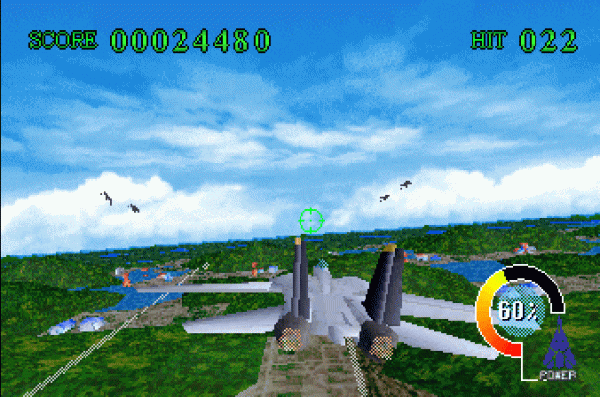
These heavily armored war machines can take a serious pounding, so you need to be fast and accurate in order to destroy them. The Heavy Battle Cruiser's Power Gauge and a TIME countdown appear at the top of the screen - bombard the Cruiser until its power reaches zero before time runs out to destroy the craft and receive a Special Points bonus.
After certain missions, you can choose the type of mission to try next. Press the D-Pad LEFT or RIGHT to highlight your preferred mission, and press a Confirm Button to select.
In this mode you have the option to CONTINUE up to three times when your power gauge reaches zero [see page 14].
RANKING Mode Details
In this mode you can choose to fly particular missions in the MISSION SELECT screen. Upon completion of each mission a total ranking of one to five stars is awarded. Exceptional skill and bravery will be acknowledged with the award of special medals of honor.
Unlike the ARCADE Mode, in RANKING Mode you may choose a different fighter for each mission - press Button B from the MISSION SELECT screen to go to the Fighter Select screen. Each mission is taken separately. •
When a mission is over, you do not automatically continue on to the next.
•
In this mode, there is no option to CONTINUE once your Power Gauge reaches zero.
•
Once the mission is over and you have checked the mission RESULT table [see next section], you return to the MISSION SELECT screen.
Mission Debriefing
As in the ARCADE Mode, having survived the waves of enemy aircraft, you confront one of the enemy's Heavy Battle Cruisers. Once the engagement with the Cruiser is over, the mission is complete and you receive an analysis of your performance in the RESULT table. RESULT Table
•
HIT RATIO: combined Vulcan gun and missile accuracy rating
•
MISSILE ACCURACY: your missile accuracy rating
•
VULCAN ACCURACY: your Vulcan gun accuracy rating
•
POWER: your Power Gauge reading
•
CLEAR TIME: time remaining for completion of the mission