Getting Started
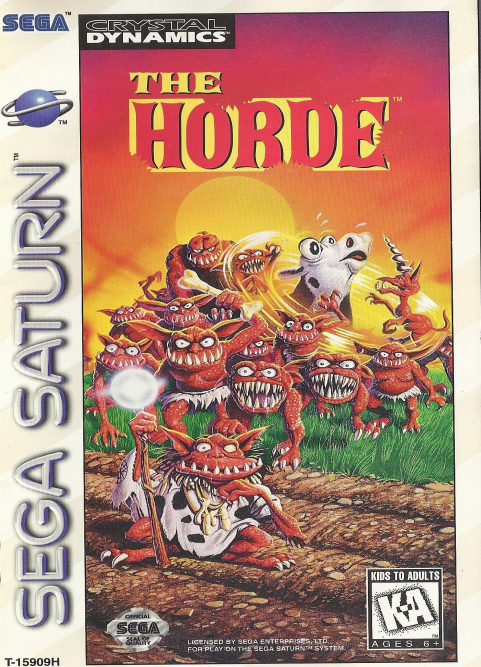
Set up your Sega Saturn by following the instructions in its hardware manual. Plug in one or two controllers. Turn on your TV or monitor, and then turn on the Sega Saturn by pressing the POWER button. Soon, the Sega Saturn logo will appear on screen, followed by the Sega Saturn on-screen control deck. If nothing appears on screen, turn the Sega Saturn OFF. Check the hardware manual to make sure the system is set up correctly, and then turn the unit ON again. Open the CD tray by pressing the OPEN button. Place THE HORDE CD in the tray, label side up. Lightly press it into place. Close the tray lid by pressing it down gently.
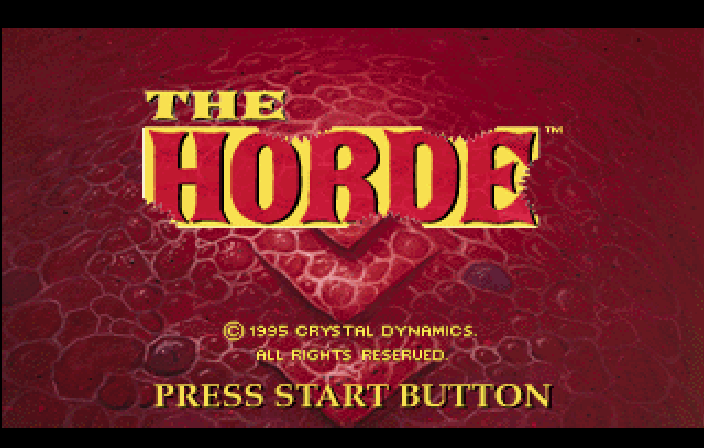
Press the controller's Start button, and wait a short time while the game loads. In a few moments, you'll see the Sega Saturn planet icon, and then THE HORDE title screen. Press Start again to begin.
Cultivating & Defending the Land
Use the first part of each season to cultivate your village and set up defenses. Everything you need can be found in the Toolbox. Press Button B to activate the Toolbox.
Use the D-Pad to select as many items as you feel you need or can pay for, and move them onto the village map.
Item Outline
The outline is a silhouette of your selected item. Move it around, and press Button A to set items in place.
Village Map
Your village enlarges with each passing season. You can toggle between Zoom and Eagle's Eye map views (D-Pad up/down when the Toolbox is active), and set items in place in either view.
Crowns (Ready Cash)
You'll spend some ready cash every time you use a tool. Buying cows and planting trees gets expensive. But the more tempting you make your village, the more villagers you'll attract. They like nothing better than to build huts, make roads and plant crops. Their constructive activities will earn profits for you at the end of the season.
Hourglass
Take advantage of two full minutes (real time) to plan, build and set your defenses. When the sands run out, the Horde attacks!
Toolbox
Pick out various tools and items for building up and defending the village.
Tools
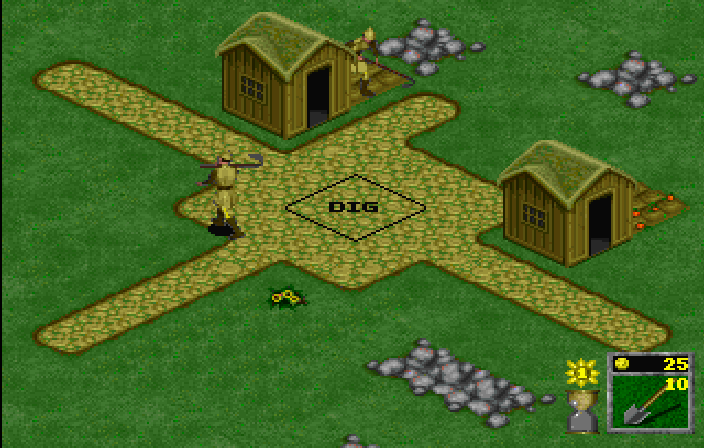
To place an item on your land, select it from the Toolbox, move its silhouette onto the map, and press Button A.
•
You can remove most items from the map by clicking on them once with any silhouette.
•
You can replace an item by double-clicking on it with a different silhouette.
•
Every time you use an item (that is, place it on the map), its cost is deducted from your Crowns. When you remove or replace an item on the map, its cost is added back.
•
Exceptions: Water costs Crowns to build and Crowns to remove; pits give you no Crowns back and you must use DIG to remove them.
•
If you can't afford an item, its picture will be grayed out.
•
Most items have limits, which you will discover as you use them.
You start with only a few items. At the end of each year (four seasons) you can buy rights to additional items if you've earned enough Crowns.
Dig
DIG lets you expand and shrink channels of water, remove pits and rubble (may take several tries), pick up objects such as cows and trees, and eradicate kudzu.
Kudzu is a red fungus that can invade your land and destroy your crops. In Building mode, Chauncey can pick any item from the Toolbox and cover the weed to destroy it. He must use the DIG tool to remove the fungus. In Battle mode, Chauncey can destroy dangling kudzu weeds by walking over them.
Dig Pit
Spike-lined pits provide temporary obstacles to the drooling, chomping invaders.
Plant Tree
With enough trees, you can transform an empty region into a woodland! Increase your wealth by planting saplings (cost: 1 Crown each) and then, later, removing the grown trees (return: 5 Crowns each).
Buy Cow
Cows are just about the most valuable improvement you can make. They're expensive, but they earn back a goodly sum of Crowns. Wouldn't you know it, cows are also the Hordlings' favorite snack!
Erect Walls/Fences
Extend a barrier of stone to hold out the enemy.
Employ Knight/Archer
Knights slash with spiked maces, and archers launch an avalanche of arrows to stop the greedy attackers. Once in place, your army will turn to face the onrushing waves of Hordlings. You will be charged every season for the services of your knights and archers.
End Turn
The hourglass gives you two minutes of peace to work on your defenses before the Horde's invasion. If you're ready sooner, or you run out of Crowns, you can “take the Horde by the horns.”
Select the running Hordling in the Toolbox to bring on those ravenous invaders!
Popping the Horde
Hordlings live to eat! For the most part, they have a vocabulary of two words: “FOOD” and “EAT.” They are extremely excitable, with the table manners of starving hyenas. Whenever they get the idea of FOOD or EAT, every other thought in their tiny brains is immediately driven out, and replaced by the chant “FOOD! FOOD! FOOD! FOOD! FOOD!” Then they all rush down and attack the village.
Invasion Update
Just before the invasion, you'll get a battle order.




.png)





_1.png)






_1.png)



