World Championship Racing
Race in 12 different countries on 13 different courses and see if you have what it takes to become a World Champion!
GP Race Setup Steps
•
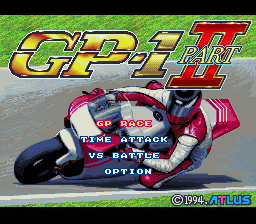
1. Machine Select: Select [GP RACE] and the [MACHINE SELECT] Screen will appear. Choose one of the 6 bikes and press the A Button.
•
2. Gear Select: Choose between an [AUTOMATIC] or a [6 SPEED]. If you choose the [6 SPEED], decide between the Control Pad or the L & R Buttons for your GEAR UP/DOWN buttons. Manual gears give you more control but are more difficult to master. Press the A Button to decide or the B Button to cancel.
•
3. Mechanic Select: Choose a mechanic. Each mechanic has his own specialties, so select one that will work well with your racing style. •
4. Rider Entry: Confirm your chosen bike, mechanic, specs, and specialties. Press the B Button to return to the previous screen. Use the cursor to enter the rider's name, up to six letters.
Name Entry Icons
GP Race Modes
•
Race (Qualifier): You will begin with the QUALIFIER RACE (Preliminary), where you will race against the clock for one lap. Your starting position in the FINAL RACE will depend on your time in the QUALIFIER. Scoring the best time awards you the Pole Position, while slower times drop you further back (up to 16th position).
•
Final: You will have 3 laps to battle it out with 16 racers, including yourself. Contact with other machines makes control difficult and can cause you to fall off. Points are awarded according to your Goal ranking (order of finish) to calculate your overall ranking.
•
Result: After each race, the results of that round will be displayed in ranking order.
•
Ranking: The overall ranking or world ranking of all racers will be displayed.
•
Winning Purse: The amount of prize money you have acquired will be displayed. Your finishing order determines the amount of winnings you receive.
•
Practice: You may practice 3 laps on the course prior to the FINAL RACE. Press START to Pause the Practice, and press both the L & R Buttons simultaneously during Pause to retire.
•
Tune Up: Use your earned prize money to buy better parts for your bike, including Front Suspension, Rear Suspension, Engine, and Frame. Building up your bike gives you better control and prevents you from being knocked off as often.
1P VS 2P Mode
•
Machine Select: Each player will be able to select a bike of their choice. Use the Control Pad to select a bike and press the A Button. Press the B Button to cancel.
Free Practice Mode
After selecting a bike, use this mode to practice on any course you like.
•
Practice: You will be allowed to take three practice laps. Each lap time will appear in the upper right hand corner of the screen, and the total time will appear on the bottom right. If you do not select a course or a bike, the computer automatically selects [JAPAN] as the course and the [MSR500] as your bike.
•
Course Select: Select one of the 13 courses from the 12 different countries by moving the cursor with the Control Pad, then pressing the A Button.
•
Machine Select: Select a bike from among the six different bikes available, choose your Gear preference, and then press the A Button. Press the B Button to cancel.
.png)

.png)
.png)
.png)
