The Super Cup Challenge
Welcome to the ultimate challenge... the Super Cup of soccer! SUPER GOAL! includes 24 teams from countries all over the world. You can choose any team you like, from Uruguay to the good ol' U.S. of A. Look at each team's stats, then make your selection. The computer controls the opposition.
The object of the game is to survive the first four elimination rounds, then play one last opponent in the Final for soccer's top prize — the Super Cup trophy.
The tournament is divided into five rounds: First Round, Eighth Finals, Quarterfinals, Semifinals and Final. The First Round separates the 24 teams into six groups of four teams. Each team plays three games, and the top 16 teams advance to the Eighth Finals. From there on out, it's winner take all — no draw games, and no second chances.
If you're in it for fun instead of glory, try your hand at an Exhibition game. Same rules, no pressure. You even get to pick your opponent. Play against the computer, or ask a friend over for some head-to-head competition.
Formations and Match Setup
O.K., you've picked your team. You've got an opponent. Now choose a formation that makes the best use of your team's strengths. Strong defence? Use the 4-4-2. Good speed? Try a 3-5-2 formation. Those five midfielders can sprint in either direction, to defend your goal or set up a shot. Want to play it conservative? Go for the traditional 4-3-3, with or without a Sweeper.
Once you've made your selection, it's time for the coin toss. One team chooses ball possession, the other chooses field position. When the whistle blows, the excitement begins!
Gameplay Action
Each half lasts from one to 45 minutes. During the game you control one player at a time. Naturally, he's always in the middle of the fray. You'll switch automatically from defence to offence when your player gets the ball.
Don't worry about your teammates — the computer takes care of their positions for you. With all the fast-paced action, quick turnarounds and fantastic saves, you won't have time to worry about how it works. You'll be too busy screaming as three players fight for possession of the ball... cheering when your goalie blocks a driving shot... groaning when you kick the ball out of bounds... or muttering a few choice words when the referee calls you offsides.
Getting Started
•
1. Place the SUPER GOAL! Game Pak into your Super Nintendo Entertainment System™ and turn on the unit. •
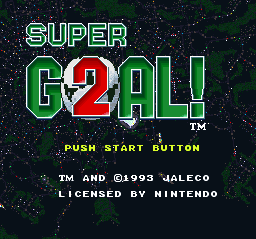
2. When the Title Screen appears, press START to begin.
Title Screen Options
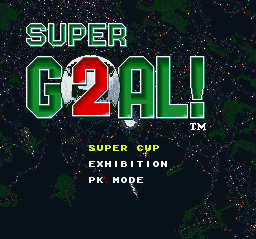
Use the Control Pad and the START button to select options on the Title Screen. Press Left or Right on the Control Pad to highlight an option, then press START to choose that option. The options are:
•
Type of Game: Choose Exhibition to play a single game, or Super Cup to enter the Super Cup playoffs. Exhibition allows you to play against the computer or a second player. Super Cup is a single-player tournament against the computer.
•
New Game or Saved Game: When you choose Super Cup, select "Game Start" to begin a new competition, or "Continue" to load an earlier competition from a saved game. A saved game series remains in memory until you save a new game.
•
Number of Players: For Exhibition games, choose "1 PLAYER" to play against the computer, or "2 PLAYERS" for a head-to-head game against a friend. Player One uses Controller 1 and Player Two uses Controller 2.
Options Screen
Press Up or Down on the Control Pad to highlight each option, then press Left or Right on the Control Pad to change the highlighted option. The lighter-coloured selections are the active ones. When you have finished selecting options, highlight GO TO GAME and press the A Button or START. Your options are:
•
OFFSIDE: Choose ON for regulation soccer offside rules. Choose OFF if you don't want to be bothered with offside calls.
•
FOUL: Choose ON for regulation soccer foul rules. Choose OFF if you don't want to be bothered with foul calls.
•
RADAR: When ON, a small radar screen that shows the position of all players on the entire field will be shown in an upper corner of the screen during game play.
•
GK.AUTO: Choose ON to have your goalkeeper operate automatically. Choose OFF if you want manual control of your goalie. We recommend that you choose ON.
•
MUSIC: Choose ON to hear music during game play. Choose OFF to eliminate the music. Sound effects will be audible regardless of your choice.
•
STEREO: Choose ON for stereo sound. Choose OFF for monaural sound.
•
TIME: Choose the length of each half from one minute to 45 minutes. We recommend five-minute halves.
Selecting a Team
The SELECT TEAM screen displays the flags of all 24 participating teams:

.png)
.png)
.png)
