STARTING BLAST RADIUS
To play Blast Radius on your PlayStation game Console: 1. Set up your PlayStation game Console in accordance with the instruction manual supplied with the system. 2. Follow your system directions to open the Disc cover and place the Disc onto the bed of the drive, ensuring the printed side faces upwards.
3. Close the Disc cover. If the unit is switched off, press the POWER button to begin play. If the unit is already on, press the RESET button.
To skip through intro screens, press the button on the Controller.
WARNING!
Do not insert or remove Controllers, Memory cards or other peripherals during the game.
WHAT YOU DO
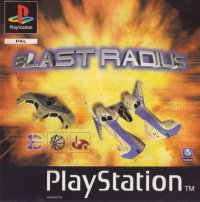
Firstly, you must decide which of the 4 available assault craft are best suited to successfully completing your mission brief.
Choose from the:
•
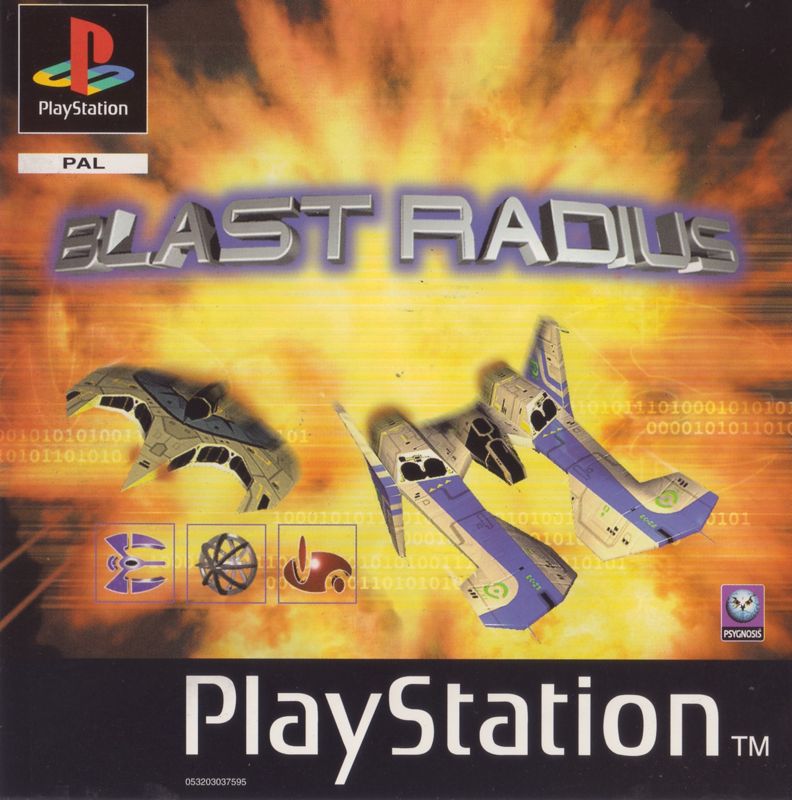
customised retro craft Starski Gruv-77
Each craft features particular strengths and weaknesses from the attributes of top speed, acceleration/braking, manoeuvrability, strength and style.
There is an upgraded performance version of each craft which will be awarded when you reach a particular point in the game. There is also a secret prototype 'super fighter' to be gained in the later stages.
Once behind the controls of your chosen hardware you must engage the enemy craft as briefed by your paymasters.
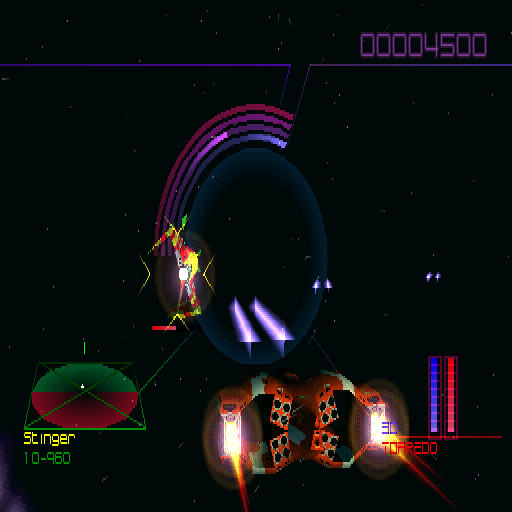
When enemy craft are destroyed they release their energy cores. Fly towards the energy cores to pick them up and you will be given one of 8 different power ups.
Each energy core is colour coded as follows:
•
MULTI COLOURED: Credits, Double Shield, Double Fuel, Instant Target Lock, Hull Repair A high kill ratio will bring rewards in the form of points and credits which you may use in the armoury to purchase add-ons for your chosen ship.
It is essential that you regularly upgrade your craft. Failure to do so will seriously compromise your ability to achieve outlined mission objectives.
SECTORS
There are 10 sectors in Blast Radius. Each sector consists of four missions, all of which must be completed before you can progress to the next sector.
You may choose the order in which you do the first three missions of a sector (except on sectors one, five and eight where you must always start on the first mission). Upon successful completion of the first three missions you can SAVE your progress, before attempting the final mission of that sector.
Upon successful completion of Sector 4, you will be rewarded with an upgraded version of your chosen ship. An FMV sequence will be shown and then the game will return to the MAIN MENU. Select the ONE PLAYER option in order to access your upgraded ship and the later sectors.
NOTE
You must choose your upgraded ship in order to start sector 5.
Once you have completed sector 7 you will be rewarded with a brand new ship which must be used to complete the final sectors of the game. Again, you will be shown an FMV sequence and returned to the MAIN MENU. Select the ONE PLAYER option to access the new ship and final sectors.
NOTE
In order to preserve your upgraded or new ship, you should SAVE your progress as soon as you have returned to the MAIN MENU. This can be done by selecting the MEMORY CARD option on the MAIN MENU and highlighting the SAVE option. Press the button to confirm. Your save game will be called either ENHANCED or WRAITH. Once your save has been successfully completed, return to the MAIN MENU and choose the ONE PLAYER option to continue the game with your improved craft.
BLAST RADIUS MENUS
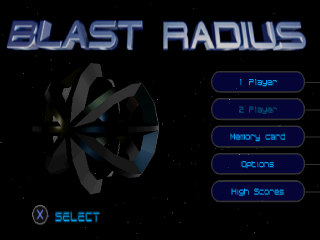
THE MAIN MENU
Use the Up and Down Directional buttons to highlight an option. Press the button to select.
•
ONE PLAYER: Leads to SHIP SELECT screen.
•
TWO PLAYER: Leads to TWO PLAYER set up screen. (Only available when Link cable is set up, see below.)
•
MEMORY CARD: Leads to the MEMORY CARD options screen.
•
OPTIONS: Leads to the OPTIONS screen.
•
HIGH SCORES: Leads to the HIGH SCORES table.
SUB MENUS
SHIP SELECT SCREEN (1 PLAYER ONLY)
Use the Left and Right Directional buttons to scroll through the available craft. Press the button to make your selection.
TWO PLAYER SET UP SCREEN
Set up a new two player game via the Link cable.
2-PLAYER NOTE:
In order to play Blast Radius with two players, you will need 2 PlayStation game Consoles connected by a Link cable. Both consoles will need to be running a copy of Blast Radius. Playing two player games:
Read these instructions before you attempt to play a Blast Radius two player game.
1. One of the PlayStation game Consoles will need to be MASTER. The player at this machine will be able to select global two player game options, such as missions and deathmatch options. 2. On the PlayStation game Console that you would like to be MASTER, please skip all of the intro movies and go straight to the MAIN MENU screen. 3. Skip all intro movies on the other PlayStation game Console and go straight to the MAIN MENU screen. Your two PlayStation game Consoles should now be linked and ready to start a two player game. If a successful link has been established you should see a different message blinking on each end of the link - MASTER LINK on one and SLAVE LINK on the other. If for any reason these messages should both be the same or not appear at all, you will need to reset both PlayStation game Consoles and go back to step .png)



.png)
.png)


.png)

.png)