PlayStation Game Console Setup
Set up your PlayStation® game console using its Instruction Manual. Ensure the power is off before inserting or removing a compact disc. Insert the Elemental Gearbolt™ disc and close the disc cover. Insert game controllers and turn on the PlayStation game console. Follow on-screen instructions to start a game. Console Components
Setting Up a Save File
When the game starts for the first time, it's important to create a save file on the Memory Card. Once created, the latest high scores and any option changes will save automatically.
The game will prompt you to create a save file when a Memory Card is inserted into Slot 1.
•
To create a save, select "YES" and press the button or the "B" button.
•
To cancel, select "NO" and press the button or the "B" button. A save file will not be created.
Note: If a save file is not created, game data will not be saved.
Saving Data
If a save file has been created on the Memory Card, the latest high scores and any changes made to the options will automatically be saved.
Elemental Gearbolt requires 1 Block of save data to be reserved on the Memory Card in Slot 1.
If another Memory Card is inserted during the game, you must decide whether or not to save onto it.
•
Use the Directional Buttons or the Trigger to choose "YES" or "NO".
•
Press the x button or the "B" button to confirm your decision.
Important: Do not remove the Memory Card or press reset during a save or a load.
Starting the Game
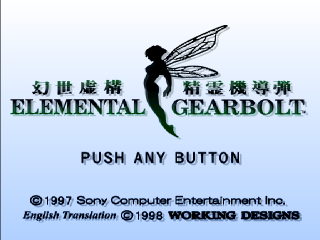
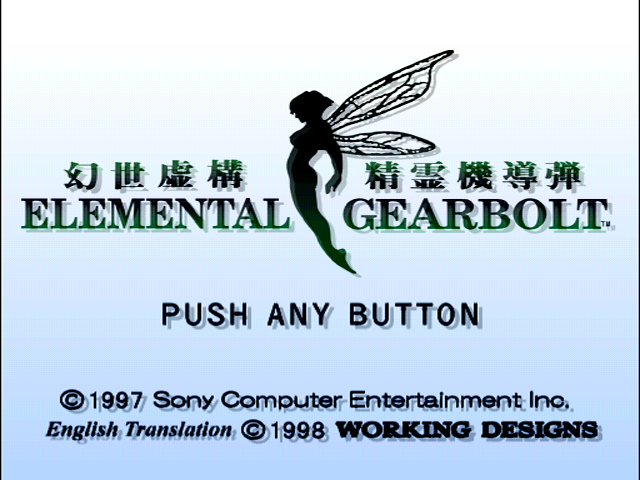
After the opening movie, the Main Title Screen will appear.
•
Press the Trigger button on the gun, or the START button on the controller, to make the Menu Screen appear.
Menu Options
GAME START
Begin playing the game.
•
Shoot the Game Start option, or press the START button, to begin the game.
•
Before starting, select the appropriate game level and adjust gun calibration under "Options."
GAME LEVEL
Game difficulty. There are three different game modes.
•
Training Mode: Easiest, but only the first three levels can be played.
•
Normal Mode: All levels can be played, with three continues.
•
Master Mode: Harder than Normal Mode, with no continues. Beat this mode to earn the title "Elemental Master."
PLAYER
Select number of players.
•
To have more than one person play, switch the number of players from SINGLE to DOUBLE.
•
During the game (except for Master Mode), another player can join by pressing the START button on the controller or the "B" button on the gun.
•
In a two-player game, both players play simultaneously, but the game difficulty will increase.
OPTIONS
Change game configuration. The following game settings can be accessed:
•
gun adjust (calibration)
GUN ADJUST (CALIBRATION)
Adjust the aim of the gun.
•
Shoot the center of the screen to adjust the aim.
•
After adjustment, press the "B" button.
•
To re-aim, press the "A" button.
LOAD MEMORY CARD
Load games. Allows the game's configuration and high scores to be loaded from a Memory Card.
•
Do not remove the Memory Card during a save or a load.
•
Use the Trigger button or the Left or Right Directional Buttons to select "YES" or "NO".
•
Press the "B" button or the button to confirm the decision.
RANKING
Displays the top ten scores.
•
Press the "B" button or the button to display the scores.
•
Press the "A" button or the button to return to the Options screen.
SOUND BALANCE
Change Music and Sound Effect levels.
•
Move the cursor to the left to increase sound effect volume.
•
Move the cursor to the right to increase music volume.
•
"A" button moves the cursor to the left.
•
"B" button moves the cursor to the right.
•
Use the Left or Right Directional Buttons to move the cursor.
MUSIC
Music themes. Plays all music selections found in the game. This option is only available after finishing the game in Normal Mode.
•
"B" button plays a music theme.
•
"A" button plays the previous theme.
•
Use the Left or Right Directional Buttons to select a theme.
•
Press the x button to play the theme.
•
Press the button to cancel the theme.
SOUND
Sound effects. All game sounds can be played on demand. This option is only available after finishing the game in Normal Mode.
•
"B" button plays a sound effect.
•
"A" button plays the previous sound effect.
•
Use the Left or Right Directional Buttons to select a sound effect.
•
Press the button to listen to the sound effect.
•
To cancel and return to the Options screen, press the button.
LIBRARIES
Research documentation. After finishing the game on Training Mode, the library option will be accessible.
•
Use the Trigger button or the Left or Right Directional Buttons to select a subject
.png)

.png)