Top View
Starting the Game
1. Set up your PlayStation® game console according to the instructions in the Instruction Manual. 2. Make sure the power is OFF before inserting or removing a disc.
3. Insert the Equestrian Showcase disc and close the Disc Cover.
4. Insert game controllers and turn on the PlayStation game console. It is advised that you do not insert or remove peripherals or Memory Card(s) once the power is turned on. Make sure that there are enough free blocks on your Memory Card before commencing play. If a Memory Card containing game data is inserted into MEMORY CARD slot 1, the game data will be automatically loaded at the game start-up.
Note: Equestrian Showcase only supports MEMORY CARD slot 1.
Introduction
Equestrian Showcase is a full equestrian simulation capturing the thrills and spills of a year of equestrian three-day events with 21 of the world's top equestrian riders and accurate scoring and commentary.
Not only can you compete in a full Olympic equestrian event, but you can also choose to compete in smaller three-day events or a single event of your choice. To hone your skills before the competition, training and practice modes are available where the budding equestrian can practice new skills and courses without the fear of disqualification and the added pressure of world-class competition.
The Main Menu
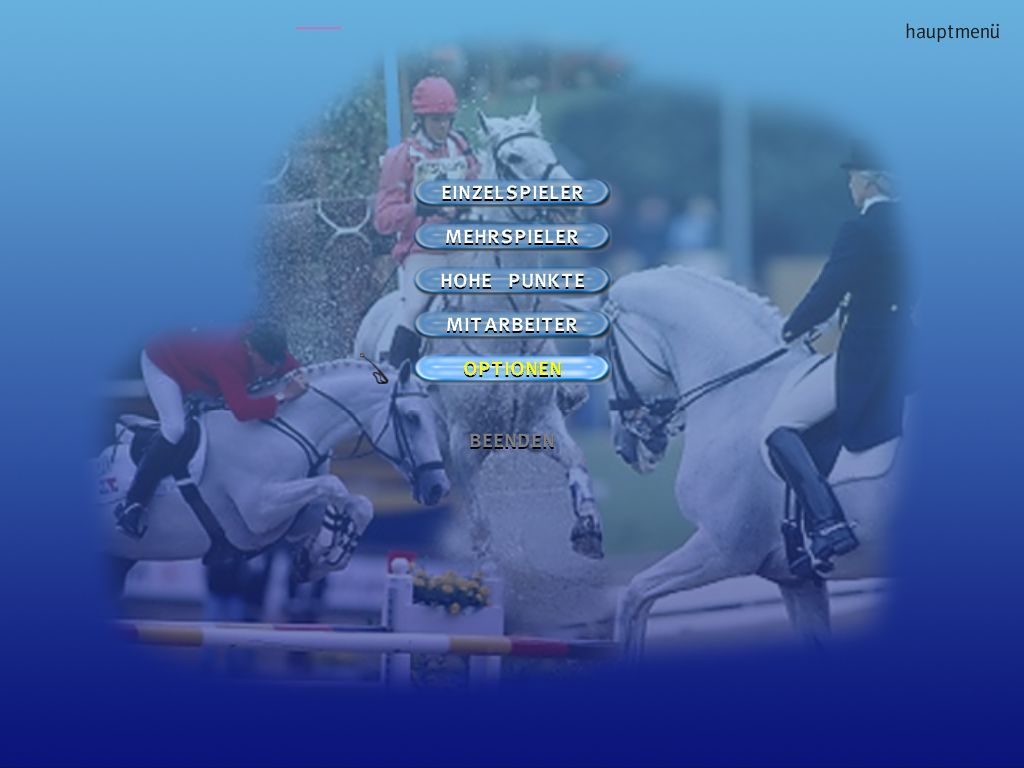
When you start Equestrian Showcase you will be presented with an opening screen, followed by the Main Menu. From here you can access the following options: SINGLE PLAYER, MULTIPLAYER, HIGH SCORES, CREDITS, and OPTIONS.
Press the button to confirm your selection and the button to move to the previous screen.
Single Player Options
From here you can access the single player options:
•
Championship: A full equestrian challenge incorporating all events and all locations in a full championship season. Players must complete Kentucky, Badminton, and Burghley and gain enough points to qualify for Sydney.
•
Three Day Event: A full three-day event at a single location of your choice.
•
Single Event: A single event only: dressage, cross country, or showjumping at any venue (Sydney must be unlocked to access).
•
Practice: A chance to practice any of the three disciplines without incurring penalties and disqualifications. (Sydney must be unlocked to access).
•
Training: A chance to learn control of your horse and receive advice on the moves needed in the custom training arena.
•
Head to Head: A split screen two player mode (requiring an additional Controller inserted into Controller port 2).
Multiplayer Options
Here you can play the Championship, Three Day Event, and Single Event in the multiplayer modes. This includes Team and Individual modes of play.
High Scores
Here you can view your and other players' scores.
Credits
The credits for the game.
Options
From here you can configure the set-up of the game.
Menu Controls
•
Action: Select option in menu Note: When using the Analog Controller (DUALSHOCK) in analog mode (LED: Red), the left stick can be used in place of the directional buttons to control your direction.
The Events: Dressage
Dressage is a precision event requiring great skill and concentration from both horse and rider. As you enter the arena you will notice a trail marked out on the ground, this indicates the path you need to follow on the course.
The difficulty of this trail will depend on the difficulty setting chosen before starting the game. Different colors represent different gaits: yellow for walk, orange for trot, and red for canter. For extended and collected moves the dots will be further apart or closer together. Half pass and shoulder in also have orange colored dots.
Dressage Scoring
In the dressage event you will be marked on:
•
How close you stay to the trail. The further you stray from this, the lower your score will be.
•
How accurate you are in changing gait. The closer you are to the markers, the better your score will be.
•
How well you judge your speed at the changes. You need to keep to the correct speed to gain the maximum score.
A large star separates each set of moves. Each group of moves will be marked out of 10. At the end of the test all your scores are added up for the number of moves (along with some marks for how well your horse performed). These marks are subtracted from the total number of marks possible and then multiplied by 0.6. The lower your penalty score at the end of the test the better.
Dressage Tip
Listen to the commentators closely, they will indicate what moves are coming up next and will also comment on how well you are doing. To avoid losing points stay as close as you can to the trail. Try to change speed just when the star pops as you travel around the course. Keep an eye on the bottom left of the screen to see the next move, scores for each move are displayed on the bottom right of the screen. To halt quickly at the start, at the end of the test
.png)


.png)
.png)


.png)
.png)
.png)
.png)
_1.png)