GETTING STARTED
Set up your PlayStation game console according to its Instruction Manual. Make sure the power is off before inserting or removing a compact disc. •
Insert the Formula One 2000 disc and close the disc cover. •
Insert game controllers and turn on the PlayStation game console. •
Follow on-screen instructions to start a game.
TOP VIEW
FRONT VIEW
READING THIS MANUAL
In this manual, ↑ and ↓ are used to denote the direction of both the directional buttons and the left analog stick. These are the default controls that may be reconfigured using the Controller Configuration option within the Options Menu (pgs. 7-10).
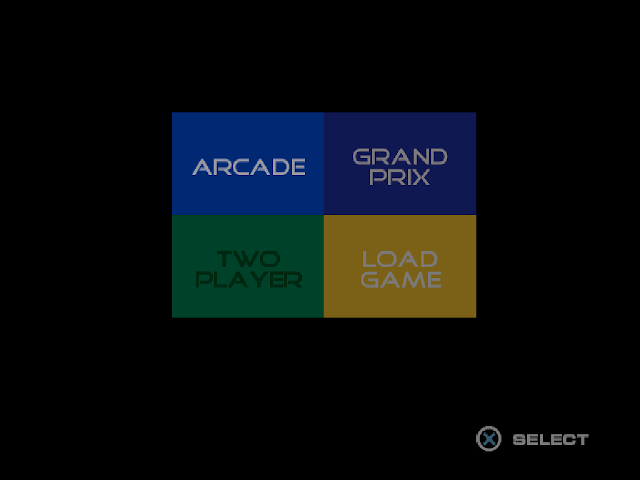
MAIN MENU
ARCADE MODE
Arcade Mode has four car classes, grouped into five location groups (Westrack, Souro, Raceline, Pista and Rennbahn). Locations are current Formula One circuits split into geographical groups. The four car classes are the current Formula One teams, arranged in pit-lane order. Contested over three laps, you must hit each checkpoint within the time limit. Failure to reach a checkpoint means the game is over, and you're returning back to the start of that Location group. Crossing a checkpoint also gives a time bonus.
LOCATION
Initially, only three locations are open (Westrack, Souro and Raceline). You must finish 3rd or better in the last race of each group to open up new classes and locations. If you select a location that has not yet been opened, you will be prompted that it is not yet available.
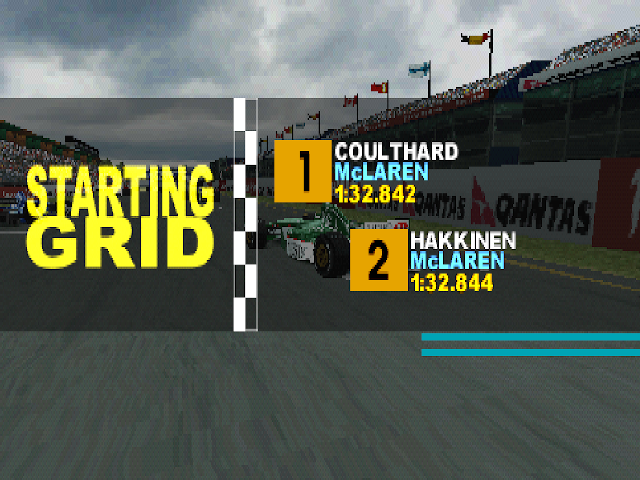
You begin each race in last place (22nd) in each new location group. On each subsequent race, you will begin on a grid position according to where you finished on the previous race. Keep working your way through the field to reach third place or better.
CLASS
Only Class I (Minardi, BAR, Arrows) is available initially. Higher caliber classes are opened as you complete each location.
SCREEN
•
Press ↑, ↓, ← or → to position the screen to your satisfaction.
•
Then press the ✖ button to confirm the new screen position and return to the Options Menu.
BONUS
As well as opening up new Classes and Locations, winning Location groups in Arcade Mode will reward you with some hot Formula One action photographs. •
Press ↑, ↓, ← or → to highlight the thumbnail that you wish to view.
•
Press the ✖ button to confirm.
RESULTS
Displays the current Locations and Classes that you have access to. Red crosses denote the areas of the game which you have yet to unlock.
RACE
•
Press the ✖ button to access the Arcade Mode Race menu.
ARCADE MODE RACE MENU
Displays information including the number of the current round, your current score, race class, team and starting position.
OPTIONS
See Options Menu above.
RACE
Time to take your position on the starting grid and begin the next race in the current Location.
GRAND PRIX CHAMPIONSHIP
In this mode you will compete in a full Formula One season (17 races) with the ultimate goal of winning the Drivers World Championship. If you are already in the middle of a campaign, you will be given the option to start a new season or to continue the existing one. •
Select your preference and press the button to confirm.
•
Once on the Championship Menu, press ↑ and ↓ to highlight the options.
•
Press the button to select one of the following.
DRIVER
•
Press ← or → to cycle through the various driver options.
RACE SETUP MENU
GRAND PRIX WEATHER
•
Press ↑ or ↓ to highlight one of the following race options: Weather, Skill Level, Grid Assist, Fuel Usage, Laps, Rules, Pit Assist, Damage or Failures.
•
Press the button to confirm your choice, then press ← or → to alter the settings for each option.
•
Finally press the ☑ button to confirm.
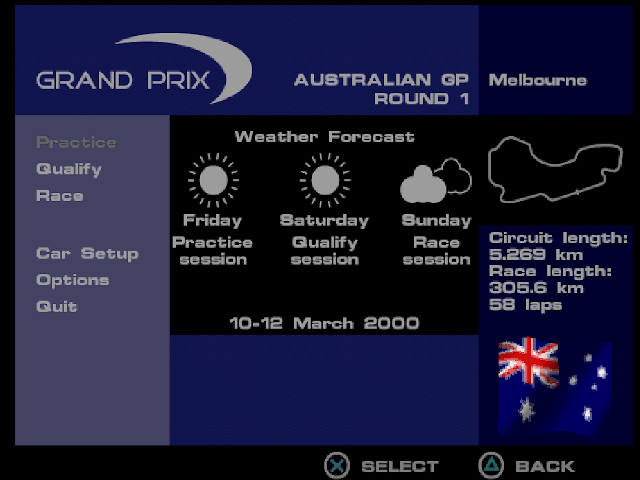
A big influence on the result of a race can often be the weather conditions. Use the Weather setting to choose your preferred conditions for the race. The Real setting reproduces the climate experienced at each circuit, so of course, rain is more likely at some tracks than at others.
Weather is unpredictable and sometimes unreliable. It might be different each time you race a track. Check the weather forecast on the Race Weekend screen to see what to expect.
The Skill Level setting lets you decide how smart your rival drivers are and also affects the dynamics of your own car. As you become expert, you may want to increase the skill level to make the racing more demanding and exciting. Grid Assist lets you hold your thumb on the throttle and the starting line without jump-starting. Your car won't move until the red lights go out.
Initially, Fuel Usage is off so you won't have to worry about re-fuelling and race strategies. Turn Fuel Usage back on for more realism.
Use the Laps setting to determine the number of laps per race. Five laps is the minimum and you can increase this in steps up to full race length.
Formula One 2000 allows you to race under the same rules that Grand Prix drivers are subject to. Therefore, you'll get a Time Penalty if you jump the start or exceed the speed limit in the pit lane .png)








.png)

.png)