PlayStation® Game Console Set-Up
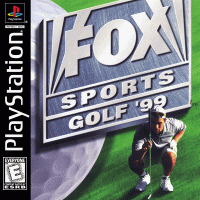
Set up your PlayStation® game console according to the instructions in its Instruction manual. Make sure the PlayStation® power is OFF before inserting or removing a compact disc. Insert the Fox Sports Soccer '99 disc and close the disc cover. Insert game controllers and turn on the PlayStation® game console. Follow on-screen instructions to start a game. Language Selection
This screen presents you with the option to choose either an English or Spanish announcer. Use the Directional Buttons to change the flag representing your desired language, then press the X button to select.
Controllers
A controller must be plugged into Controller port 1 of the PlayStation® game console. If you wish to use a Multi-tap, ensure that it is connected to Controller port 1 of the PlayStation® game console and player one's Controller is connected to Controller port 1-A of the Multi-tap, before the power is turned on. Main Menu
The options and menus available from the Main Menu can be selected using the red highlight. This can be moved using the Directional Buttons. The highlighted option can be selected using the X button. To cancel a choice on any of the menu screens, press the ▲ button to return to the previous screen.
At any point during gameplay hold down the Select and Start button for 2 seconds to return to the main menu.
Season
There are three different styles of season games that can be played:
•
National - Features League teams from cities around the world. The League features 4 divisions, each consisting of 16 teams. These teams compete through a full season of 32 matches with the objective of winning their respective division. At the end of a season the championship winner will be declared. This would be the winning team from the 1st division. The top 3 teams from the 2nd, 3rd, and 4th divisions will be promoted up a division for the following season. The bottom three teams from the 1st, 2nd and 3rd divisions will be demoted.
•
International - Teams representing different countries compete against one another. Matches structured the same as National.
•
Custom - This type of game allows you to create your own division consisting of between 4 and 24 teams. First, you will need to set the total number of teams that are to play in this division by highlighting and selecting the Number of Teams menu bar at the top of the screen. You can use the ← → Directional Buttons to set the number of teams and then press the X button to confirm. You can now select which teams are to feature in this Custom season. This is done using the ↓↑ Directional Buttons to highlight the desired team, then pressing the X button to select. It is possible to scroll the team list up using the L1 button and down using the R1 button on the Controller.
Season Information Screens
A Season game will display several screens relating to matches that have been played and those which are forthcoming. These include: Team Selection, Schedule List, Next Match, Match Results and the Results. Prior to a season match, you will receive league results and the previously mentioned screens will be displayed. (Refer to the section titled Match Information Screens for more details).
Along with the Match Information Screens, the Season competition also displays the Weekly League Tables. These show the current positions and scores of every team in the league. The League Table lists all of the teams in the currently selected division, showing the following information: Number of Matches Played (PLD), Matches Won (WON), Matches Drawn (DRN), Matches Lost (LST), the Goal Difference (GD) and the Total Number of Points accumulated for the season (PTS). You will be awarded 3 points for a win, 1 point for a draw, but nothing for losing!
Friendly
This is a single exhibition match between any two of the teams available within the game. A Friendly match will present you with the screens for your Team Selection and the Next Match.
Practice
•
Penalties - This option gives you the chance to practice taking penalty shots against an opposing goal keeper.
•
Game - Take your team onto the training field to play for an unlimited time. This gives you the time and space to practice those special tactics, without an opposing team, just their goal keeper!
Cup
•
Nations Cup - Play against the best teams in the world with this 64 team single elimination competition.
•
Custom Cup - Create your own cup competition, with 2 to 64 teams. Prior to a Cup game you will receive Cup results and information screens will be displayed. (Refer to the section titled Match Information Screens for more details).
Menu Selector Icons
There are 5 icons visible throughout the menus at the right hand side of the screen. You can access further menus by selecting the required icon.
Control Method
This screen will present you with several options for adjusting the button configuration of each controller. If you highlight and select the Controller menu bar, you can then use the ←→ Directional Buttons to toggle between the different controllers. Once you have selected the controller you wish to adjust, press the X button to confirm.
To alter the button configuration for this controller, highlight and select Configuration. Pressing the ←→ Directional Buttons will then toggle the Type of button actions available. As you adjust this