Getting Started
1. Set up your PlayStation game console according to its instruction manual. 2. Connect the controller to controller port 1.
3. Open the CD door and insert the compact disc, label side up.
4. Close the CD door and turn ON the PlayStation game console. 5. Follow the on-screen instructions to start a game.
Title Screen
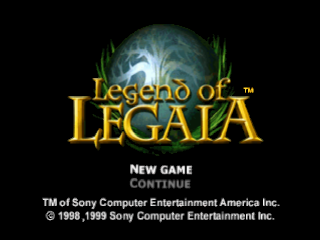
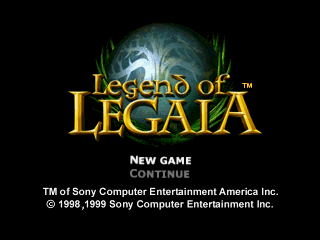
The Title screen has two options: NEW GAME and CONTINUE. Use the directional buttons to select an option, then enter your selection with the X button.
New Game
Select this when playing the game for the first time, or when starting a new game. The game begins once this option is selected.
Continue
Select this to continue a game in progress. If you have saved data from a previous game, select this option to load it.
First select the MEMORY CARD slot and then the data file number with the directional buttons. Next, press the X button to enter your selection.
Entering a Name
A name of up to 9 characters can be entered for each hero. To enter a letter, use the directional buttons to select, then press the X button.
Once you are finished entering the name you want, select ENTER in the lower right-hand corner of the window, then press the X button.
•
Delete: Each time the Circle button is pressed, the letter farthest to the right is deleted.
•
Character name: The default name for the character is already input. Select this if you can't decide on a name yourself.
•
Select: To complete name entry, select this item and then choose YES when the verification message appears.
•
BS: To delete letters, select this item and press the X button.
Communication
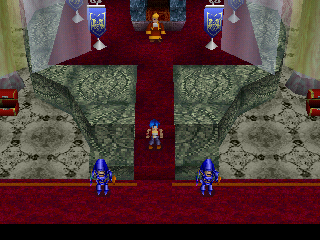
When you press the X button while standing up against another character, a message window appears containing that character's dialogue. To skip messages or go to the next window, press the Circle or X buttons.
Be sure to read every message window, as some contain important hints for moving ahead in the story.
Choices
Choices sometimes appear after dialogue. When this happens, use the up and down directional buttons to select the choice you want, then press the X button to enter.
Types of Buildings
A town or village may have three types of buildings: weapon and armor shops, item shops, and inns. Each building is marked with a sign. Talk to the storekeeper to initiate a transaction.
Weapon and Armor Shops
Here you will find swords, axes and other hand-held weapons, along with armor, helmets and other types of protective gear.
Item Shops
Sold here are jewels, rings and other accessories worn on the body, as well as healing items and other finite-quantity accessories.
Inns
Spending the night at an inn completely restores HP and MP.
How to Purchase
Buy
When in front of the storekeeper, press the X button. The effect and quantity are given in the lower right-hand corner. Press the X button to enter your selection.
If it is a weapon or armor then indicate whether you wish to wear the item or add it to your collection of items.
Sell
A list of the items you possess appears. Select with the up and down directional buttons. At this time, the item's effect and selling price appear on the left side of the screen, and skill appears in the lower left-hand corner.
Press the X button to select, then use the left and right directional buttons to indicate the quantity you wish to sell. Press X to confirm your selection.
Quit
To leave the shopping screen, press the Circle button, or select quit and press the X button to leave this screen.
Magic
Magic is the act of calling a friendly Seru to heal or use against your opponent in battle. To do this, first use the up and down directional buttons to select the character to use the Seru, then press the X button to bring up the magic list on the right-hand side of the screen.
Use the up and down directional buttons to scroll the cursor and make your selection, then press the X button. When selecting a Light Seru, you must also specify the character you want to be healed. To exit, press the Circle button. Only Light Seru can be summoned here.
•
Character Name: The current character's LV and remaining MP.
•
Name/Effect: Indicates the Magic Level and effect of each summonable Seru.
•
Magic List: A list of the attributes and names of summonable Seru. The names of non-summonable Seru are darkened out when the cursor appears. Use the right and left directional buttons to turn the pages and, if you have selected a Light Seru, select the character to be healed by the Seru, the Magic Level, and MP used.
About Magic Level
As Magic is used repeatedly, the Magic level increases, indicating greater power to summon. Higher Magic levels are sometimes accompanied by additional effects that are added to your character's standard powers. Note that there is no indication of experience, etc.
Equipping
Characters can be equipped with weapons, protective gear and accessories. First use the up and down directional buttons to select the character you wish to equip, then press the X button to enter.
Next, select the body part to equip to bring up a list of available gear on the right-hand side of the screen. From the list, select the gear item you want, then press the X button to enter your choice. Press the Circle button to return to the previous window.
•
Character Name: The name of the
.png)

.png)