Main Menu
New Game
This option allows you to start a new game. After selecting this option, you will be prompted to enter a name for the tank commander.
Enter Name
Each name is limited to 9 characters.
Game Options
Using the Directional Button, you may select New Game, Load Game, or Options from the menu.
Options Screen
On the Options screen, you can choose the level of Difficulty for the missions. You can also turn the SFX On or Off, and perform a number of sound tests.
Difficulty Levels
EASY
Choose this level of difficulty if you are afraid of your own shadow. The enemy is slow to respond and the enemy tanks seem to have all the firepower of a BB gun. Strictly for Novices.
MEDIUM
For those more seasoned gamers, this difficulty should pose more of a challenge. The enemy is both stronger and smarter. Don't expect to pass this level on your first time through.
HARD
Choose this level of difficulty if you love the smell of napalm in the morning. Novices and casual gamers need not apply here. The enemy's hits do more damage, and attack in multiple waves. Not for the easily frustrated or faint of heart.
Mission Selection
Currently there are five global hot spots which require your skills. Global Command has broken each of these campaigns into a series of missions. Each series of missions must be completed in the designated order.
When a mission becomes accessible, the red "X" on the folder disappears and you can highlight it and press CONFIRM to move to the Tank Selection screen. Mission folders marked with a tank are completed missions, but can be replayed for additional points.
Tank Selection
At the start of a new game, you command one of three tanks. Although each tank is equipped with the same arsenal of weapons, the speed and handling characteristics of the tanks differ greatly.
CHEETAH
•
ARMOR: 75 mm Tungsten Steel Alloy
The Cheetah series is built for high-speed hit and run attacks on enemy installations. However, its speed comes at the cost of reactive armor plating. This makes the Cheetah unable to stand up against heavy barrages of enemy fire for any length of time.
COBRA
•
ARMOR: 250 mm Carbon Polymer Reactive Armor
The Cobra series is designed as our main assault tank. Its reactive armor gives greater protection when attacking heavily fortified positions. The greater weight of the reactive armor limits the mobility and speed of the Cobra, thus, making it vulnerable to quicker and more maneuverable enemy armored units.
VIPER
•
ARMOR: 150 mm Carbon Polymer Reactive Armor
The Viper incorporates the latest technological improvements in armor and power. While equipped with less reactive armor than the Cobra series, the new turbine engines allow for greater speed and maneuverability. This combination should make the Viper a quick and lethal force on the battlefield.
Mission Briefing
The Mission Briefing Screen gives you detailed information regarding the terrain and objectives for your current mission. Pay close attention to the briefing for the latest intelligence from the field -- it may just save your life.
Listed at the bottom of the screen are the primary missions which you must complete before you will receive the location of the evacuation point.
Mission Objectives
Primary Objectives
In order to complete a mission, you must accomplish the primary objectives. In some missions, the primary objectives must be completed in a particular order (in which case you won't be given the next primary objective until you complete the current one). Consult the Mission Objectives screen (accessed with the SELECT button) to help plan your strategy. Secondary Objectives
Some missions include Secondary Objectives. Completing all the Secondary Objectives in a mission opens an additional extraction point, which leads to a mission different than the one from the Primary extraction point. Secondary Objectives also award bonus points upon completion of the mission.
Bonus Objectives
Each mission contains Bonus Objectives, which are completed by destroying specific structures or by taking out certain soldiers or vehicles. When you complete a Bonus Objective, a notification appears on-screen and in the Mission Objectives screen. Like Secondary Objectives, Bonus Objectives award bonus points at the end of the mission.
Hidden Objectives
Some missions contain a Hidden Objective, which when completed activates a second extraction point that leads to a new mission, previously inaccessible. Hidden Missions are represented as folders in the Mission Selection screen and cannot be accessed until the Hidden Objective is completed.
There is no on-screen notification when a Hidden Objective is completed. If you find that one of the mission folders is inaccessible, it is likely the previous mission contains a Hidden Objective which still needs to be completed.
During your mission, you can uplink to defense net to recall the mission objectives, as well as view a map of the area, by pressing the SELECT button.
.png)


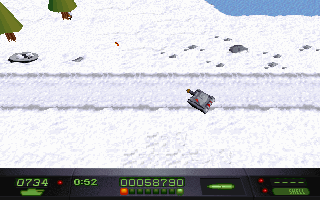
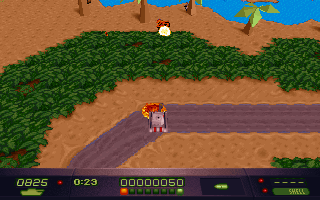
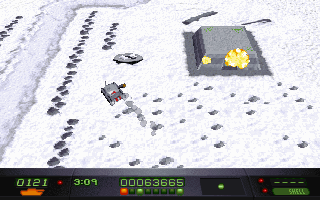
.png)







.png)
.png)



.png)




.png)
